




Manage Projects Efficiently with Odoo Project Module
Plan, track, and deliver projects efficiently with the Odoo Project Module. Manage tasks, timelines, milestones, timesheets, and team collaboration from a single platform fully integrated with your Odoo ERP.
What is the Odoo Project Module?
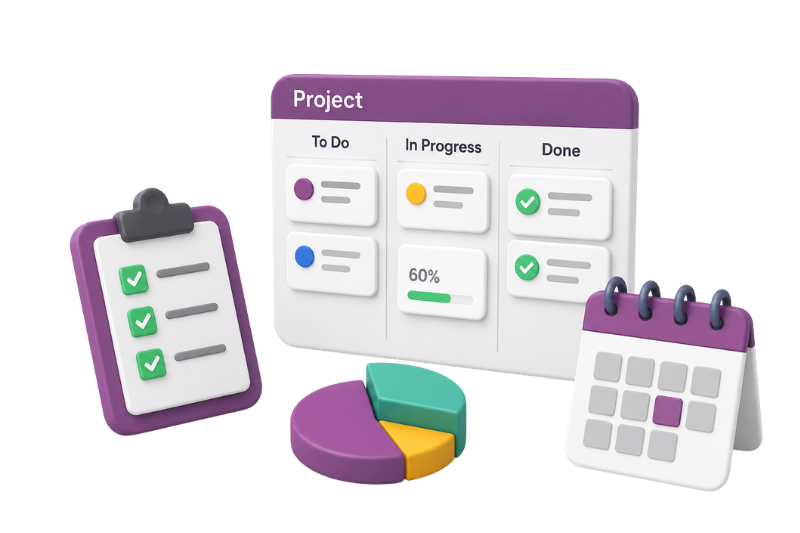
The Odoo Project Module is a centralized project management solution inside the Odoo ERP ecosystem. It helps businesses organize projects, assign tasks, monitor progress, track billable hours, and collaborate across teams — without relying on disconnected third-party tools.
With built-in Kanban boards, Gantt views, task dependencies, timesheets, milestones, and automation capabilities, Odoo simplifies both simple task management and large-scale project execution.
Key Features of Odoo Project Module
Odoo Project helps businesses plan, organize, track, and deliver projects efficiently with visual task management, scheduling, collaboration, automation, timesheets, and profitability tracking in one centralized platform.
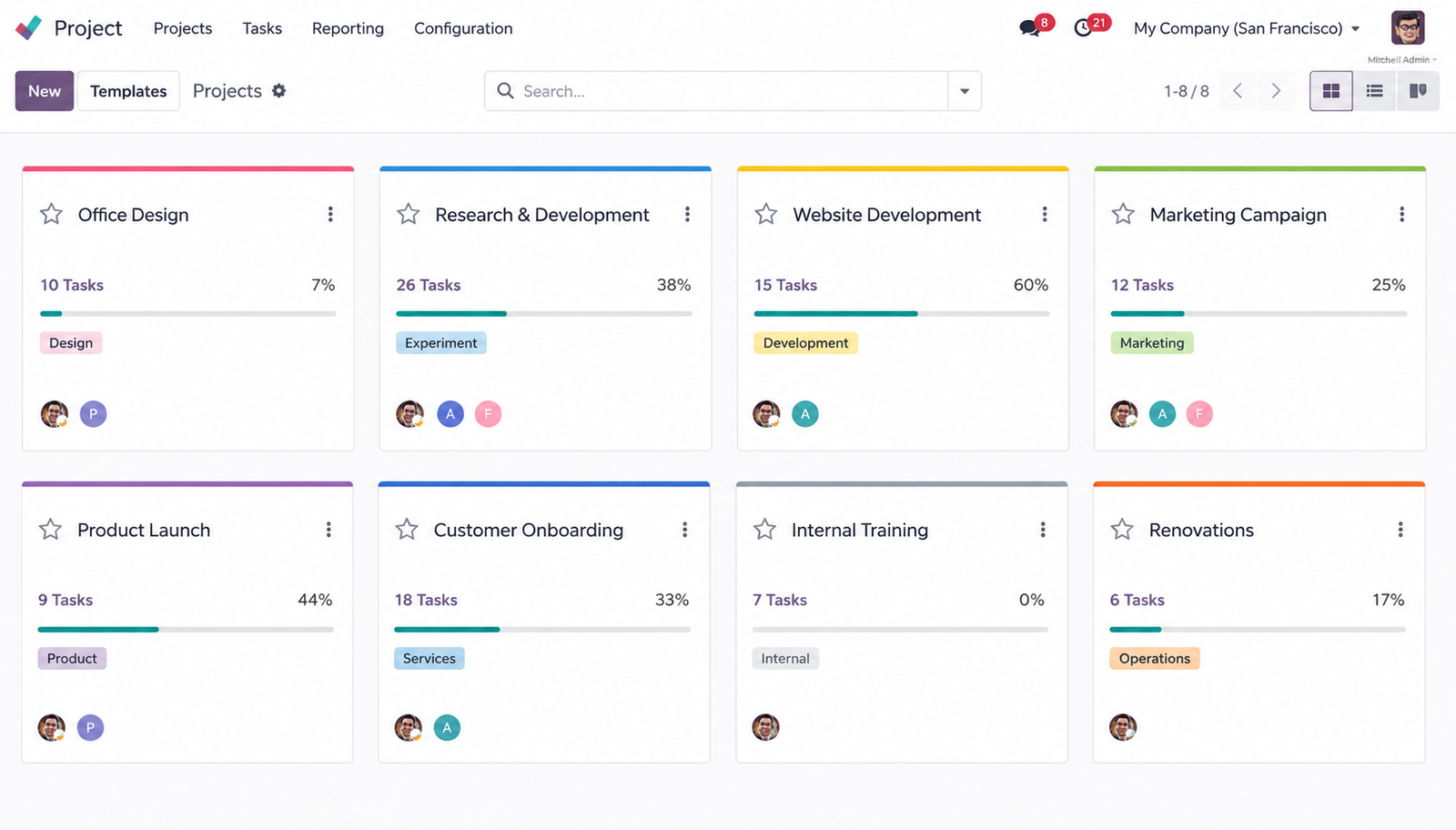
Kanban Task Management
Manage tasks visually with drag-and-drop Kanban boards.
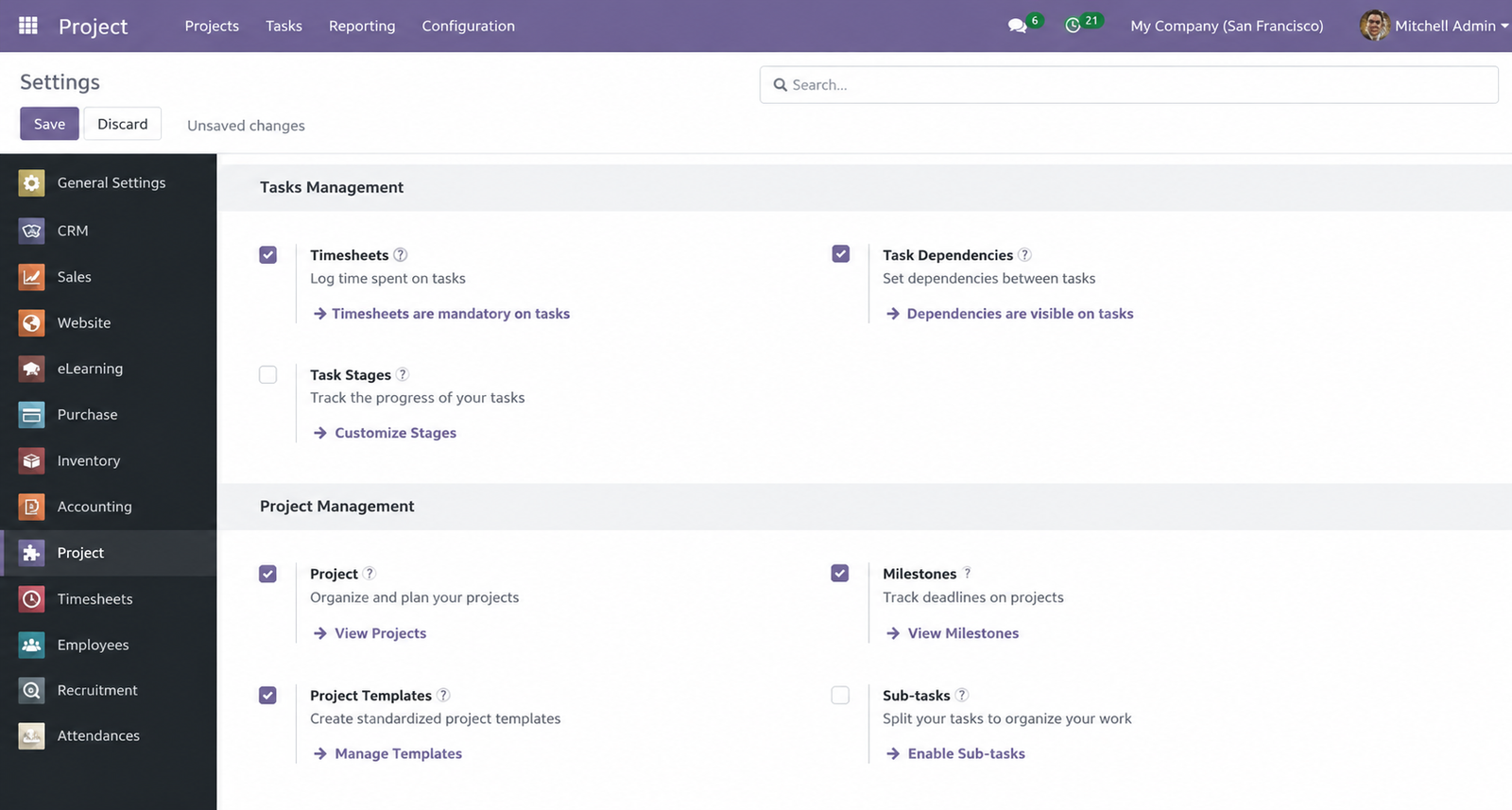
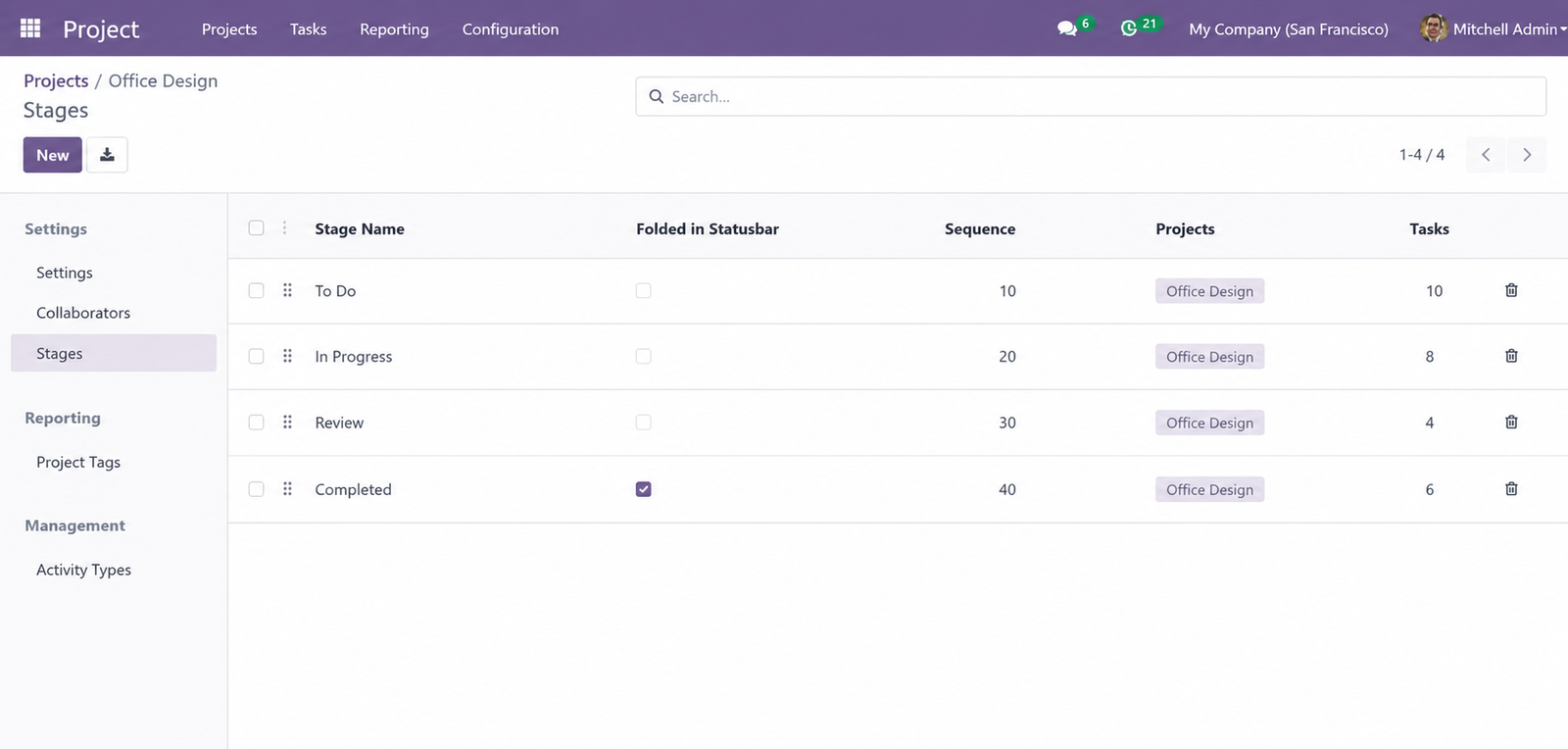
- Create custom stages
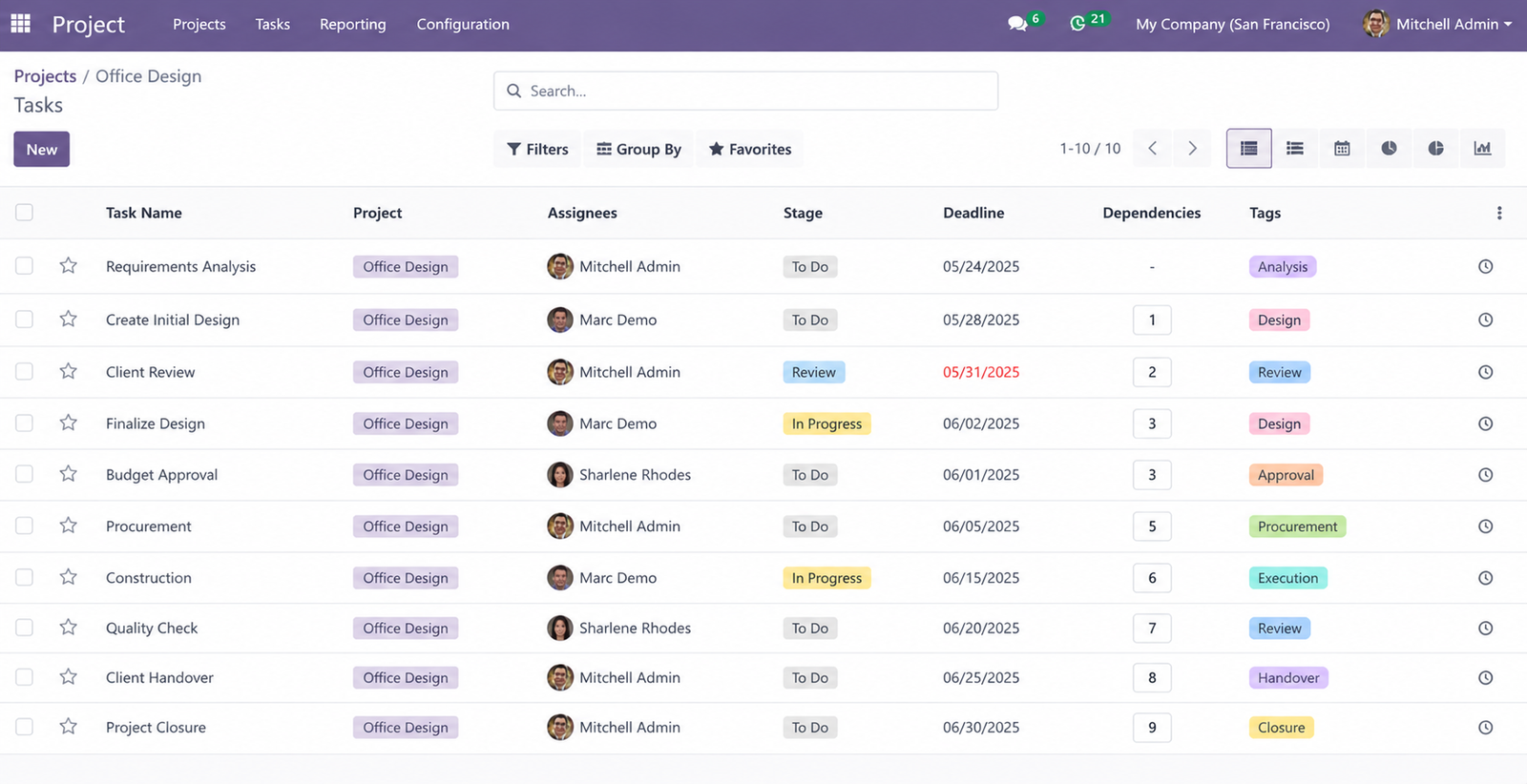
- Assign tasks to team members
- Track progress in real time
- Prioritize work efficiently
Gantt Chart Planning
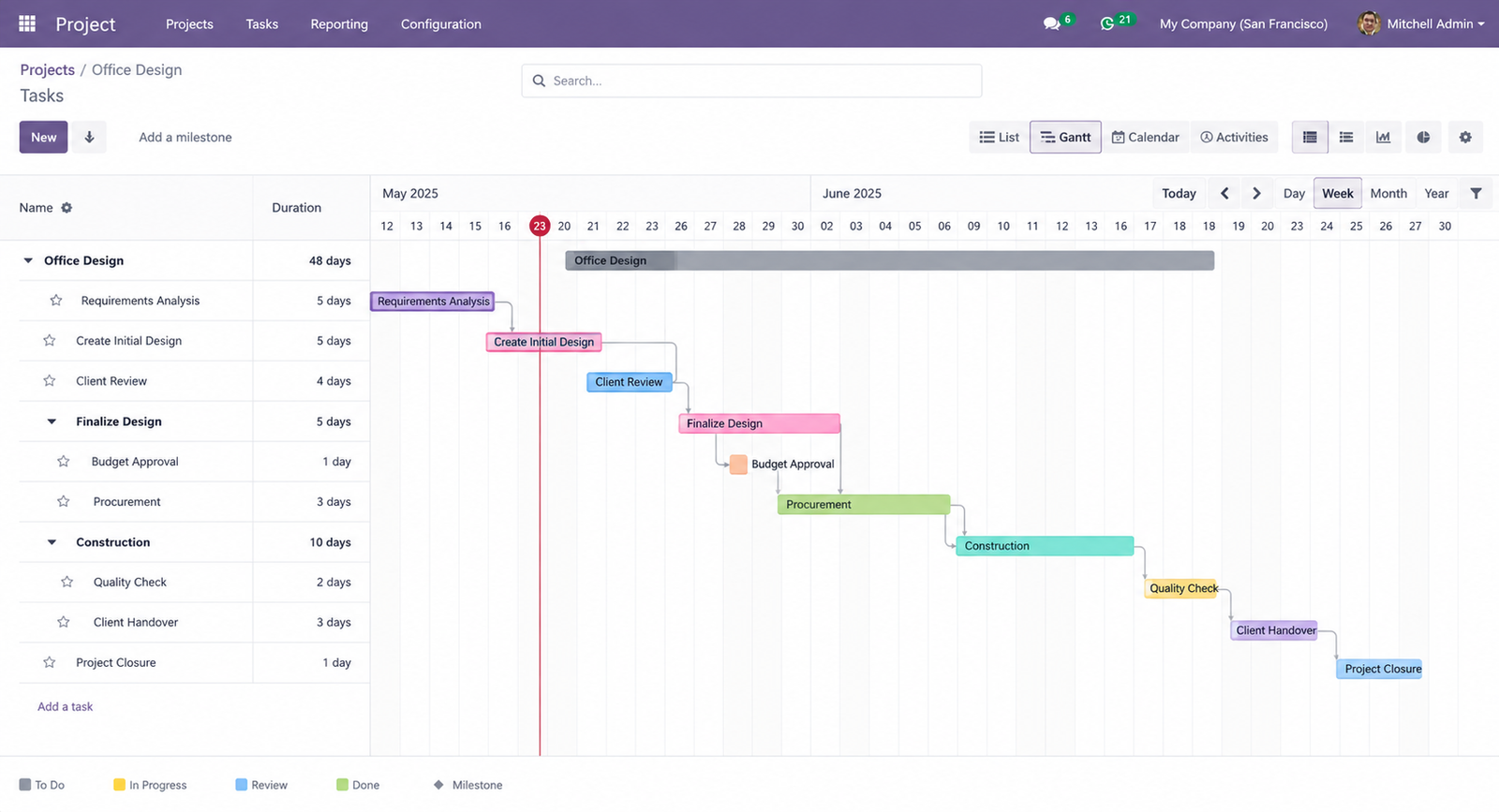
Plan projects with interactive timeline views.
- Visual project scheduling
- Task dependencies
- Drag-and-drop rescheduling
- Timeline adjustments in real time
Task Dependencies
Link related tasks and maintain project flow automatically.
- Define predecessor and successor tasks
- Auto-adjust dependent schedules
- Reduce manual planning errors
Project Templates
Standardize recurring project workflows.
- Reusable project structures
- Predefined stages and tasks
- Faster project setup
- Consistent execution across teams
Milestone Tracking
Track major delivery checkpoints throughout the project lifecycle.
- Define key milestones
- Monitor delivery progress
- Improve stakeholder visibility
- Align teams around deadlines
Timesheet Integration
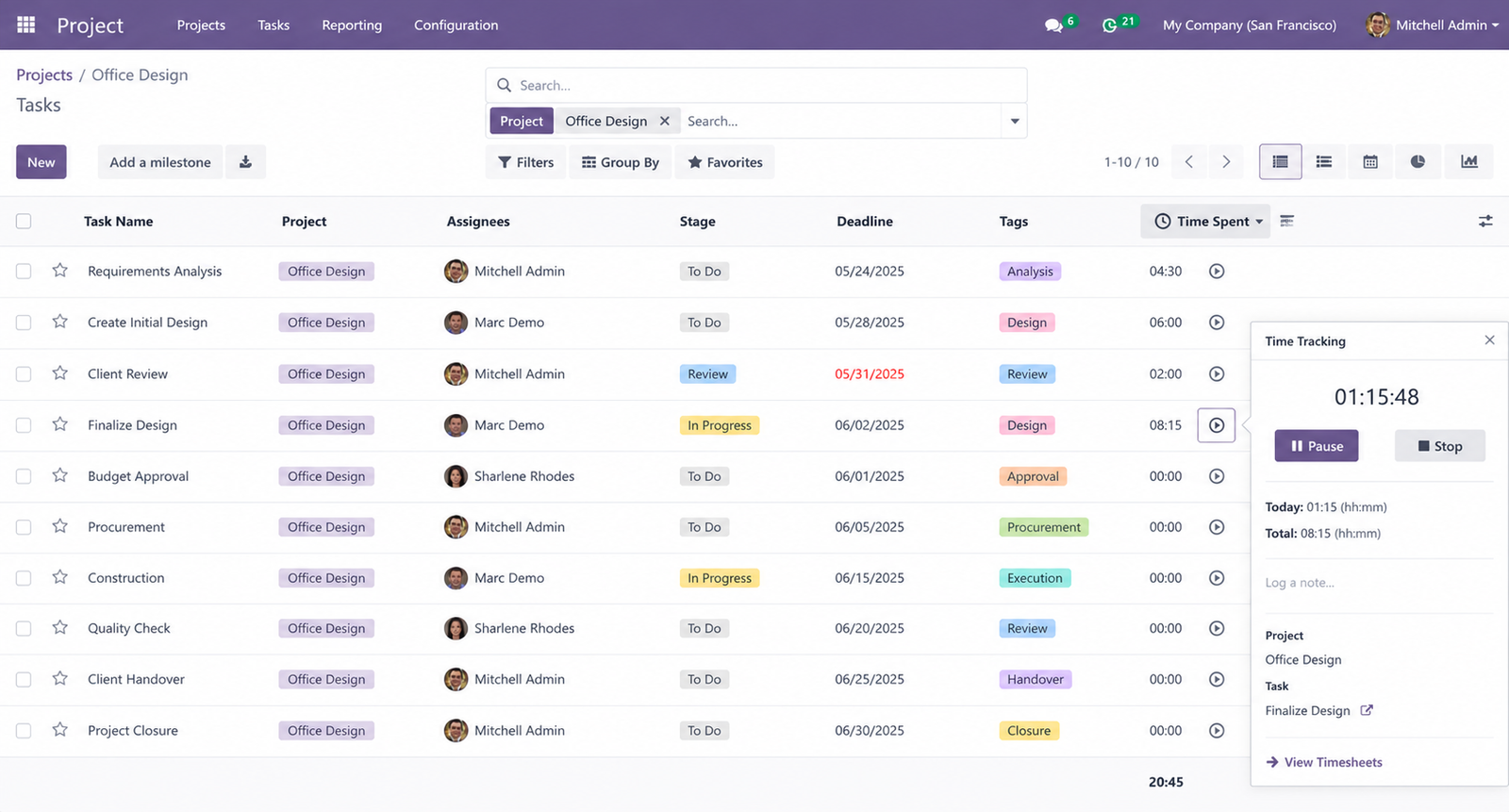
Track time directly from tasks.
- Built-in time logging
- Real-time work tracking
- Connect hours to invoicing
- Monitor project costs accurately
Subtasks & Task Hierarchy
Break large deliverables into manageable activities.
- Create nested subtasks
- Assign separate owners
- Track progress independently
- Improve team accountability
Recurring Tasks
Automate repetitive operational activities.
- Daily, weekly, or monthly schedules
- Reduce repetitive manual work
- Maintain process consistency
Portal Collaboration
Collaborate with external clients and vendors securely.
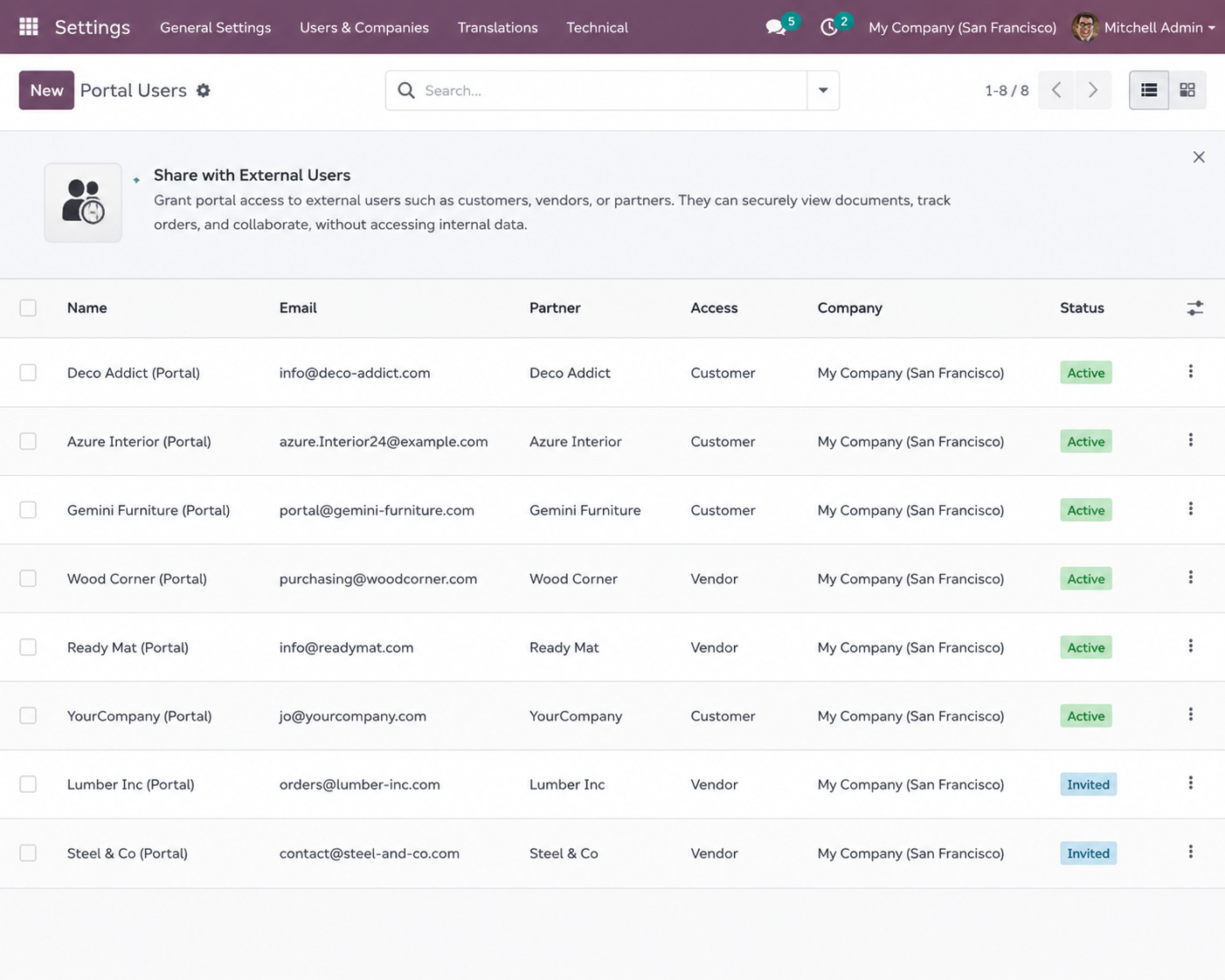
- Share projects via portal access
- Control user permissions
- Allow customer task visibility
- Improve communication transparency
Automation & Smart Workflows
Automate routine project actions.
- Auto-assign tasks
- Trigger notifications
- Update task stages automatically
- Reduce administrative workload
Calendar & Scheduling Views
Visualize workloads across teams and timelines.
- Daily, weekly, and monthly views
- Drag-and-drop scheduling
- Bulk task planning
- Better workload balancing
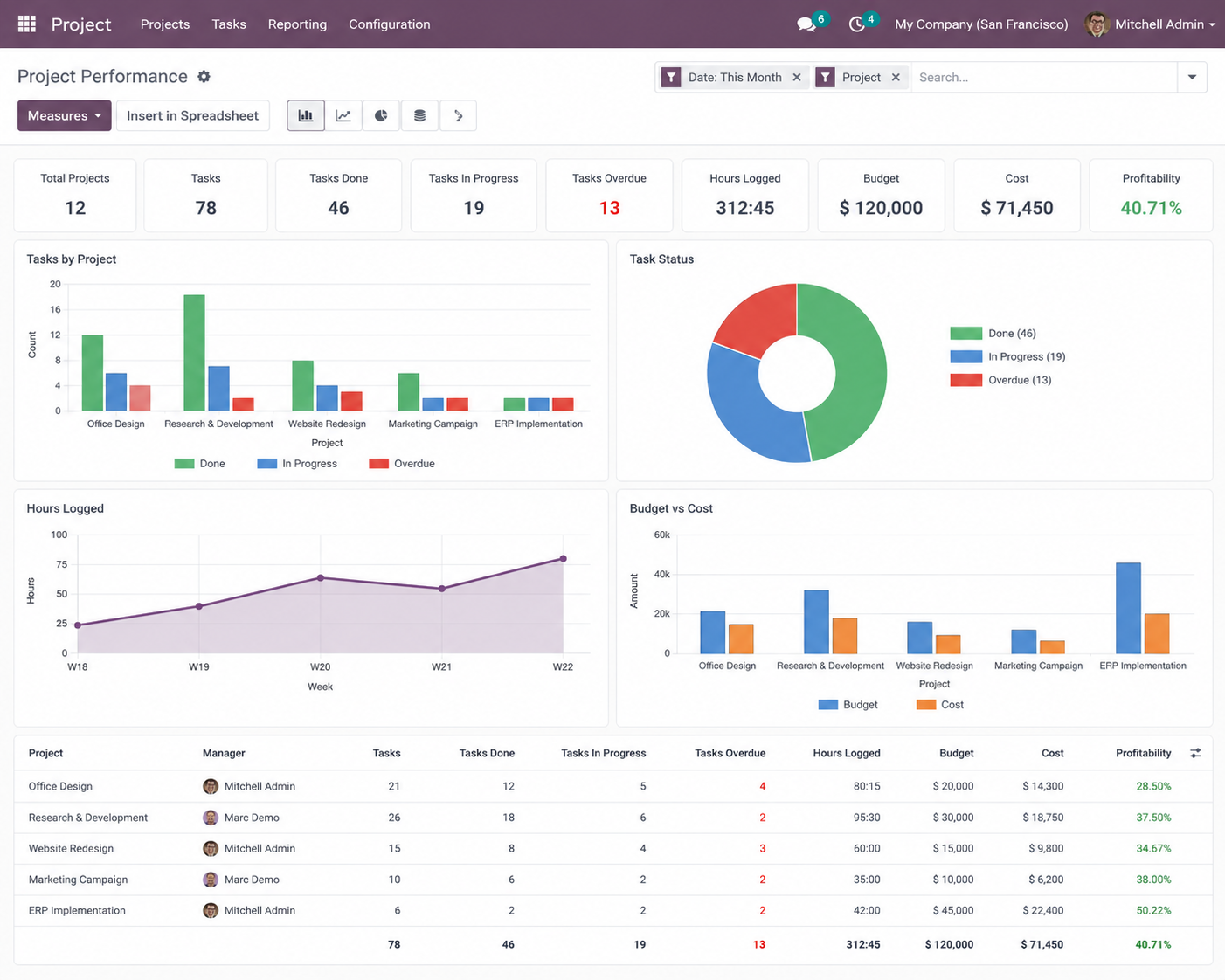
Profitability & Budget Tracking
Monitor financial performance directly inside Odoo.
- Track project margins
- Compare planned vs actual costs
- Analyze billable hours
- Improve project profitability visibility
Fully Integrated with Odoo ERP
The Odoo Project Module connects seamlessly with other Odoo applications to create a unified operational workflow.
CRM
Convert won opportunities into projects automatically.
Sales
Generate tasks directly from confirmed service orders.
Timesheets
Track billable and non-billable work hours.
Invoicing
Create invoices from milestones or logged time.
HR & Leaves
Plan projects around employee availability and leave schedules.
Documents
Attach contracts, files, and project documents directly to tasks.
How Odoo Project Management Works
Why Businesses Choose Odoo Project Module
Odoo’s Electronics Service Suite is built to handle any product tracked by serial number with warranty and service history requirements.
Centralized project management
Real-time collaboration
Reduced manual coordination
Integrated billing and timesheets
Better deadline visibility
Improved operational efficiency
ERP-wide data connectivity
Frequently Asked Questions
What is the Odoo Project Module?
The Odoo Project Module is a project management application within Odoo ERP used to manage tasks, timelines, teams, timesheets, and project collaboration from a centralized platform.
Can Odoo check warranty status automatically when a service ticket is raised?
Yes. Odoo automatically cross-checks warranty validity at the moment a service ticket is created. It compares the installation date and warranty period against today’s date for the specific serial number. If the product is under warranty, billing is blocked to prevent incorrect charges. A dashboard also shows all products expiring in the next 30 days.
How does Odoo handle spare parts before a technician visits a customer?
When spare parts are identified for a repair job, Odoo automatically creates an internal transfer, reserves the required parts from the warehouse, and updates stock in real time — before the technician leaves for the site. Technician van stock is tracked separately. This eliminates the most common cause of repeat visits: arriving without the correct component.
Which electronics and appliance categories does Odoo Service ERP support?
Odoo supports any product tracked by serial number. In the electronics and appliance industry this covers: Air Conditioners (split, window, cassette, commercial HVAC), Refrigerators, Washing Machines, Water Purifiers (RO), Solar Systems, UPS & Inverters, and LED TVs. The product form supports warranty period, service category, installation requirements, spare parts list, and technician skill mapping.
Does Odoo generate invoices automatically after a service job is completed?
Yes. Odoo handles three billing scenarios automatically: (1) Under Warranty — no invoice is raised, or a vendor warranty claim is created; (2) Under AMC — the job is marked as covered under the active subscription; (3) Paid Service — an itemised invoice is auto-generated with service charge, spare part cost, and technician visit fee included.
How do technicians get notified about assigned service jobs in Odoo?
When a technician is assigned to a service task, Odoo sends an automatic WhatsApp notification or email containing the customer’s location (Google Maps link), issue description, product serial number, and warranty/AMC status — removing the need for phone calls and ensuring technicians have all information before departing.
Do I need separate accounting software if I use Odoo for service management?
No. Odoo integrates Sales, Inventory, Field Service, and Accounting natively. Invoices are generated from service tasks, spare part costs flow into job profitability automatically, AMC revenue is recognised monthly, and vendor warranty claims are tracked — all within the same platform.
What performance data can management track in Odoo's service dashboard?
Odoo’s service management dashboard provides real-time visibility into: number of open tickets, active AMC contracts, technician productivity, average ticket resolution time, spare parts consumption per technician, and total revenue generated from service — all in one centralized view.