



Run Every Event Smarter — From Registration to Revenue
Stop juggling spreadsheets, emails, and payment links. Odoo’s Event Management module brings your entire event workflow into one place — plan, promote, sell tickets, and analyze results, all within your ERP.
What Is Odoo Event Management
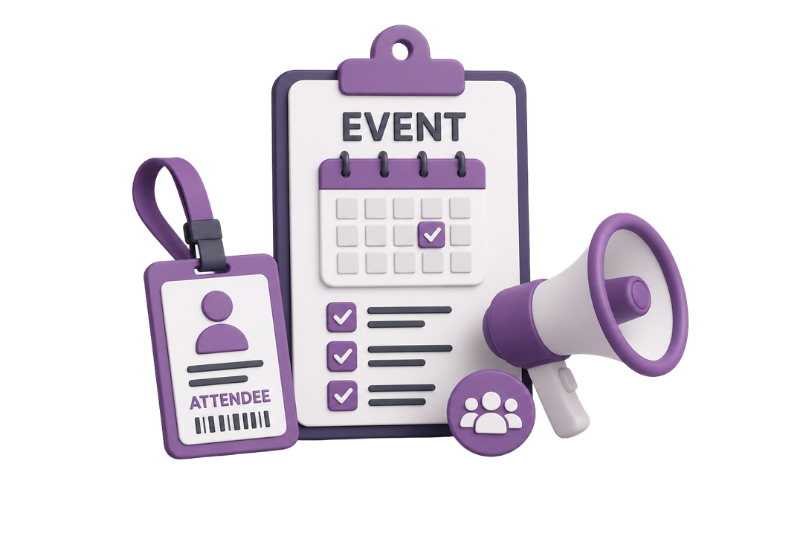
Odoo Event Management is a fully integrated module within the Odoo ERP ecosystem. Whether you’re hosting a webinar for 50 or a conference for 5,000, it handles the complete lifecycle — from creating the event page to post-event reporting — without leaving your Odoo dashboard.
End-to-end event lifecycle
Powerful Features for Odoo Event Management
Manage your complete event workflow in Odoo — from event website, registration, ticketing, attendee communication, QR check-in, agenda planning, and real-time reporting.
Event Website & Registration Page
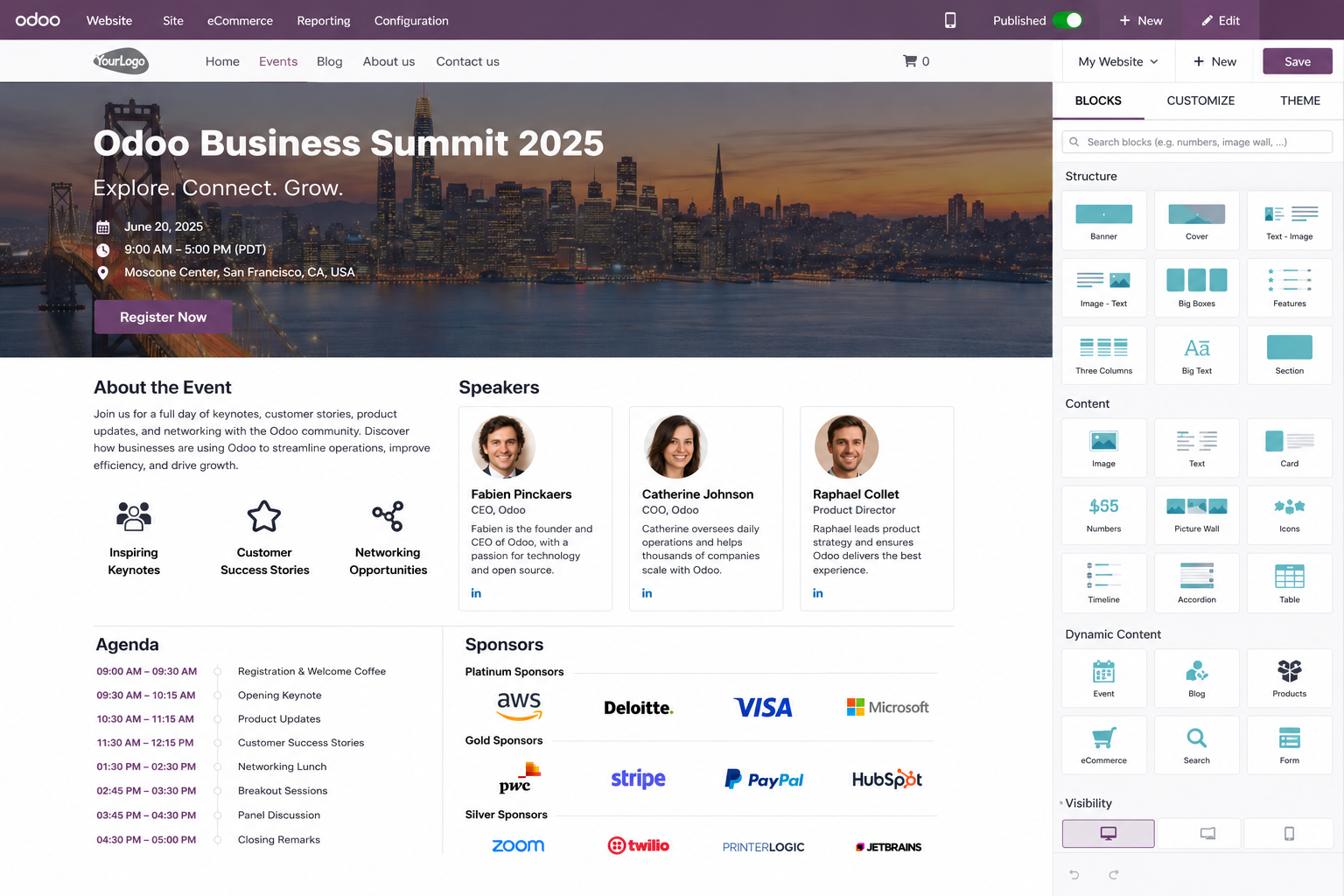
- Auto-generate a branded, SEO-friendly event landing page
- Add live registration forms with easy customization
- No development work required
Multi-Tier Online Ticketing
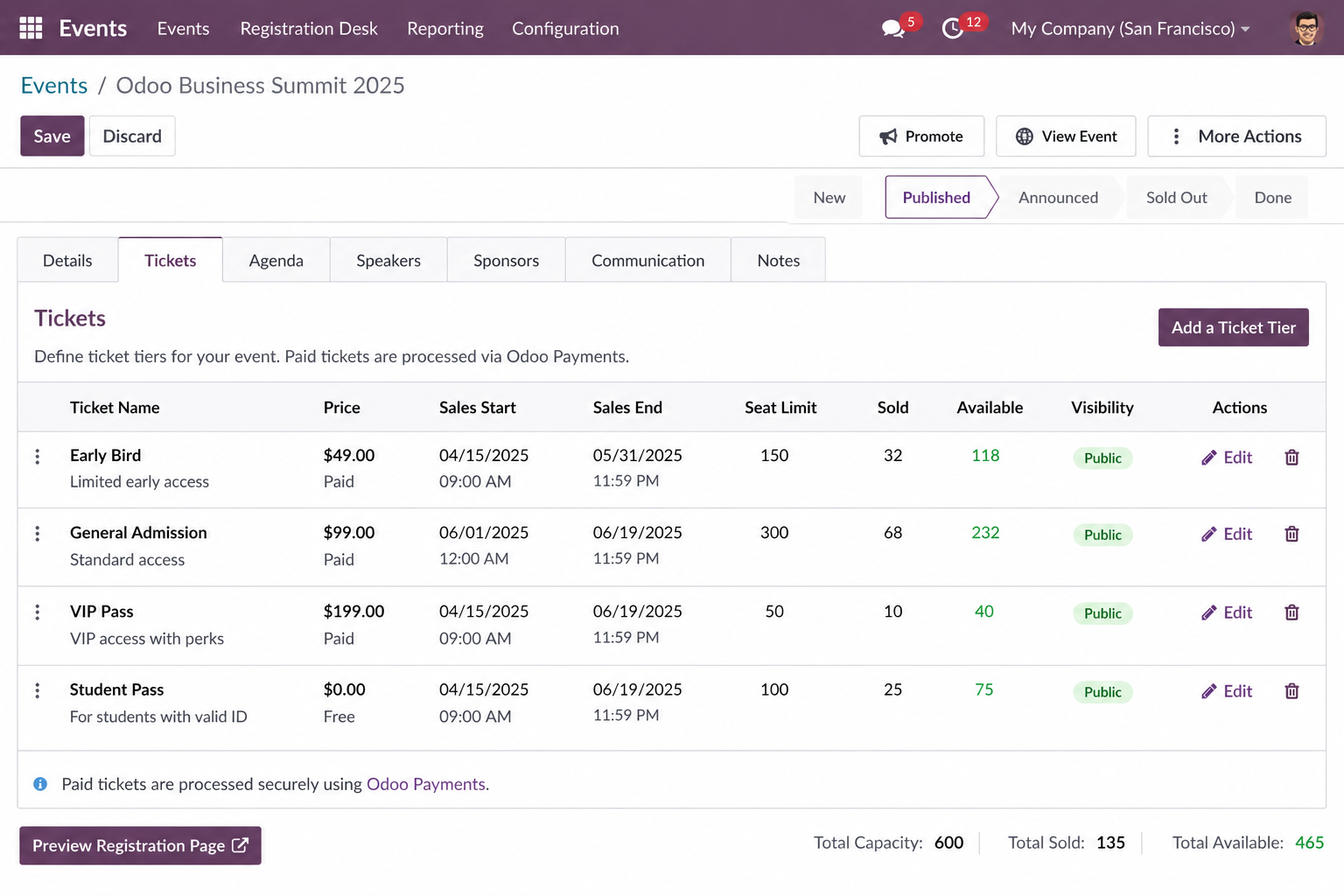
- Create free, paid, or early-bird tickets
- Set quantity limits and sale windows
- Collect payments instantly through Odoo payment gateways
Attendee Management
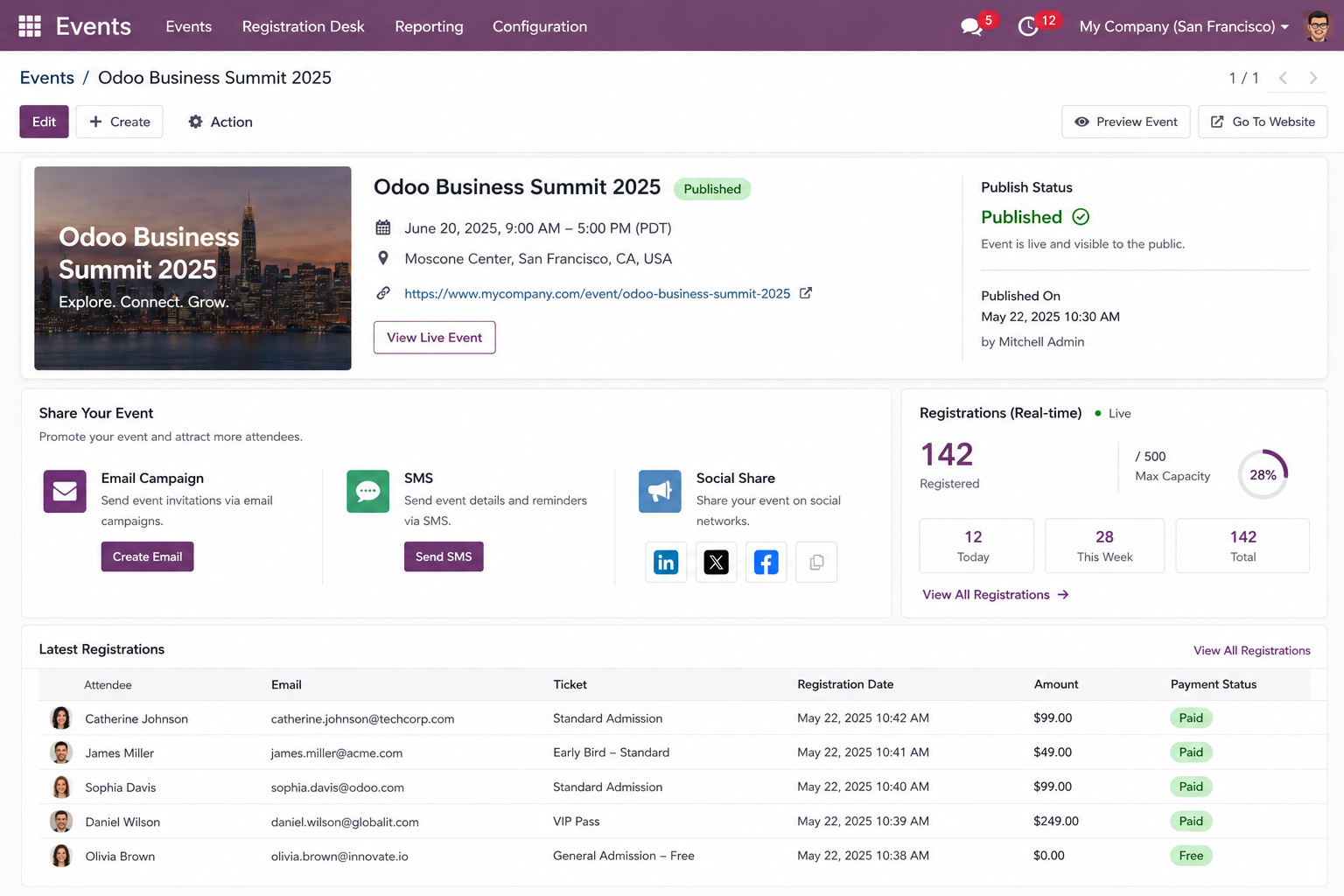
- Track all registrations from one dashboard
- Send confirmations automatically
- Manage waitlists and generate attendee badges easily
Automated Email Campaigns
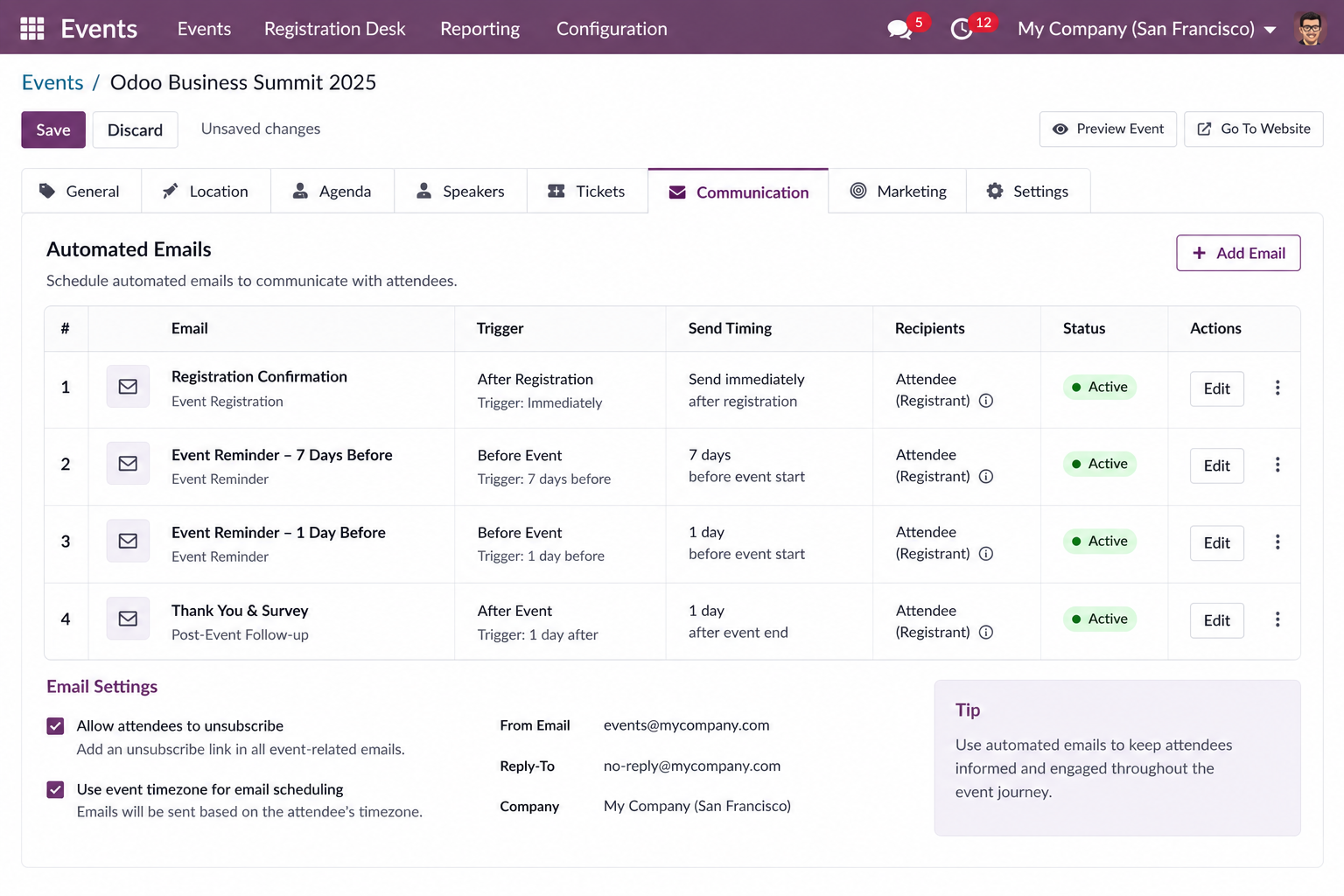
- Schedule reminder and confirmation emails
- Send post-event follow-ups automatically
- Trigger workflows based on registration status or event dates
QR Code Check-In
- Generate unique QR code tickets for attendees
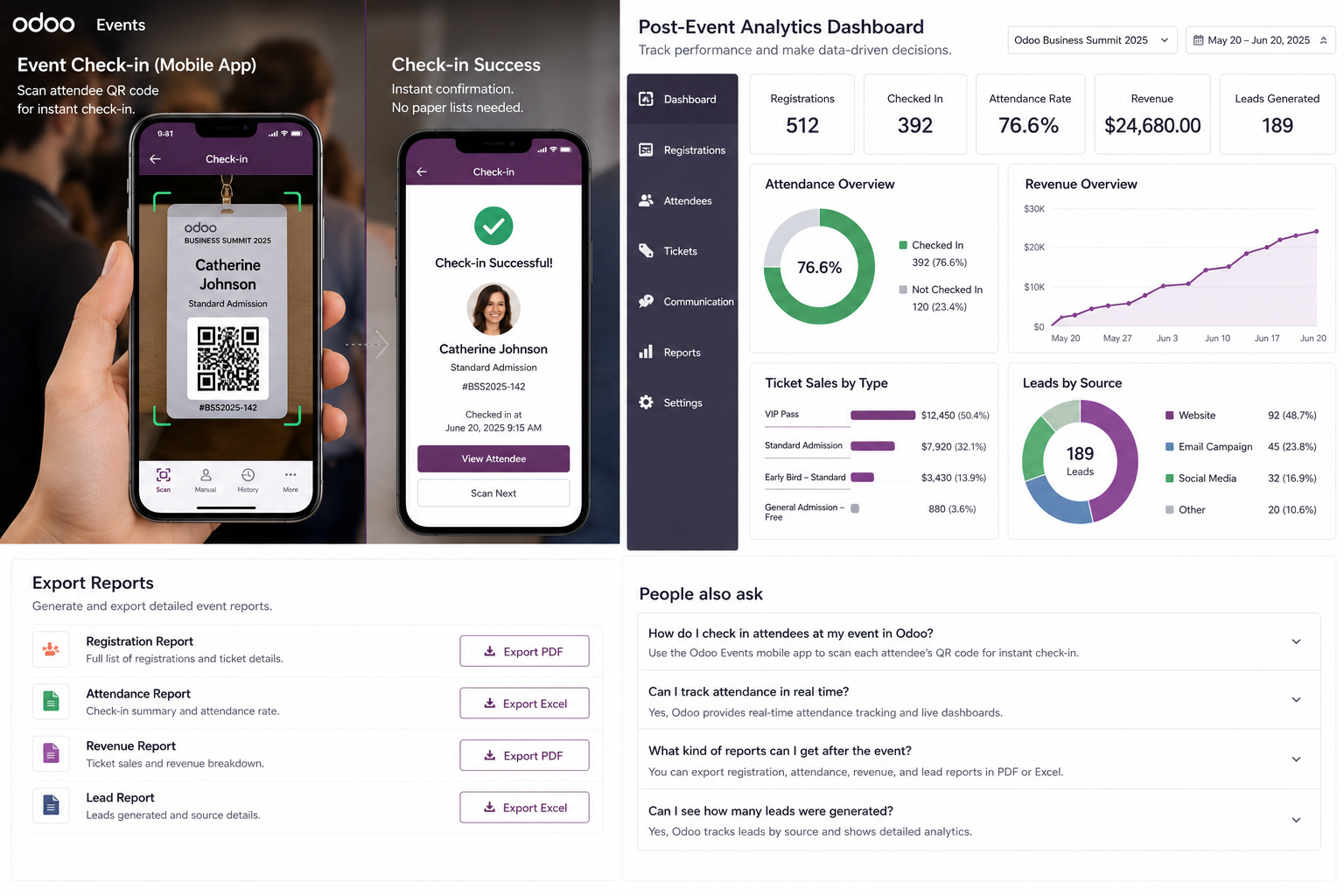
- Scan tickets using the mobile app for fast check-in
- Track attendance in real time with paperless entry
Session & Agenda Builder
- Create event tracks, sessions, and speaker profiles
- Publish interactive agendas directly on the event website
- Keep attendees informed with a structured schedule
Real-Time Analytics & Reports
- Monitor registrations and ticket revenue live
- Track attendee check-in rates instantly
- Analyze source attribution and event performance from dashboards
How the Module Works — Step by Step
From the moment a subscription is created to the moment a plan changes, every step is handled within Odoo’s familiar interface.
Frequently Asked Questions
How to Use Odoo Event Management?
To use Odoo Event Management:
- Open the Events module in your Odoo dashboard
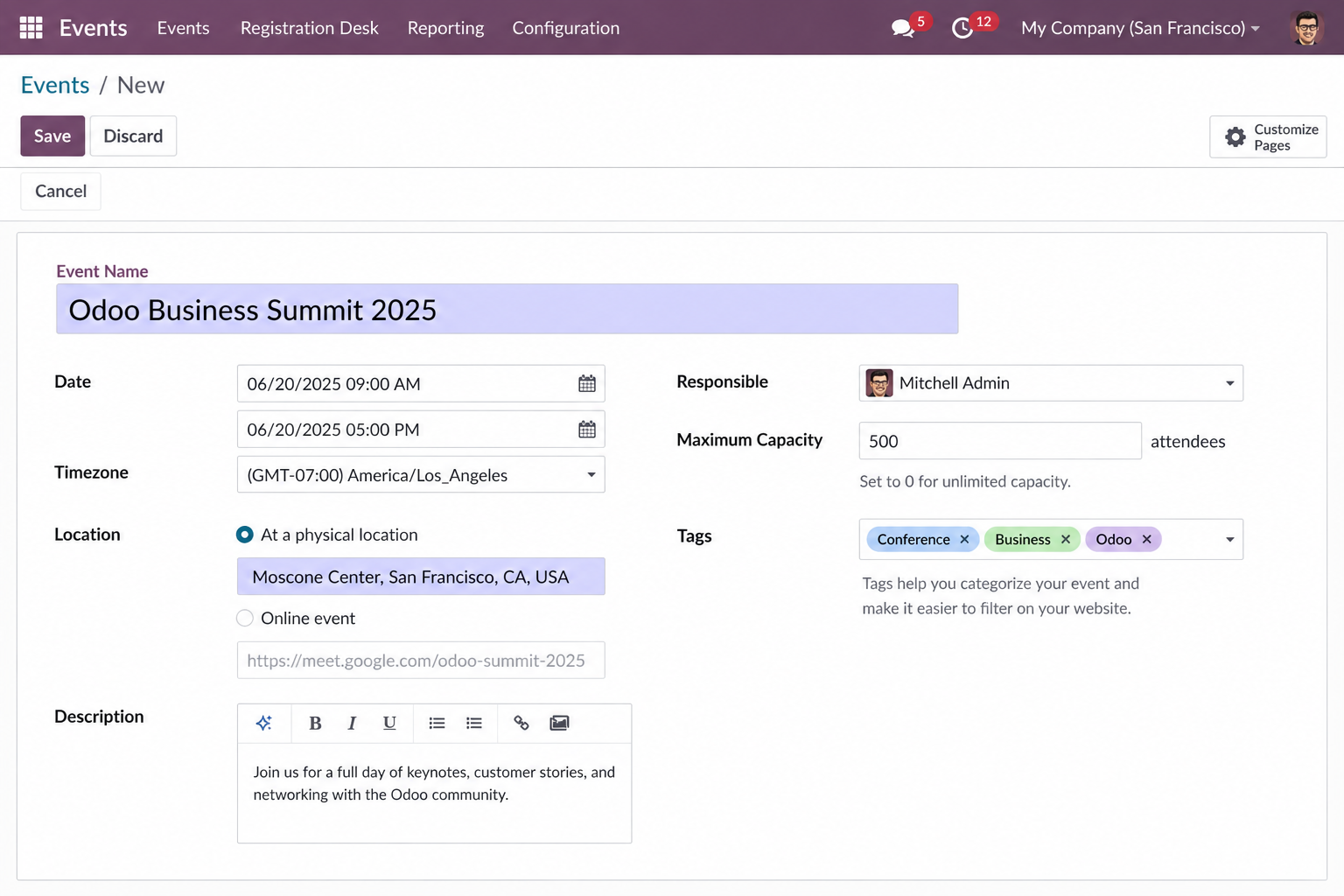
- Click New to create an event
- Add event details, ticket types, and attendee settings
- Customize your public event page using the website builder
- Set up automated email communications and publish the event
Registrations are tracked in real time, and attendees receive QR code tickets for seamless event-day check-in.
How to Create an Event in Odoo?
To create an event in Odoo:
- Go to Events → New
- Enter the event name, date, venue, organizer, and capacity
- Add ticket categories with pricing and availability windows
- Build your registration page using the website builder
- Click Publish to make the event live
All attendee registrations are automatically stored in your Odoo attendee list.
How Does Odoo Event QR Code Check-In Work?
When attendees register for an event, Odoo automatically sends a confirmation email with a unique QR code ticket.
On the event day:
- Organizers scan attendee QR codes using the Odoo Events mobile app
- The system instantly marks attendees as checked in
- Live attendance data updates automatically on the dashboard
No paper lists or manual entry required.
What Are the Key Features of Odoo Event Management?
Key features of Odoo Event Management include:
- Branded event website and registration page
- Multi-tier ticketing (free, paid, early-bird)
- Automated email reminders and confirmations
- QR code-based attendee check-in
- Session and agenda management
- Real-time registration and revenue analytics
- Native integration with Odoo CRM, Accounting, and Email Marketing
Everything is managed from a single centralized dashboard.
Can Odoo Event Management Handle Paid Ticketing?
Yes. Odoo Event Management supports paid ticketing natively.
You can:
- Create multiple ticket tiers
- Set pricing, capacity limits, and sale windows
- Accept payments through integrated payment providers
- Automatically sync transactions with Odoo Accounting
No manual reconciliation or third-party ticketing software is needed.
Does Odoo Event Management Integrate with CRM?
Yes. Odoo Event Management integrates directly with Odoo CRM.
When attendees register:
- Their contact information is automatically created or updated in CRM
- Leads and customer records stay synchronized
- Sales and marketing teams can follow up after the event without manual data entry
This helps businesses streamline event-driven lead generation and customer engagement.