






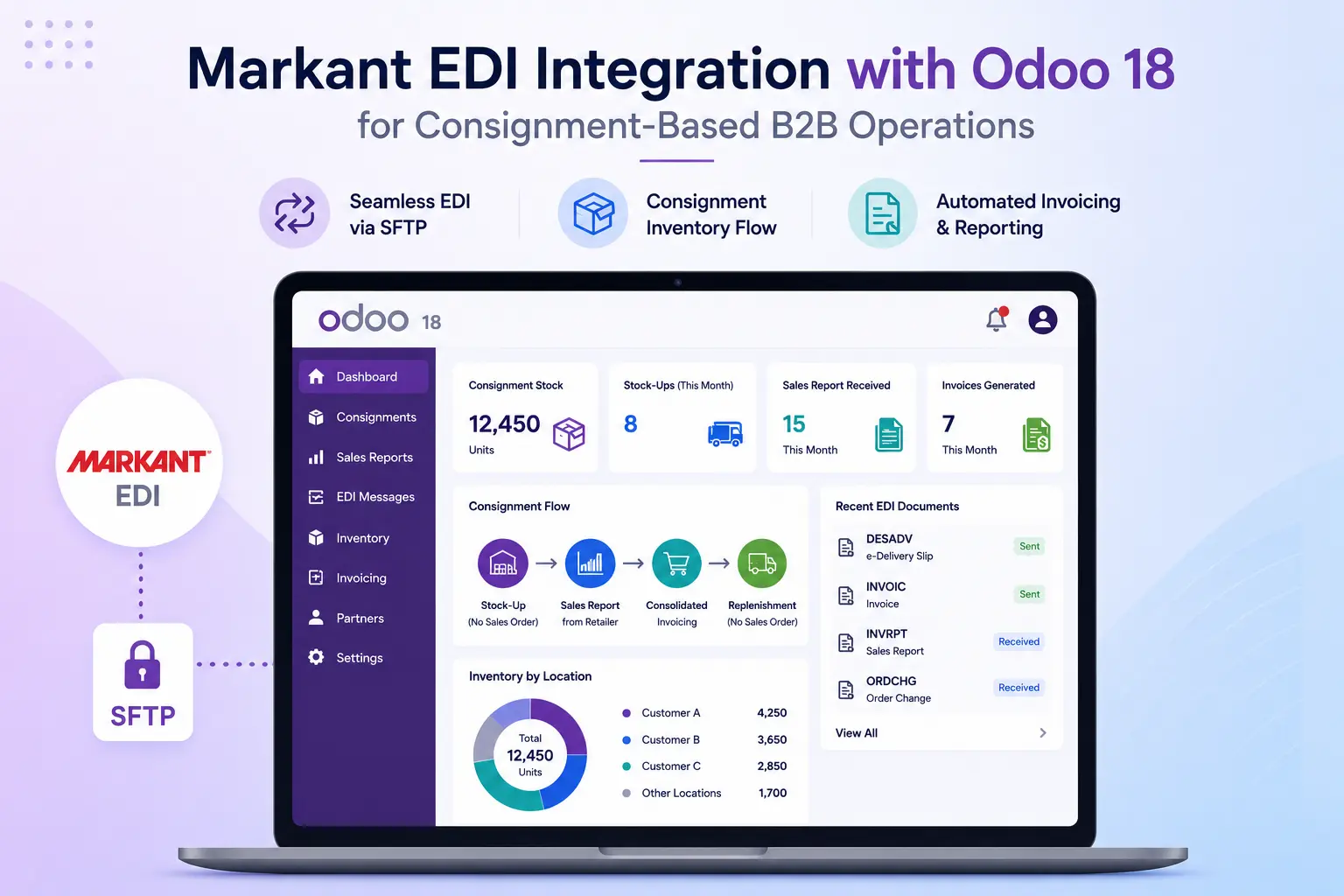
Markant EDI Integration with Odoo 18 for Consignment-Based B2B Operations
Project Overview
A European B2B business approached Vraja Technologies with a requirement to integrate Odoo 18 with Markant, one of Europe’s well-known EDI service providers used by retailers, wholesalers, and suppliers for structured electronic document exchange.
The customer’s business process was not a standard EDI sales order flow. Instead, they operated on a consignment stock model, where goods are placed at partner/store locations first, and invoicing happens later based on actual sales reported by the partner.
To support this unique workflow, Vraja Technologies proposed and planned a custom Markant EDI Connector for Odoo 18, using SFTP as the connection protocol and automating key operations such as stock-up delivery slips, sales report imports, replenishment, consolidated invoicing, inventory reconciliation, logs, and audit tracking. The SOW defines the module as odoo_markant_edi_integration for Odoo 18, with the objective of automating the customer’s consignment-style, multi-store workflow through Markant via SFTP.
About Markant EDI
Markant acts as an EDI and business communication partner between suppliers and retail or wholesale organizations. In many European B2B environments, Markant is used as an intermediary platform to exchange business documents electronically between trading partners.
Through EDI, companies can exchange documents such as:
- Delivery slips
- Sales reports
- Inventory reports
- Invoices
- Stock movement information
- Partner/store-specific business documents
For this project, Markant was connected through an SFTP-based file exchange process, where Odoo would generate outbound EDI files and place them on the configured SFTP path, while also importing inbound files received from Markant.
Client Requirement
The client wanted to connect Odoo with Markant EDI using SFTP and support a consignment business model with multiple B2B partner locations.
Their main requirement was:
Stock-Up Without Sales Orders
The client regularly stocks goods at partner locations. These stock-up movements happen for:
- Initial stock placement
- Replenishment stock-up
- Partner/store-specific stock movement
- Consignment stock refilling
The important point was that these stock-up operations were not linked to Sales Orders. They are inventory movements from the company’s stock to partner/store locations.
For every stock-up movement, the client required a proper EDI e-delivery slip to be generated and sent to Markant.
Partner and Store-Level Inventory Management
Each B2B partner could have multiple store locations. The client needed Odoo to manage each store separately.
The solution required:
- Parent partner and child store hierarchy
- Dedicated inventory location for each store
- Unique EDI/Store ID for each partner/store
- Store-wise stock visibility
- Store-wise inbound and outbound EDI processing
The SOW specifically mentions that each partner/store would have a dedicated inventory location and a unique EDI/Store ID for automated inbound and outbound exchange with Markant via SFTP.
Sales Report Import from Markant
The client periodically receives sales reports from their B2B partners through Markant.
These sales reports represent the actual quantity sold by the partner from consignment stock.
Based on these reports, Odoo needed to:
- Import the sales report file from SFTP
- Identify the correct partner/store using the EDI/Store ID
- Create Sale Orders automatically
- Allocate stock from the correct partner/store inventory location
- Validate delivery automatically
- Prepare data for invoicing
Monthly Consolidated Invoicing
The customer did not want to invoice every individual sale separately.
Instead, the requirement was to consolidate all sales of the month into a single invoice per partner.
The expected process was:
- Import sales reports during the month
- Create Sale Orders in Odoo
- At month-end, select all unbilled Sale Orders
- Generate one consolidated customer invoice
- Generate the required EDI invoice file
- Send the invoice file to Markant via SFTP
The SOW includes a custom EDI validation wizard on the invoice, where users can review selected Sale Orders, aggregated product quantities, partner/store details, and validation results before sending the invoice file to Markant.
Inventory Report Reconciliation
The client also needed to reconcile inventory reports received from Markant.
Odoo needed to compare Markant’s reported stock quantity with real-time Odoo stock quantity for the relevant partner/store location.
If everything matched, Odoo would create a success log. If any mismatch was found, Odoo would generate a warning log, notify the responsible team, and create an activity for review.
Vraja Technologies Solution
Vraja Technologies proposed a custom Markant EDI Connector for Odoo designed specifically for the customer’s consignment-based B2B workflow.
The goal was to automate the complete process from replenishment stock-up to sales report processing, invoicing, inventory reconciliation, and EDI file exchange through Markant.
Odoo and Markant SFTP Integration
We planned the technical setup using SFTP connection protocol.
Odoo would be configured with document-wise inbound and outbound SFTP paths for Markant.
This allows Odoo to:
- Send outbound EDI files to Markant
- Import inbound files from Markant
- Maintain separate document-wise folders
- Track file status and processing history
- Log success, warning, and error messages
Multi-Store Partner Configuration
We enhanced Odoo to support a proper parent-child partner structure.
The parent partner represents the main B2B customer, while each child contact represents an individual store or location.
Each child store is configured with:
- Unique EDI/Store ID
- Dedicated inventory location
- Active/inactive status
- Store-specific stock management
- SFTP document flow mapping
This ensures that every inbound and outbound EDI file can be linked to the correct store.
Store-Wise Inventory Locations
A dedicated inventory location is created for each partner/store.
This allows the client to clearly track consignment stock placed at each B2B partner location.
For example:
- Partner A / Store 001 → Separate Odoo stock location
- Partner A / Store 002 → Separate Odoo stock location
- Partner B / Store 005 → Separate Odoo stock location
This design gives better control over stock movement, replenishment, sales allocation, and reconciliation.
Automated Replenishment and E-Delivery Slip Generation
The replenishment flow uses Odoo’s native inventory and reordering rule logic.
When stock at a partner/store location needs to be refilled, Odoo can generate an internal transfer for that specific store.
Once the internal transfer is manually validated, the system automatically:
- Generates the required outbound EDI delivery file
- Includes the correct partner/store EDI ID
- Sends the file to Markant via SFTP
- Records the file status in the transfer chatter
- Creates a centralized EDI log
The SOW confirms that replenishment uses Odoo reordering rules to create partner/store-specific Internal Transfers, and after manual validation, Odoo generates and sends the outbound file to Markant through SFTP.
Inbound Sales Report Processing
Odoo imports sales report files received from Markant through SFTP.
After importing the file, the system:
- Reads the EDI/Store ID
- Identifies the correct child partner/store
- Parses product and quantity details
- Maps incoming product identifiers with Odoo products
- Creates Sale Orders automatically
- Allocates stock from the store’s dedicated consignment location
- Validates the delivery order
- Logs any exception for review
This removes the need for manual sales report entry and helps the customer convert partner sales into Odoo transactions accurately.
Monthly Consolidated Invoice Flow
At month-end, the finance team can select all unbilled Sale Orders for a partner and generate one consolidated invoice.
A custom EDI invoice wizard is added to the invoice form.
The wizard shows:
- Selected Sale Orders
- Aggregated product quantities
- Invoice values
- Partner/store details
- EDI/Store ID confirmation
- Validation result before sending
After review, the user can click the send button. Odoo then generates the final EDI invoice file and sends it to Markant through SFTP.
This gives the finance team control before transmission while still automating the final EDI process.
Inventory Report Reconciliation
The system imports inventory report files from Markant and compares the reported quantities with Odoo’s real-time stock for the relevant partner/store location.
If quantities match, Odoo creates a success log.
If there is a mismatch, Odoo creates:
- Warning log
- Product-wise variance details
- Email notification
- Odoo activity for administrator review
- Centralized reconciliation history
This helps the client quickly identify stock differences and take corrective action.
Centralized EDI Logs and Audit Trail
A centralized EDI logging system was planned to give full visibility into all inbound and outbound files.
The log tracks:
- File name
- Document type
- Partner/store
- Direction: inbound or outbound
- Processing status
- Processing timestamp
- Success, warning, or error message
- Related Odoo document
- Reprocessing option where technically safe
The SOW also includes chatter integration, where automated status updates are posted on related Odoo records such as Internal Transfers, Sale Orders, Deliveries, and Invoices.
Business Benefits
1. Reduced Manual Work
The customer no longer needs to manually create Sale Orders, track stock-up movements, prepare delivery slips, or reconcile inventory reports manually.
2. Better Accuracy
Store-wise EDI/Store ID mapping ensures that every file is processed against the correct partner, store, and inventory location.
3. Faster EDI Communication with Markant
Outbound files such as delivery slips and invoice files can be generated and sent to Markant directly from Odoo using SFTP.
4. Improved Consignment Stock Control
Dedicated inventory locations help the customer track stock placed at each partner/store location separately.
5. Smooth Month-End Billing
The custom invoice process allows the finance team to consolidate multiple sales into a single monthly invoice and send the correct EDI invoice file to Markant.
6. Strong Error Handling
Any missing product, invalid store ID, stock mismatch, or import issue is logged clearly for review.
7. Complete Audit Trail
Every inbound and outbound EDI file is tracked with status, timestamp, related document, and result message.
Conclusion
Vraja Technologies designed a custom Markant EDI Connector for Odoo 18 to support a complex consignment-based B2B workflow.
Instead of using a standard Sales Order-driven EDI process, the solution was planned around the client’s real business model: stock-up first, sales reporting later, and consolidated invoicing at month-end.
By connecting Odoo with Markant through SFTP, the customer can automate stock-up delivery slip generation, sales report processing, replenishment, invoice transmission, inventory reconciliation, and exception tracking from a single Odoo system.
This solution gives the client better control over partner/store stock, reduces manual work, improves EDI accuracy, and creates a reliable foundation for scalable B2B consignment operations across Europe.

