






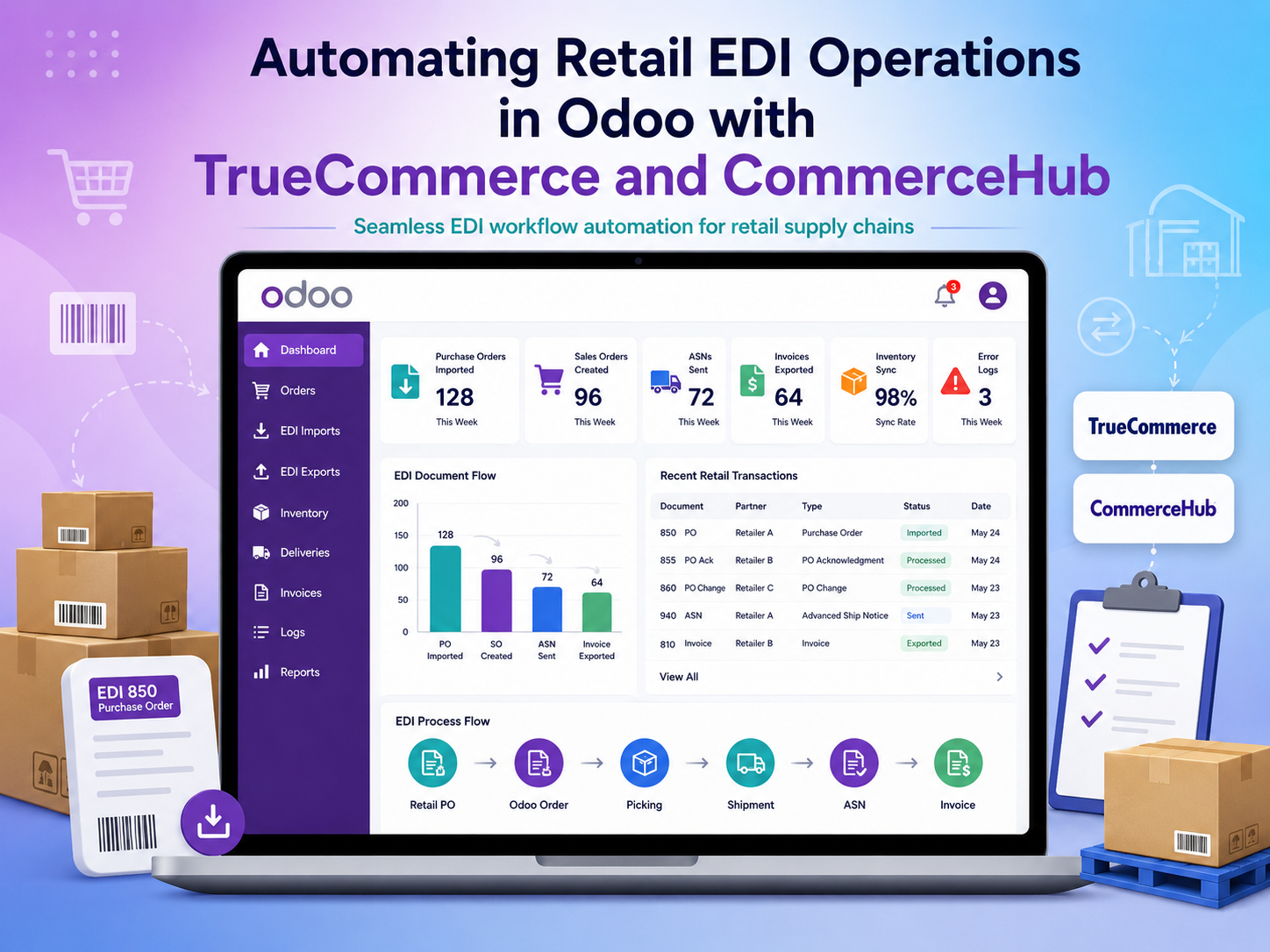
Automating Retail EDI Operations in Odoo with TrueCommerce and CommerceHub
How Vraja Technologies Automated EDI Workflows for Costco, Walmart, RONA, Staples, Leon’s, and The Brick
Client Overview
The client is a manufacturer and wholesale distributor supplying products to major retail trading partners, including Costco, Walmart, RONA, Staples, Leon’s, and The Brick.
The company was already using TrueCommerce and CommerceHub to exchange EDI documents with these retailers. However, the internal process was still completely manual.
Employees had to download purchase orders from the EDI provider portal, create sales orders in Odoo, check inventory, process deliveries, and manually update shipment and invoice information back in the EDI portal.
Vraja Technologies automated this complete workflow by integrating Odoo with TrueCommerce and CommerceHub.
Industry
The client supplies products to large retail chains and manages:
- Retail purchase orders
- Customer-specific products and pricing
- Inventory availability
- Warehouse fulfilment
- Shipment updates
- Advance shipping notices
- Customer invoices
- EDI document exchange
Business Challenges
Before the integration, employees had to manage the same information in both Odoo and the external EDI portals.
The main challenges included:
- Manually downloading purchase orders
- Manually creating sales orders in Odoo
- Matching retailer product codes with Odoo products
- Selecting the correct customer and delivery address
- Checking stock availability manually
- Updating shipment status in the EDI portal
- Entering invoice information again
- Monitoring failed or missing documents manually
This process required repeated data entry and increased the risk of order, shipment, and invoicing errors.
Solution Provided by Vraja Technologies
Vraja Technologies connected Odoo with TrueCommerce and CommerceHub to automate incoming and outgoing EDI documents.
The integration enabled the client to manage its regular sales, inventory, delivery, and invoicing operations directly in Odoo.
Incoming purchase orders are automatically imported into Odoo.
The system identifies:
- Trading partner
- Customer
- Delivery location
- Purchase order number
- Product
- Retailer product code
- Quantity
- Price
- Requested shipment date
After validation, the sales order is created automatically.
Once the order is processed in Odoo, the required outbound EDI documents are generated and exported automatically.
These may include:
- Order acknowledgement
- Advance shipping notice
- Shipment confirmation
- Customer invoice
- Inventory update
Automated Odoo EDI Workflow
After the implementation, the process became:
1. The retailer sends a purchase order.
2. TrueCommerce or CommerceHub receives the document.
3. The purchase order is imported automatically into Odoo.
4. The customer and delivery address are identified.
5. Retailer product codes are mapped with Odoo products.
6. A sales order is created automatically.
7. Inventory is checked and managed in Odoo.
8. The warehouse processes the delivery.
9. Shipment information is exported automatically.
10. The invoice is created in Odoo.
11. The EDI invoice is sent automatically through the EDI provider.
Employees only need to review transactions that contain missing mappings or validation errors.
Customer and Product Mapping
Large retailers often use their own customer, store, warehouse, and product codes.
The integration maps these codes with the correct Odoo records.
The system can identify products using:
- Internal SKU
- Retailer product code
- UPC
- EAN
- GTIN
- Barcode
It also maps the correct:
- Customer
- Delivery address
- Distribution centre
- Price list
- Payment terms
- Warehouse
This reduces the possibility of selecting the wrong product or shipping location.
Inventory and Delivery Automation
Once the sales order is created, the client manages stock using the standard Odoo inventory workflow.
Users can review:
- Available stock
- Reserved stock
- Incoming quantities
- Forecasted inventory
- Product shortages
After the warehouse validates the delivery, Odoo automatically prepares the shipment information required by the EDI provider.
Employees no longer need to manually update delivery status in TrueCommerce or CommerceHub.
Automated Invoice Export
After the delivery is completed, the customer invoice is created in Odoo.
The integration automatically exports the required invoice information, including:
- Purchase order number
- Invoice number
- Product details
- Delivered quantity
- Pricing
- Taxes
- Discounts
- Total amount
This ensures that the EDI invoice is based on the actual order and delivery information available in Odoo.
EDI Documents Supported
Depending on the trading partner’s requirements, the solution can support:
- EDI 850 Purchase Order
- EDI 855 Purchase Order Acknowledgement
- EDI 856 Advance Shipping Notice
- EDI 810 Invoice
- EDI 860 Purchase Order Change
- EDI 846 Inventory Advice
- EDI 997 Functional Acknowledgement
Error Management
If an incoming order contains an unknown product, delivery address, customer code, or invalid information, the system records the issue in Odoo.
Users can correct the mapping and reprocess the document without entering the complete order manually.
The integration also prevents duplicate sales orders by checking the retailer purchase order number before creating a new record.
Business Benefits
The Odoo EDI integration helped the client achieve:
Automatic purchase order imports
Automatic sales order creation
Reduced manual data entry
Faster order processing
Improved product and customer mapping
Better inventory visibility
Automated shipment-status updates
Automated ASN and invoice exports
Reduced risk of duplicate orders
Better EDI error visibility
Improved coordination between sales, warehouse, and accounting teams
A scalable process for adding more retail trading partners
Final Result
Vraja Technologies transformed the client’s manual EDI process into an automated Odoo workflow.
Previously, employees had to download documents from TrueCommerce or CommerceHub, manually create sales orders, check inventory, process deliveries, and update shipment and invoice information in the EDI portal.
After the integration, incoming documents were imported automatically into Odoo, while shipment and invoice documents were generated from actual Odoo operations and exported automatically.
The company can now manage its main retail order process from one centralized Odoo system while continuing to use TrueCommerce and CommerceHub for trading-partner communication.

