






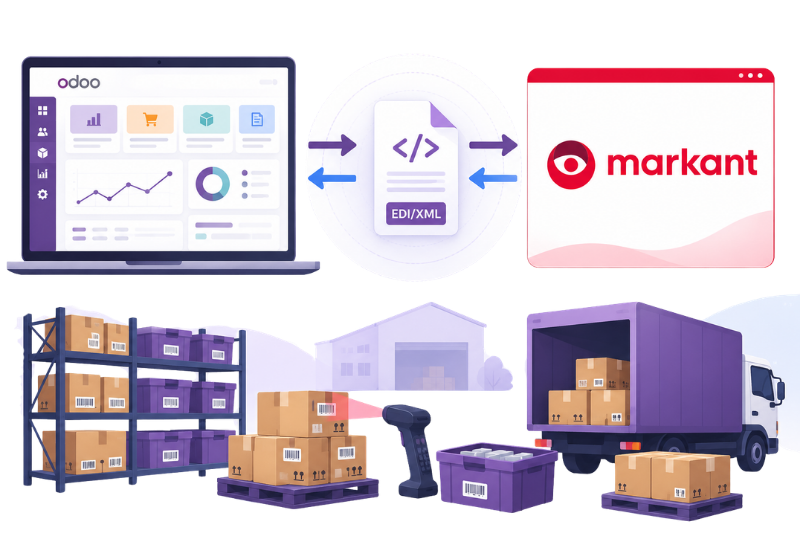
Odoo Markant EDI Integration for Consignment Stock Management
Send stock first. Invoice based on what actually sells - fully automated, right inside Odoo.
Vraja Technologies integrates Odoo with Markant EDI over SFTP, giving suppliers and B2B businesses a clean, automated workflow for consignment stock. From the initial stock-up delivery to month-end consolidated invoicing, every document exchange - delivery slips, sales reports, invoices - moves automatically between Odoo and your trading partners through Markant.
Markant EDI - Europe’s Central Hub for B2B Document Exchange
Markant is one of Europe's most widely used EDI platforms, trusted by retailers, wholesalers, suppliers, and B2B trading partners across Germany, Switzerland, Czech Republic, and other European markets. It acts as a central EDI hub that handles electronic document exchange - delivery notes, invoices, sales reports, and inventory-related files - between trading partners using EDIFACT-based message standards.
Instead of exchanging documents manually through email or entering data by hand, businesses connected to Markant send and receive structured EDI files electronically. Common Markant EDI message types include DESADV (dispatch advice / delivery slip), INVOIC (invoice), and INVRPT (inventory report).
For consignment-based businesses, Markant serves as the communication bridge between the supplier and the B2B partner. Odoo connects to Markant over SFTP, where outbound files are sent and inbound files are received automatically on a scheduled basis.
Odoo + Markant Flow
Automated document exchange from Odoo to Markant and back.
Generate EDI Documents
Odoo prepares delivery notes, invoices, inventory reports, and sales-related EDI files.
Exchange Files via SFTP
Outbound files are uploaded and inbound files are received from Markant automatically.
Process Data in Odoo
Incoming EDI files are downloaded, validated, and processed in Odoo using scheduled jobs.
The Consignment Business Model - How It Works
In a consignment stock model, the supplier sends goods to a partner location - a retailer, franchise store, branch, or distributor - without an immediate sale. The partner stores and sells the products, and the supplier only invoices for quantities that have actually been sold.
This model is common in European retail and wholesale markets, and it creates a specific challenge: the supplier needs to track stock at partner locations, receive sales data periodically, and then generate invoices based on actual sold quantities - not what was delivered.
Managing this manually is time-consuming and error-prone. With Odoo and Markant EDI working together, the entire flow is automated.
Goods Sent to Partner
Supplier sends goods to the retailer, branch, franchise store, or distributor without immediate invoicing.
Partner Stores & Sells
The partner keeps products at their location and sells them to customers as needed.
Sales Data Received
Sales and stock updates are received periodically through Markant EDI and connected with Odoo.
Invoice Sold Quantity
Odoo generates invoices based on actual sold quantities, not the full delivered stock.
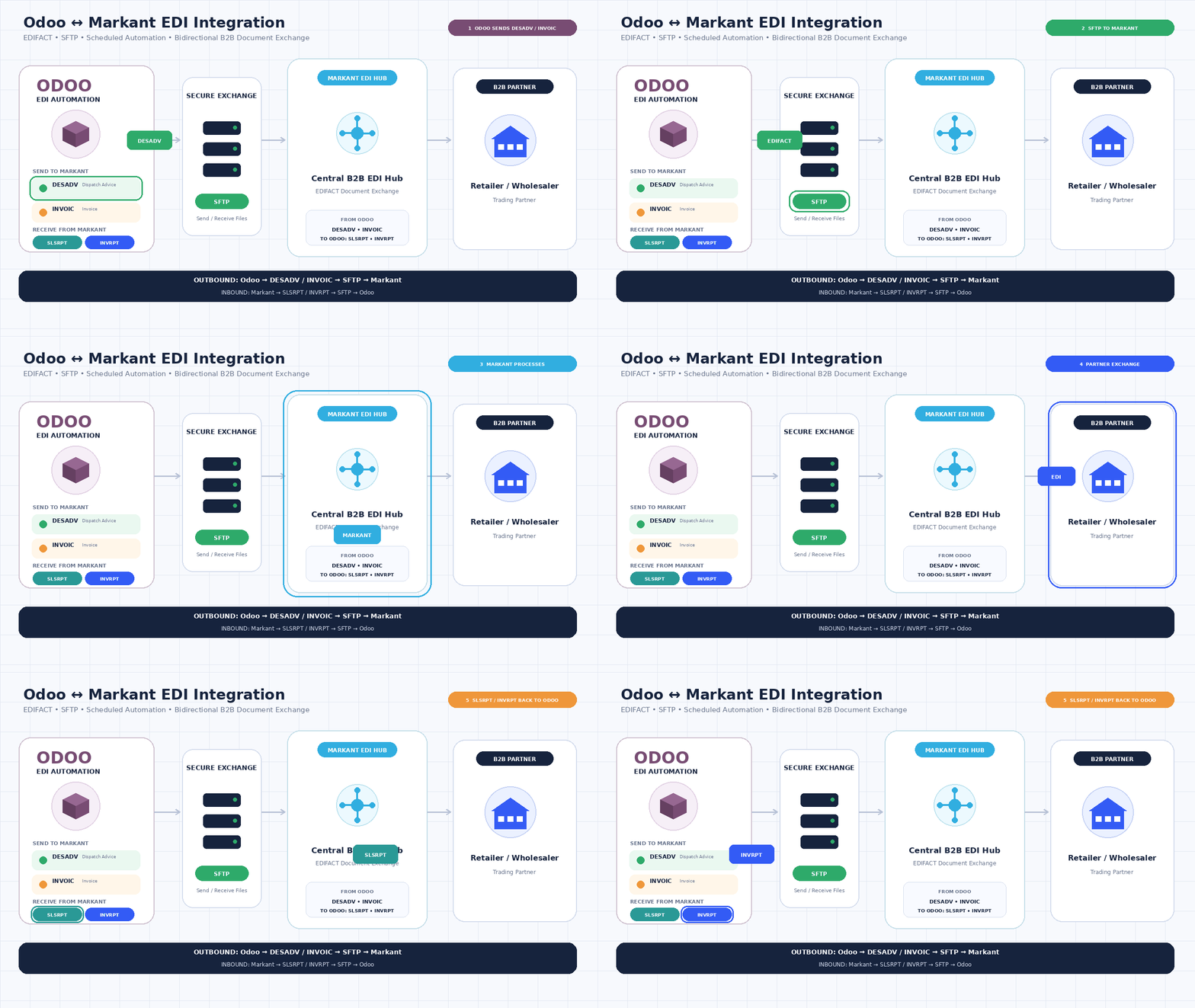
How Odoo and Markant Manage the Full Consignment Flow
Here is the complete document and stock flow - from initial stock-up to month-end billing - managed inside Odoo with Markant EDI over SFTP.
Partner Stock Location Setup
Each B2B partner, franchise store, retailer, or branch location is configured as a separate stock location inside Odoo. This gives the supplier full visibility of how much consignment stock is available at every partner location at any point in time.
Stock movement from the company warehouse to a partner location is treated as a consignment transfer - not a standard customer sale - so no sales order is required at this stage.
Initial Stock-Up Delivery
When goods are sent to a partner location for the first time, Odoo creates an initial stock-up transfer directly - without a linked sales order, since the products are not yet sold.
Once the transfer is validated in Odoo, the system automatically generates an EDI delivery slip (DESADV) in the format required by Markant and uploads the file to the SFTP outbound folder. Markant picks up the file and delivers it to the trading partner.
Replenishment Delivery
As the partner sells products, stock levels at their location decrease. Odoo tracks the agreed stock level for each partner and calculates the replenishment quantity needed.
Odoo creates a new replenishment stock transfer for the shortfall quantity and automatically generates a new EDI delivery slip, which is sent to Markant via SFTP. The partner location stays stocked without manual intervention.
Sales Report Received from Partner
Periodically - weekly, bi-weekly, or monthly - the trading partner sends a sales report through Markant. This file is placed in the Odoo SFTP inbound folder by Markant.
- Partner location code
- Product code and barcode / EAN
- Sold quantity and sales date
- Sales period reference
- Unit price
- Stock balance, if provided
Odoo validates the import and flags any issues - missing products, incorrect barcodes, duplicate records, wrong prices, or format errors - in a detailed import log for review.
Invoice Based on Actual Sold Quantity
After the sales report is imported, Odoo creates a sale order based only on the quantity actually sold - not the quantity delivered. This keeps Odoo's inventory accurate to what the store has actually sold, rather than what was simply shipped out.
This is the core principle of consignment billing. If 100 units were sent but only 30 units were sold in the period, the invoice is created for 30 units.
Invoicing can be configured to run partner-wise, location-wise, or based on a fixed billing period - whatever matches the agreed terms with each trading partner.
Month-End Consolidated Invoice
Rather than creating a separate invoice for every sales report, Odoo can consolidate all sales report data into a single month-end invoice per partner or location.
Once the consolidated invoice is created in Odoo, the system generates the required EDI invoice file (INVOIC) and sends it to Markant via SFTP, completing the billing cycle.
How Vraja Technologies Implements This in Odoo
Implementing consignment stock management with Markant EDI requires custom development and configuration across Odoo’s inventory, invoicing, and EDI layers. Here is what we set up.
Consignment Partner Configuration
Each partner is configured with their partner code, consignment delivery location, invoice address, GLN/EAN code, Markant reference, and EDI settings. This ensures Odoo correctly identifies the partner and location for every inbound and outbound file.
Partner-Wise Stock Location Tracking
Separate stock locations are created or configured in Odoo for each consignment partner. This gives the business full visibility across all partner locations - stock sent, stock sold, stock remaining, stock needing replenishment, and stock returned or damaged.
Stock-Up Transfer Without Sales Order
Standard Odoo delivery flows require a sales order. For consignment, we implement a separate process where stock-up transfers can be created and validated independently. Once validated, the EDI delivery slip is generated and pushed to Markant automatically.
Sales Report Import from Markant
Odoo connects to the Markant SFTP on a schedule and checks for new inbound sales report files. Once a file is detected, Odoo reads it, validates the data, and imports it into the consignment sales report screen. Validation checks include partner code, product barcode or SKU, sold quantity, duplicate records, missing products, incorrect pricing, and file format errors.
Automatic Invoice Creation
After sales report import, Odoo can generate invoices automatically - immediately after import or in a batch at month-end - based on the client's billing rule. Supported configurations include partner-wise invoices, location-wise invoices, monthly consolidated invoices, product-wise line items, and tax and price mapping.
Automatic Replenishment Calculation
Odoo calculates the replenishment quantity from the imported sales report and the agreed stock level for each partner. A new stock-up delivery is created automatically for the shortfall quantity, and the EDI delivery slip is sent to Markant without manual steps.
EDI File Generation for Markant
Outbound EDI files are generated in the format specified by Markant's EDI guidelines. This includes the delivery slip (DESADV), EDI invoice (INVOIC), and any other required outbound documents. File structure, mandatory fields, partner references, product codes, location codes, and naming conventions are all built to Markant's specification.
SFTP Configuration
The SFTP connection between Odoo and Markant is configured with the required host, port, credentials, inbound folder, outbound folder, archive folder, error folder, and file naming rules. Odoo automatically pushes outgoing files and pulls incoming files on a scheduled interval - no manual file transfers needed.
What This Integration Delivers for Your Business
Fully Automated Document Exchange
Delivery slips, sales reports, and invoices move automatically between Odoo and Markant. No manual file creation, no email attachments, and no re-keying of data.
Accurate Partner Stock Visibility
Odoo tracks consignment stock at every partner location in real time — what was sent, what was sold, what remains, and what needs replenishing.
Invoice Only What Was Sold
The integration enforces the consignment billing principle precisely: invoices are generated from actual sales data, not delivery quantities.
Clear Visibility Before Invoicing
Before the invoice is finalized, Odoo shows the total products and quantities sold for each partner - giving the team a clear checkpoint to review before preparing the file and sending it to Markant.
Controlled Replenishment
Odoo calculates and creates replenishment deliveries based on sales data and agreed stock levels — reducing both stockouts and overstocking at partner locations.
Fewer Errors Across the Supply Chain
Automated EDI file validation and import checks reduce mistakes in product codes, quantities, prices, partner references, and document formats.
Scalable Across Multiple Partners
The same workflow applies whether you have 3 consignment partners or 30 — franchise stores, retailers, distributors, or branch locations. Each partner gets their own location, configuration, and EDI settings inside Odoo.
Ready to Automate Markant EDI in Odoo?
Managing consignment stock manually can quickly become complex when multiple partners, locations, sales reports, replenishments, and invoices are involved. With the right Odoo Markant EDI integration, your business can automate the full cycle — from stock-up delivery and sales report import to replenishment and month-end invoicing.
Vraja Technologies helps you build a clean, reliable, and scalable Markant EDI workflow inside Odoo, customized around your exact consignment process.

