





About the client
FSS Group is a food distributor in Europe. It supplies restaurants, pizzerias, snack bars, retirement homes, wholesalers and public institutions with grocery, fresh and frozen products, delivered from Marseille to Nice and across Corsica. The team covers sales administration, depot operations, delivery and finance. Its online catalogue spans a very wide product range, with allergen, brand and packaging filters.
Serving so many types of professional buyers means two constant streams of documents. Customers send orders in whatever format suits them: scanned PDFs, photos, handwritten sheets, Excel files and emails. Suppliers send updated price lists in their own layouts. With 11 companies running on Odoo 19, every one of these documents had to be read, matched to the right products and typed in by hand.
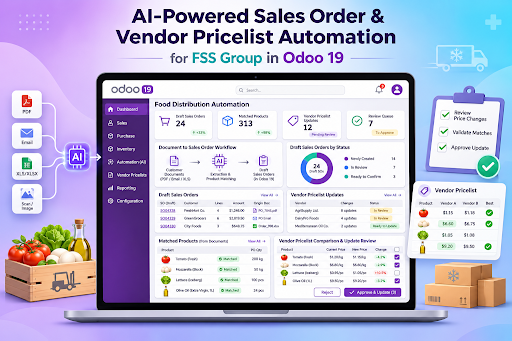
To cut this manual work, Vraja Technologies built two AI-driven Odoo 19 modules:
- Auto Create Sale Order Through MCP uses AI agents and the MCP server to turn order documents into draft Sales Orders.
- Vendor Pricelist AI Update uses AI agents to compare vendor files with the current Vendor Pricelist and prepare the update for review.
1. Faster order entry from customer documents
Customers sent orders in many formats, and every order line was typed into Odoo by hand. FSS Group wanted to cut that manual entry. The client needed to:
- Handle orders arriving as scanned PDFs, images, handwritten sheets, Excel files, emails and text documents
- Capture the customer, product and quantity from each document
- Skip lines that were not actually ordered
- Get each order into Odoo as a Sales Order without retyping it
2. Consistent product matching
Customer product descriptions had to be linked to the correct Odoo products on every order, without repeating the same matching work each time. The client needed to:
- Match customer products to the right Odoo products
- Avoid redoing the same matching on later orders
- Keep results consistent between users
3. Control over what enters Odoo
Faster order entry could not mean less control. Users needed to check an order before it counted, and to see what had happened on every order. The client needed to:
- Review and correct products and quantities before an order is created
- Make sure no order is confirmed without a person
- Keep a record of each order processed, including any errors
4. Vendor price updates from vendor files
Vendors sent new prices as Excel sheets, PDF tariffs, Word documents or emails, each with its own structure. The team compared each file with the Odoo vendor prices line by line and typed in every change. The client needed to:
- Update vendor prices from files in any of these formats
- Compare new prices with the current vendor prices in Odoo
- Capture price, quantity, discount, transport cost, other fees, lead time, start date and end date for each product
- Reduce manual comparison and typing
5. Safe review and price history
Nothing should change in Odoo until the team had reviewed the result. Products with a certain match had to be kept apart from products that needed a decision, so nothing was guessed.
Existing price history also had to stay accurate. A price with the same start date as an existing line would update that line. A price with a new start date would add a new line and close the previous open line the day before. Each update would be recorded, so the team could see what was done and why.
Vraja Technologies developed two AI-driven modules for Odoo 19.
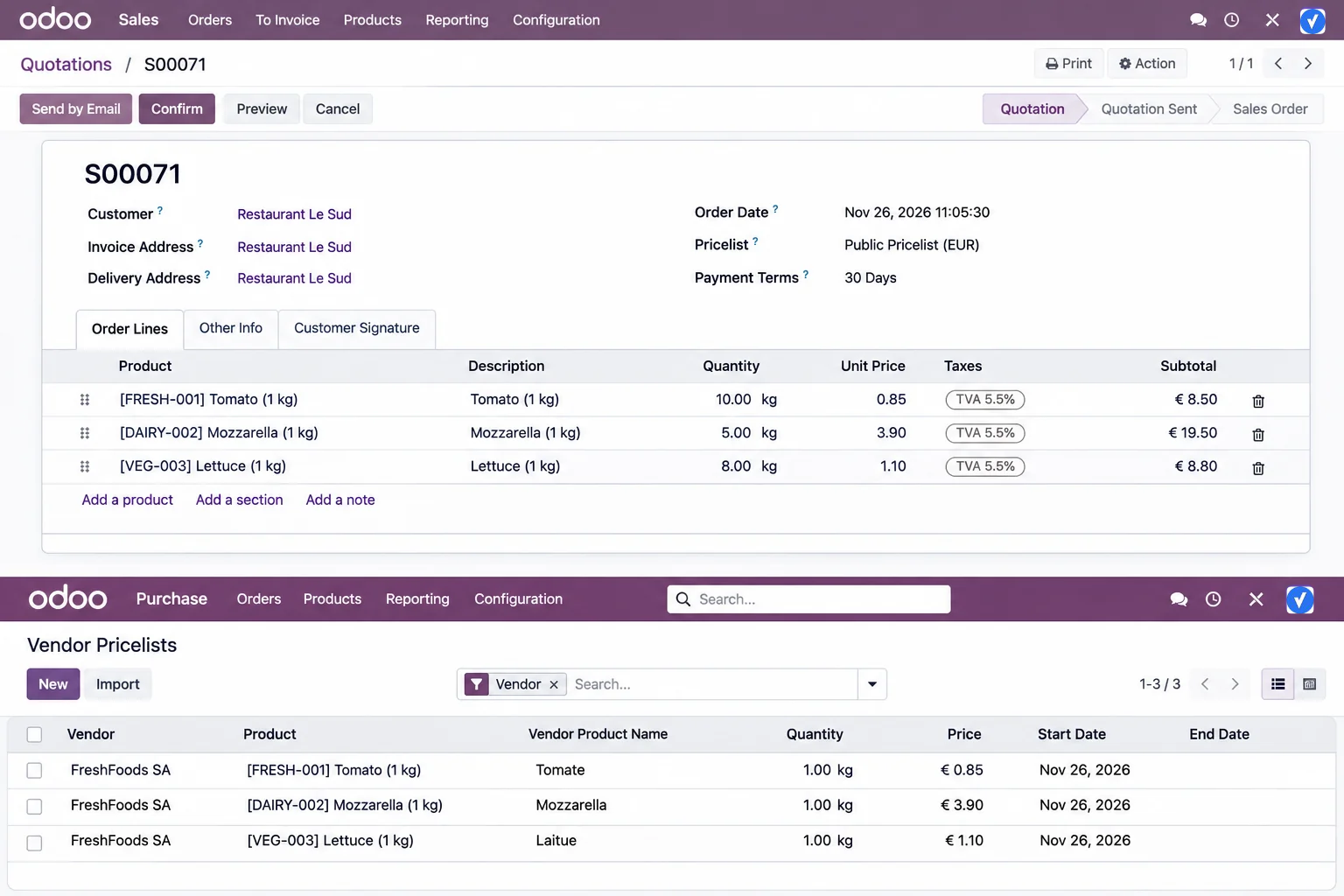
1. AI Sales Order Automation Through MCP (Auto Create Sale Order Through MCP)
A. Order document upload and AI analysis
- Users upload the customer's order document instead of entering order lines manually
- Anthropic Claude extracts the customer, product and quantity information
- The module supports scanned PDFs, images, handwritten order sheets, Excel files, email files and text documents
- It analyzes the document row by row, extracts the ordered products and quantities, and ignores rows that were not ordered
B. Connection with Odoo through MCP
- The module connects to Odoo through the MCP server
- It finds the customer in Odoo
- It matches products and applies saved mappings
- It creates the Sales Order
C. Review or auto-create
- The extracted information is displayed for review
- Users can check the extracted lines before creating the Sales Order
- Users can update extracted products and quantities when needed
- An auto-create option analyzes the document and creates the Sales Order in one workflow
D. Product mapping
- A customer product is mapped to the correct Odoo product
- The mapping is saved and reused for future orders
- Product matching stays consistent over time
E. Draft-only creation and full logging
- The Sales Order is always created as a draft and is never confirmed automatically
- Every run is logged with the extracted JSON, MCP creation response, processing status, error details, AI model information and total tokens consumed
2. AI Vendor Pricelist Update (Vendor Pricelist AI Update)
A. One-click update workflow
- The team generates the vendor's current pricelist
- The team uploads the file the vendor sent back
- One click starts the AI, replacing line-by-line comparison and manual typing of changes
B. Multi-format reading and product matching
- OpenAI reads both files
- It handles vendor files sent as Excel sheets, PDF tariffs, Word documents or emails
- It matches the vendor's products with Odoo products
- It prepares the update for the Vendor Pricelist (product.supplierinfo)
C. Price data extraction
- The module compares the vendor's file with the current Vendor Pricelist
- It finds the new price, quantity, discount, transport cost, other fees, lead time, start date and end date for every product
D. Two-table review before any change
- The result appears in two review tables before anything is changed in Odoo
- Products the AI is certain about are separated from products that need a decision, so nothing is guessed
- One click applies the approved result to the Vendor Pricelist
E. Automatic price history
- A line is updated when the start date is the same
- A new line is created when the start date is new
- The previous open line is closed the day before the new start date
F. Logging and audit trail
- Every run is logged with the AI result file, a readable control summary, status, error details and total tokens consumed
- The chatter keeps a record of every step
Benefit figures below are reported in the supplied case study.
1. Less manual order entry
Order lines no longer need to be typed one by one, whatever format the customer used.
2. Faster order processing
Orders move from customer document to draft Sales Order in one workflow.
3. Fewer order entry errors
Rows are read automatically, unordered rows are skipped, and every order is reviewed before it counts.
4. Consistent product matching
Saved product mappings are reused, so matching improves with every order processed.
5. Faster vendor price updates
One click replaces line-by-line comparison and manual typing of vendor prices.
6. Fewer pricing mistakes
Vendor prices are compared automatically and reviewed in two tables before anything changes.
7. Control stays with the team
AI-created Sales Orders always stay as drafts and are never confirmed automatically. Nothing changes in the Vendor Pricelist until the team approves it.
8. Accurate price history
Price lines are updated, added or closed automatically, so the history stays clean.
9. Full audit trail
Every run is logged with results, status, errors and tokens used, and the chatter records every step.
The two AI modules in Odoo 19 turned two slow, repetitive jobs into quick review steps.
Customer orders, whether scanned, handwritten or digital, now arrive in Odoo as draft Sales Orders without anyone typing each line. Vendor price files, whether Excel, PDF, Word or email, are compared with the current Vendor Pricelist, and the update is ready for approval in one workflow.
The team stays in control. Sales Orders are never confirmed automatically, vendor prices change only after the team approves them, and every run is recorded.
The result is faster work, fewer manual mistakes, and a system that improves as more products are mapped.
See how AI can read your customer orders and vendor price files directly in Odoo. Try it free before you decide.
Contact Us