

Core
Amount-based
Employees get a yearly budget for approved items
- What the employee receives
- A monetary budget
- What the company controls
- Spend limit
Odoo employee allowance management gives each employee a balance (money, units, or points), limits it to approved products, applies it at website checkout, and records every transaction for company administrators. It replaces spreadsheets and manual eligibility checks with one connected workflow.
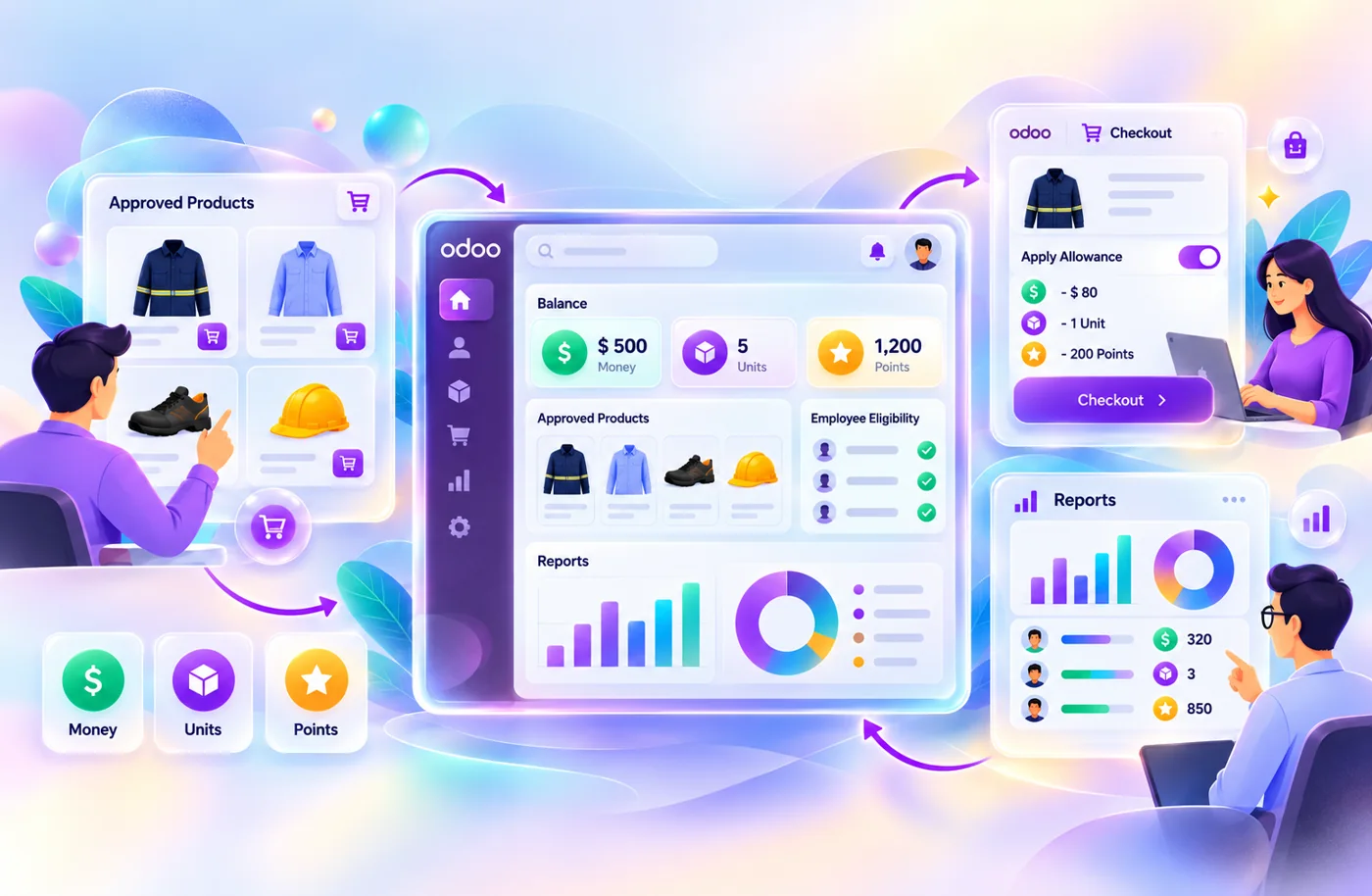
It fits companies that fund workwear, uniforms, protective gear, or similar products for their staff. If you have a handful of employees and one product, a spreadsheet may still be enough.
This page explains what the system does, how it works, which allowance model to choose and what an implementation involves. Vraja Technologies is an Odoo development company, and we configure this solution around your allowance model, eligibility rules and reporting needs.
Employees get a yearly budget for approved items
Employees get fixed quantities (3 shirts, 2 trousers)
Employees choose from different products using one shared balance
Amount-based allowances are the core model. Unit-based and points-based models are configured to your purchasing policy during implementation.
It is an Odoo-based solution that lets a business allocate employee purchasing allowances, control which products qualify, let employees buy online, track credit usage, and monitor company-funded spending.
The system links five things that are usually handled separately: allowance allocation, employee eligibility, online purchasing, credit usage, and reporting. Companies can set configurable rules once and keep centralized records instead of managing separate processes.
Explore Our Employee Allowance Solution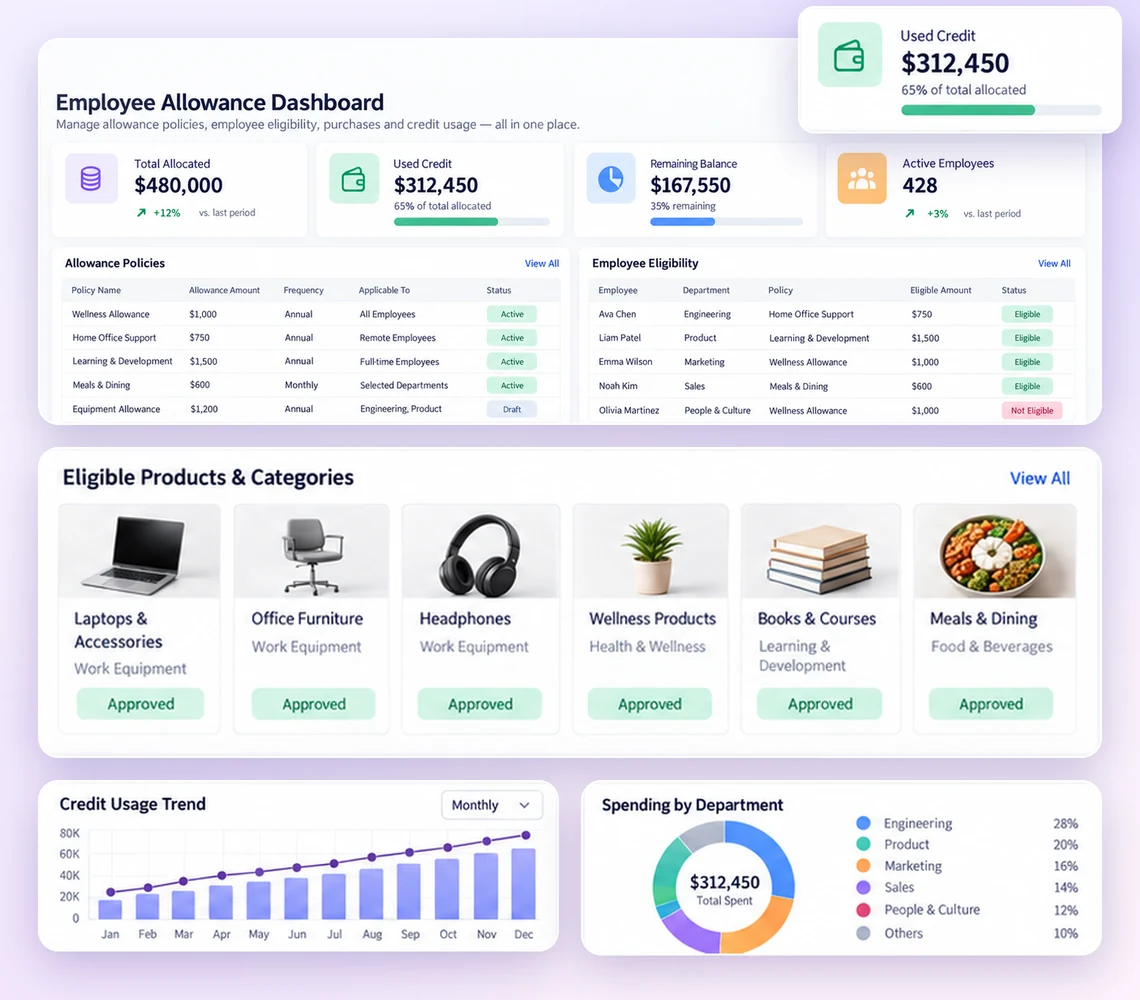
It removes the manual work of allocating allowances, checking eligibility, and tracking balances, which gets harder with every employee you add.
Individual assignments and spreadsheet records become hard to maintain as headcount grows
Individual, bulk import, or automated allocation rules
Company-funded credit gets used on products that were never approved
Product and category eligibility rules
Allocated, used, expired, and remaining balances drift out of sync
A wallet per employee with a full transaction record
Employees contact administrators to check balances or eligibility
Self-service purchasing portal
Different employee groups need different limits, validity periods, and renewal terms
Configurable allowance policies
Administrators cannot see credit usage or company-funded spending in one place
Company-level dashboard and reports
Cancelled or returned orders require manual balance corrections, creating the risk of inaccurate employee credit records
Configured allowance restoration and order-linked refund transactions
The Odoo Employee Allowance Management solution connects company setup, employee purchasing, allowance tracking, and financial workflows. Its core capabilities support employee allowance allocation, eligible product management, online purchasing, credit tracking, and company reporting. Additional capabilities, including advanced allowance models, renewal rules, and approval workflows, can be configured according to business requirements and the selected implementation.
Creates company records, links employees to their company, sets access for employees, supervisors and internal administrators
Assigns allowances individually, by bulk import or by scheduled rules
Core. Import fields and scheduled rules are set during implementationAmount-based budgets, unit-based quantities, points-based balances
Amount-based is core. Unit and points models are configuredShows allocated, used, restored, expired and remaining balances in one place
Limits company-funded purchases to approved products or categories
Core. Rules by employee group, department or job role are configuredLets employees log in, browse approved products, see their allowance and order
Applies the allowance to eligible items and calculates what the employee still pays
Sets validity periods, periodic renewal, expiry and capped carry-forward
Restores amounts, units or points when qualifying orders are cancelled or returned
Records allocations, deductions, refunds, restorations, expiry and manual adjustments, linked to the related orders
Shows authorized company users allowances, order history, credit usage and remaining balances
Sends alerts for allocation, expiry and summaries, and lets employees request extra allowance for review
Ties employee purchases to Odoo Sales and Invoicing, with prepaid or consolidated company billing
Core connection. Billing mode is configuredIt works in five steps, from company setup to reporting.
Create the company profile, add or import employees, and configure access permissions for employees and company administrators.
Define the allowance model, purchasing limits, eligible products, and validity conditions, then allocate allowances to employees according to company requirements.
Employees log in to the Odoo website, browse available products, and add items to their carts.
The system checks the employee's allowance and the product eligibility rules. Available allowance is applied to qualifying items, and the employee pays any uncovered amount through the configured payment process.
Purchase and allowance transactions are recorded in Odoo. Authorized administrators can review usage, remaining balances, and order information through company-level reporting.
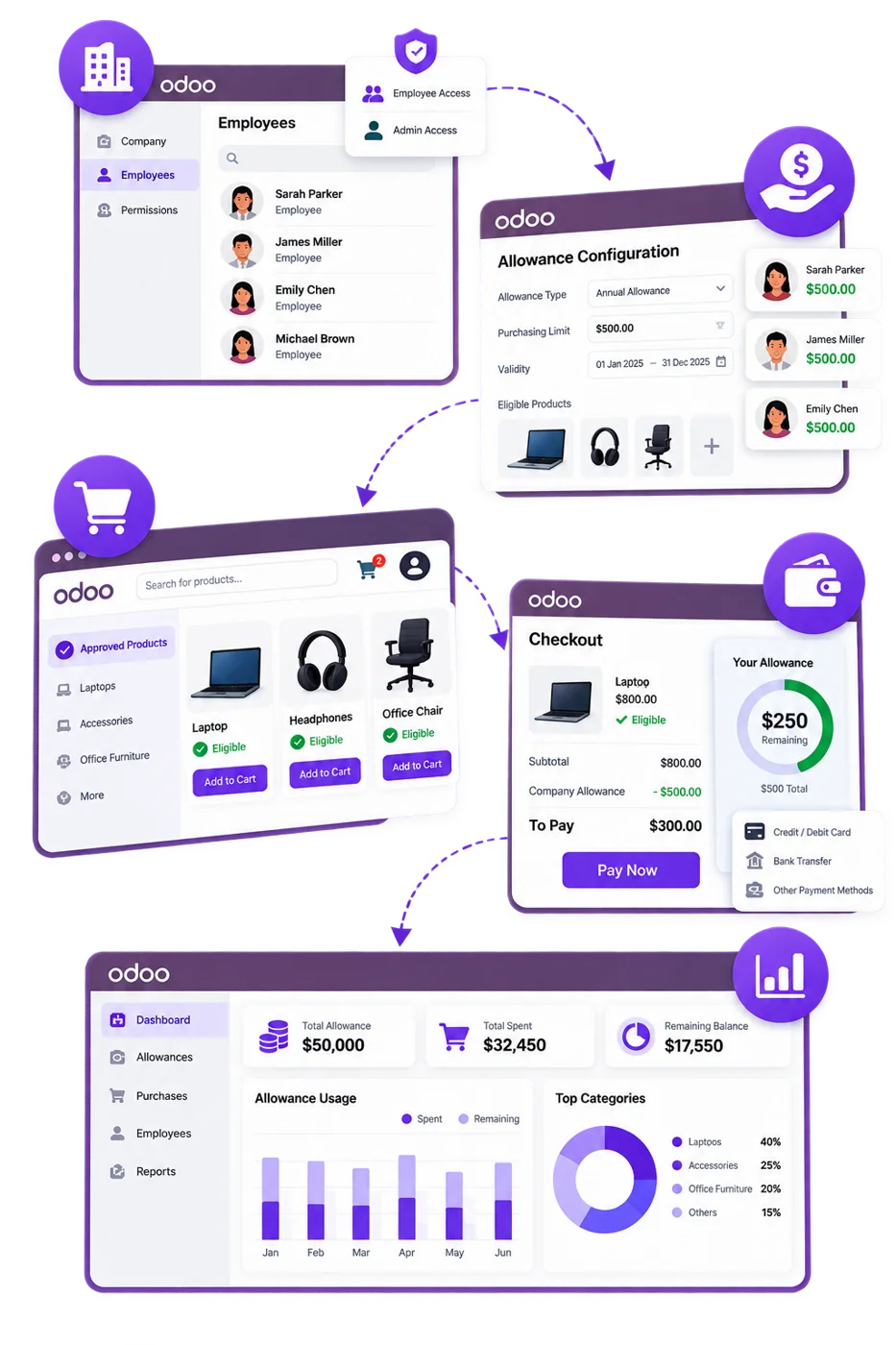
If an eligible order is cancelled or returned, the configured refund workflow can restore the applicable allowance amount, units, or points. For partial refunds, only the permitted portion is restored. Related transactions are recorded to maintain an accurate allowance history and prevent duplicate restorations.
Choose amount-based if you fund a budget, unit-based if you fund specific quantities, and points-based if you want employees to pick from a flexible set of products. The Odoo framework can support all three.
| Factor | Amount-based | Unit-based | Points-based |
|---|---|---|---|
| What the employee receives | A monetary budget | Defined quantities of eligible products | A set number of points |
| What the company controls | Spend limit | Eligible products and quantity limits | Product point values or conversion rules |
| Tracked balance | Used and remaining amount | Used and remaining units | Used and remaining points |
| Typical use | Workwear and equipment budgets | Uniforms, protective clothing | Flexible purchasing programs |
Amount-based allowances provide monetary purchasing budgets. Unit-based and points-based models can be supported through advanced configurations, depending on the selected implementation and company purchasing policies.
An amount-based allowance gives an employee a monetary value to spend on eligible products within a set period.
To set it up, you allocate a fixed amount, define eligible products or categories, let employees spend from the balance during purchases, deduct the amount according to the configured transaction workflow, and track what remains.
The employee can spend the remaining $120 on qualifying purchases during the allowance period. This model suits corporate apparel, employee equipment budgets, and workwear.
Example: a manufacturing company gives an employee a $300 annual allowance for approved workwear.
A unit-based allowance sets how many units of approved products an employee can buy in a given period, instead of assigning a monetary budget.
You define the permitted quantity of selected products, assign entitlements to eligible employees, track purchased units against the entitlement, and keep a record of used and remaining quantities. Renewal or carry-forward rules apply where configured.
Employees can buy within their assigned quantity limits. This model suits uniforms, protective clothing, and other product-specific programs.
Example: a hospitality business gives employees these annual uniform entitlements.
A points-based allowance gives employees a set number of points to use on eligible products. Points can be assigned to individual products or converted to monetary value under the configured policy.
You allocate points, define product point values or a points-to-currency conversion, apply points to qualifying purchases, deduct the points used, and track the remaining balance.
Example: A company allocates 20 points to an employee. In this example, each point is configured with a value of $5, giving the employee a total equivalent purchasing allowance of $100.
If the employee uses 8 points, the remaining balance is 12 points, equivalent to $60 under this configured conversion rate.
Any industry that funds employee workwear, uniforms, or job-related products can use it. The solution adapts to industry-specific product categories, employee groups, and purchasing policies.
Medical scrubs, lab coats, uniforms, and other approved work-related products
Factory uniforms, industrial workwear, and protective clothing across employee groups
Safety boots, protective jackets, helmets, workwear, and other job-related products
Hotel uniforms, hospitality workwear, branded apparel, and department-specific products
Pilot uniforms, flight crew apparel, flight bags, approved pilot supplies, and other aviation-related work products
The framework is not tied to one industry or product category. It can also support corporate services, education, aviation, food processing, telecommunications, facilities management, and other sectors, configured around eligible products and your purchasing requirements.
Discuss Your Industry RequirementsEmployee allowances need ongoing management beyond their initial allocation. The Odoo solution can support validity periods, renewal rules, unused balance handling, purchase restrictions, and credit adjustments according to company policies.
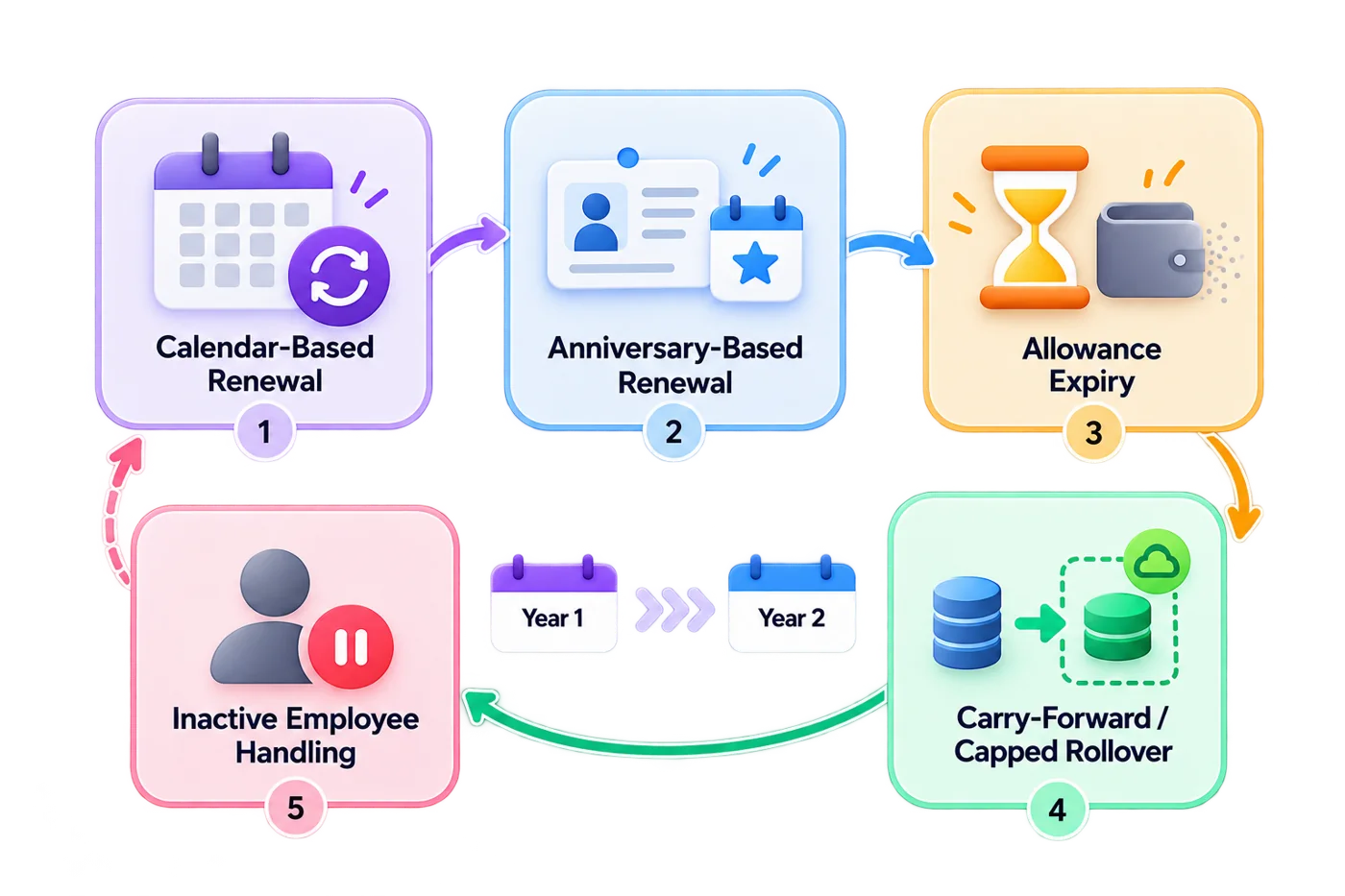
Businesses can configure allowance periods to define when purchasing benefits become available and when unused entitlements expire.
Supported configurations may include:
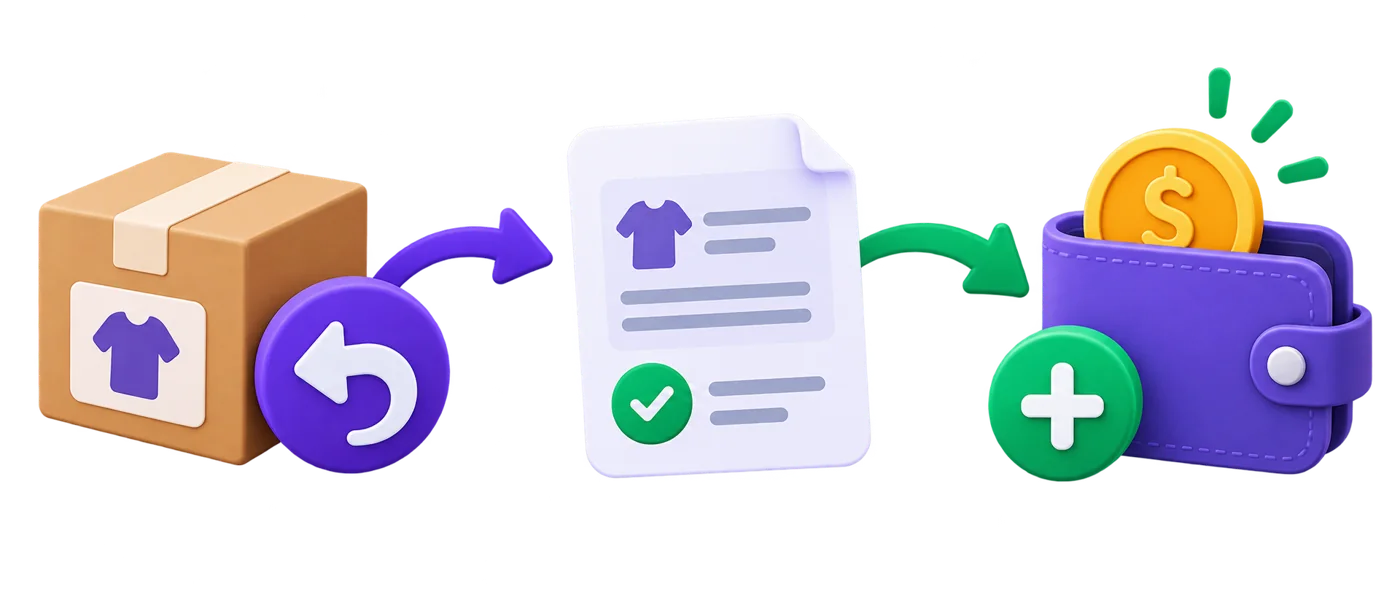
When an employee cancels or returns a qualifying purchase, the corresponding allowance may need to be restored.
The configured refund workflow can:

Businesses can configure periods during which allowance-funded purchases are permitted.
For example, a company may allow employees to use an annual uniform allowance only during a defined ordering period.
Outside the permitted window, allowance usage can be restricted according to the configured policy.
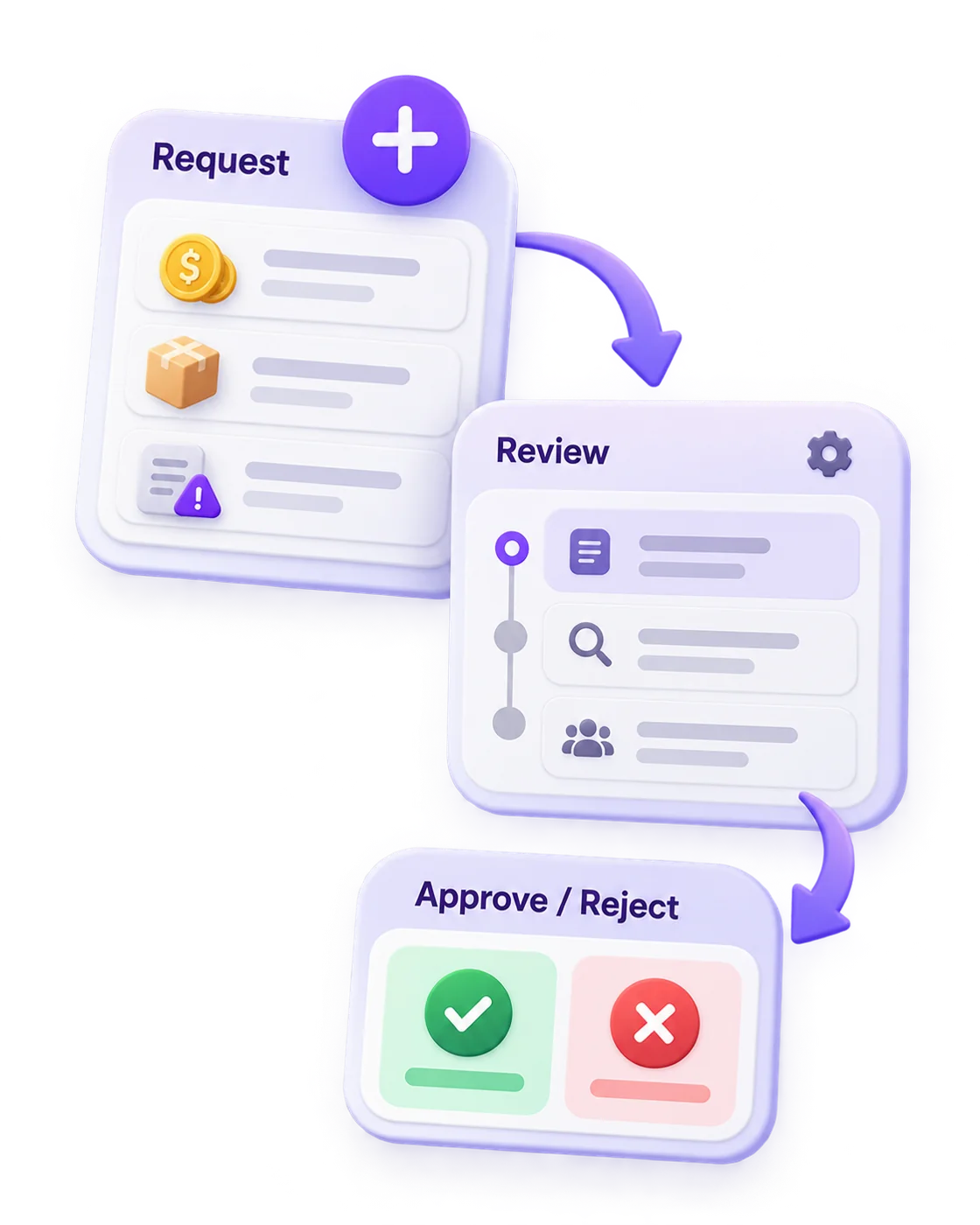
Some employee purchasing programs require flexibility when standard allowances are insufficient.
Where an approval workflow is enabled, employees can request additional credit, extra product quantities, or other policy exceptions.
Authorized company administrators can review and approve or reject these requests based on the organization's requirements.
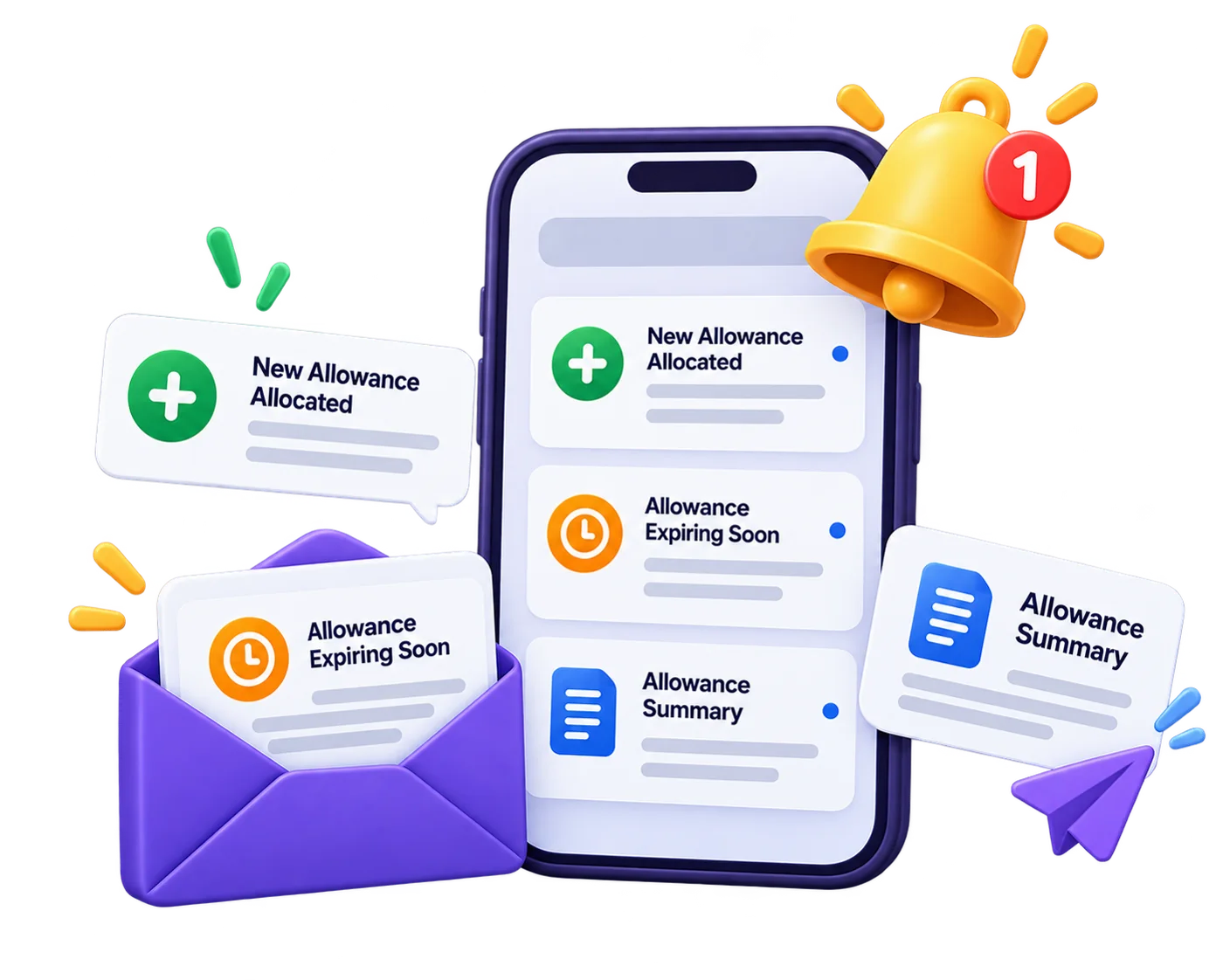
Notifications can be configured to inform employees or company administrators about important allowance events, including new allocations, upcoming expiry, and periodic allowance summaries.
Employee purchasing programs may use different funding and billing arrangements depending on how the employer manages company-paid purchases.
The Odoo solution can be configured to support prepaid allowance funding or periodic consolidated billing.
Under a prepaid arrangement, the company funds an agreed allowance amount in advance.
Employees use their available allowances toward qualifying purchases, and relevant usage is recorded against the configured company funding arrangement.
This approach is suitable for organizations that prefer to establish purchasing budgets before employees place orders.
Under a postpaid arrangement, qualifying company-funded purchases are accumulated over a defined billing period.
The configured process can prepare or generate a consolidated company invoice while keeping employee-paid amounts identifiable separately.
This approach may suit B2B suppliers managing purchasing programs for corporate customers.
The exact invoice timing, accounting entries, tax treatment, payment handling, and reconciliation process depend on the organization's accounting configuration.
The solution provides role-based access to help ensure employees and company administrators see information relevant to their responsibilities.
Internal administrators manage company records, employee associations, allowance policies, allocations, purchasing rules, and relevant credit transactions through the Odoo backend.
Authorized company users can review their organization's employee allowances, relevant orders, usage, and remaining balances.
Where configured, supervisors may also review employee requests and policy exceptions.
Employees can access their own allowance information, browse approved products, use eligible allowances during checkout, and review their purchasing history.
Role-based access permissions help protect employee and company information within Odoo.
Employees can access their own allowance details and purchasing history, while company administrators are limited to authorized employee, allowance, and order records belonging to their organization.
Server-side access rules should be configured and tested to prevent unauthorized access to records across different companies.
It is not the right fit if:
You only need to reimburse occasional expenses
Your program is small enough that a spreadsheet and a manual check work without trouble
It makes the most sense when:
Allowances are recurring
Eligibility rules matter
Administrators need visibility across many employees or several corporate customers
Unit-based and points-based models and advanced renewal rules depend on the selected implementation, so confirm your exact requirements in a demo before you commit.
Vraja Technologies is an Odoo development company that configures and customizes Odoo solutions around business requirements.
For this solution, Vraja Technologies can help configure and customize:
Odoo employee allowance management puts budgets, approved products, credit usage and company reporting in one system. Choose amount-based allowances if you fund a spending budget, unit-based if you fund set quantities of specific items, and points-based if employees need flexibility across products.
If your program is small, keep the spreadsheet. If allowances recur across many employees or several corporate customers, a demo will show whether this setup fits.
It is an Odoo-based solution for managing employee purchasing allowances, approved products, online purchases, credit usage, and company-level reporting in one connected system.
Yes. Businesses can assign allowances according to company policies and individual employee requirements. Advanced configurations can also support eligibility based on employee groups, departments, or job roles.
The framework can support all three. Amount-based allowances provide monetary budgets, unit-based allowances define product quantities, and points-based allowances use allocated points or configured conversion values. Advanced models depend on the implementation.
Yes. A structured spreadsheet import workflow can be provided for employee information and allowance allocations. Import fields and validation rules are defined during implementation.
Yes. Companies can define eligible products or categories under their allowance policies. Products outside the eligible list may require full employee payment.
Available allowance is applied to qualifying products, and the employee pays the remaining amount through the configured checkout process.
Yes. Employees can log in to the Odoo website to view available allowances, browse approved products, place orders, and review relevant purchasing information.
Yes. Allowance policies can define validity and expiry periods. Unused balances can carry forward according to configured rules, including capped rollover where supported.
Yes. Anniversary-based renewal can be configured when the relevant advanced functionality is included and the employee's joining date is maintained.
Yes. Qualifying cancellations and returns can restore the applicable monetary credit, units, or points according to the configured refund rules. Partial refunds can restore the eligible portion.
Where an exception-request workflow is enabled, employees can request additional credit, quantities, or policy exceptions for review by authorized company administrators.
Yes. Advanced configurations can define ordering windows during which employees are permitted to use their allowances.
Yes. Authorized administrators can review employee allocations, used allowances, remaining balances, and relevant orders through the company dashboard and reporting features.
Yes. The transaction ledger records relevant allocations, purchase deductions, restorations, expiry, and adjustments, with links to applicable purchasing transactions.
Yes. The solution associates employees with their respective companies and supports company-specific allowance records, policies, and access permissions.
Yes. The solution can support prepaid company funding or periodic consolidated billing for eligible company-funded purchases. The exact invoicing and accounting processes depend on the configured financial workflow.
Notifications can be configured for allowance allocation, upcoming expiry, and periodic summaries, depending on the implementation.
Yes. Vraja Technologies can configure and customize allowance models, purchasing policies, employee eligibility, portal workflows, checkout, reporting, and relevant Odoo integrations according to business requirements.
No questions match your search.