






Products & Variants
Import Shopify products by date range or product ID, export Odoo products to Shopify, and move details, variants, images, prices, and inventory through structured product queues that can run manually or on schedule.
Connect your Shopify store with Odoo ERP to streamline products, customers, orders, inventory, pricing, warehouse operations, and fulfillment through one workflow. Vraja Technologies' Shopify Odoo Integration reduces repetitive data entry: Shopify orders arrive in Odoo, inventory stays aligned, and fulfillment and tracking information returns to Shopify.
Whether you run one store, several storefronts, or stock across multiple warehouses, the connector brings your eCommerce operations into one Odoo environment.
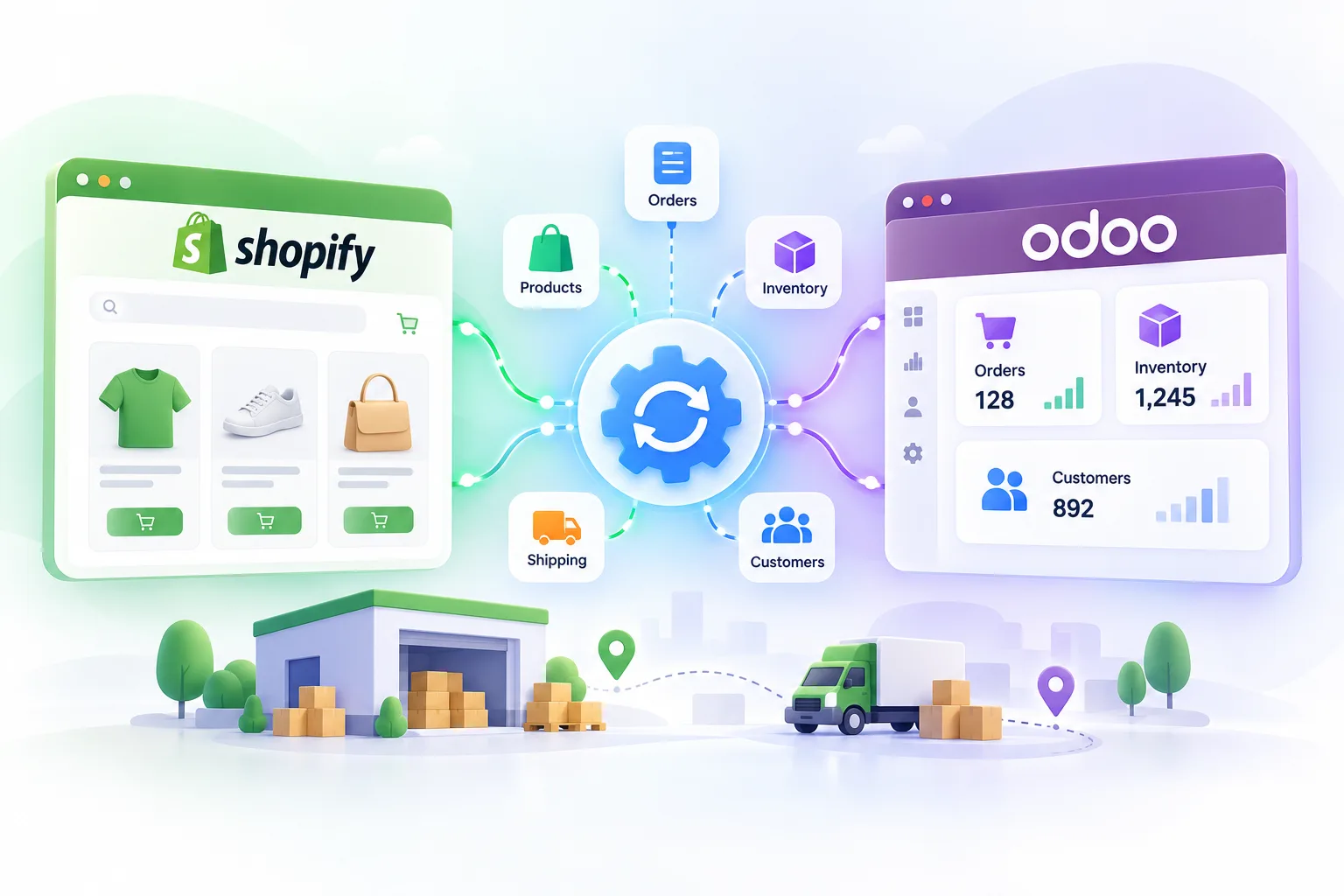
The Shopify Odoo connector is an Odoo module that links a Shopify store to an Odoo instance. It installs directly into Odoo, connects to a Shopify store using Shopify's API and webhooks, and handles two-way synchronization: importing data from Shopify into Odoo, and exporting data from Odoo back to Shopify.
A single Odoo instance can manage multiple Shopify stores or websites through the same connector.
Odoo and Shopify integration connects your customer-facing store with the ERP processes behind it. Shopify handles the storefront, product pages, checkout, promotions, and payments. Odoo handles sales, inventory, warehousing, purchasing, invoicing, accounting, CRM, manufacturing, shipping, and reporting.
Without integration, the same information is entered and checked in both systems. With it, Shopify stays your sales channel while Odoo manages everything that happens after the order.
Typical flow: customer orders on Shopify → order reaches Odoo → Odoo sale order is created → warehouse picks and packs → inventory updates → order ships → fulfillment and tracking return to Shopify.
| Data | Direction | What moves |
|---|---|---|
| Products and variants | Shopify ↔ Odoo | Descriptions, tags, categories, images, prices |
| Inventory | Shopify ↔ Odoo | Stock levels, including export from multiple Odoo warehouses |
| Customers | Shopify → Odoo | Basic customer information |
| Orders | Shopify → Odoo | Shipped, unshipped, and cancelled orders with discounts, delivery charges, duties, and taxes |
| Fulfillment and tracking | Odoo → Shopify | Order status and tracking details for fulfilled orders |
| Store configuration | Shopify → Odoo | Locations (mapped to Odoo stock locations) and payment gateways |
| Prices | Odoo → Shopify | Set through Odoo pricelists |
Together, these flows let you automate Shopify and Odoo operations instead of updating each system by hand.
Shopify → Odoo: products, variants, customers (as Odoo contacts), orders (as sale orders), inventory, locations (as stock locations), and payment gateways (into connector configuration).
Odoo → Shopify: products and product updates, prices, inventory, fulfillment status, and tracking information.
This two-way flow avoids maintaining the same information independently in both platforms.
To connect Odoo to Shopify, you create a Shopify instance inside Odoo and work through these steps:
A log screen stays available throughout, so a failed step can be corrected without repeating setup.
| Method | What runs this way |
|---|---|
| Scheduled actions | Order import, order status export, inventory (bi-directional) |
| Manual trigger | Customers, products, orders, order status, inventory, locations, payment gateways |
| Webhooks | Customers, products, and orders created in Shopify reach Odoo instantly |
Integrating Odoo with Shopify centralizes order processing, aligns inventory, reduces manual entry, coordinates fulfillment, and supports multiple stores and warehouses.
Odoo and Shopify are not direct alternatives. Shopify focuses on customer-facing commerce; Odoo is a broader ERP.
| Capability | Shopify | Odoo |
|---|---|---|
| Storefront, checkout, payments | Primary focus, strong payments ecosystem | Available through Odoo eCommerce |
| Inventory and warehouse operations | eCommerce-focused, extension-based | Full ERP inventory and warehousing |
| Purchasing, accounting, CRM, manufacturing | Limited or app-dependent | Integrated |
| Sales management | Online commerce focused | Full ERP sales workflow |
| Customization | Platform and app-based | Extensive ERP customization |
For businesses already on Shopify, replacement isn't necessary: Shopify is the commerce front end, Odoo is the ERP back end. Integration lets each do what it does best.
Manage catalogues, stock, locations, multiple storefronts, pricing, automation, and integration monitoring from one connected Odoo workflow.
Import Shopify products by date range or product ID, export Odoo products to Shopify, and move details, variants, images, prices, and inventory through structured product queues that can run manually or on schedule.
Manual or scheduled inventory synchronization keeps Shopify availability aligned with Odoo stock, helping reduce overselling, cancellations, and avoidable support work. Odoo can act as the primary stock system.
Shopify locations map to Odoo stock locations, so each storefront location connects to the warehouse that actually fulfills its orders—for example, New York to the NY warehouse and California to the CA warehouse.
Configure several Shopify instances in one Odoo environment, with separate warehouses and pricelists for each store.
Shopify locations are imported and associated with Odoo stock locations so storefront inventory connects to the right fulfillment warehouse. Shopify payment gateways are imported too, allowing each imported order to retain the payment information it needs.
The connector uses Shopify APIs, webhooks, scheduled actions, and queues to exchange products, variants, customers, orders, inventory, prices, images, locations, fulfillment, and tracking with Odoo.
Growing stores do not need to rely on manual sync. Scheduled actions can handle order imports, product and order queue processing, inventory synchronization, cancelled-order imports, and fulfillment updates according to your operating schedule.
Logs and queues show which records need attention when a process fails. This helps identify configuration issues, missing mappings, invalid data, API responses, and connectivity problems without repeating the entire setup.
Common challenges include inventory mismatches, duplicate records, variant complexity, multi-store management, warehouse mapping, sync delays, fulfillment-status gaps, and errors. Here is how Vraja's connector handles each:
| Challenge | How Vraja Shopify Odoo integration handles it |
|---|---|
| Inventory mismatch | Manual or scheduled stock sync across Shopify locations and Odoo warehouses |
| Duplicate product or customer records | Products and customers import through queues, so records can be reviewed before processing; initial mapping matters most for stores with existing records |
| Variant complexity | Products and variants import, export, and update through structured workflows |
| Multiple stores | Several Shopify instances in one Odoo, each with its own settings |
| Warehouse and location mapping | Shopify locations import and map to Odoo stock locations |
| Order sync delays | Manual imports, scheduled actions, and webhooks for new orders |
| Too much manual work | Scheduled actions run recurring sync tasks |
| Integration errors | Logs and queues show which records need attention |
| Fulfillment status mismatch | After delivery, order status and tracking go back to Shopify, manually or on schedule |
Yes. Shopify businesses don't all run the same way: one uses Shopify as the product master, another uses Odoo; one ships from a single warehouse, another from several regional centers. The connector can be extended for additional field mapping (including custom Shopify fields and metafields), product and customer mapping logic, order workflows and status mapping, warehouse-specific inventory rules, pricing logic, multi-company workflows, fulfillment processes, extra scheduled actions or webhook workflows, shipping carrier and marketplace integrations, and accounting workflows.
Examples: mapping a custom Shopify field the warehouse team needs into the right Odoo record; running Store A with a retail pricelist and Warehouse A while Store B uses a wholesale pricelist and Warehouse B; or adding a custom approval or shipping step to the fulfillment workflow.
An Odoo integration with Shopify connects a Shopify store with Odoo ERP so products, customers, orders, inventory, pricing, and fulfillment data move between the two platforms.
Yes. A dedicated connector links Shopify and Odoo so products, customers, orders, inventory, pricing, and fulfillment data move between them; Shopify keeps the storefront while Odoo runs the ERP.
The connector uses Shopify's API, scheduled actions, webhooks, and queues. Orders and other data move into Odoo for ERP processing, and product, inventory, fulfillment, and tracking data goes back to Shopify.
Centralized order processing, better inventory visibility, less manual entry, multi-store and multi-warehouse management, coordinated fulfillment, and automation.
Shopify runs the online storefront and checkout; Odoo is an ERP for inventory, purchasing, accounting, CRM, and manufacturing.
You can use both: Shopify in front, Odoo behind.
Yes, as separate instances in one Odoo environment.
Yes. Shopify products and variants import into Odoo, and Odoo products export and update in Shopify.
Yes, through scheduled actions and webhooks. Manual import supports date range or order ID.
Yes, and linked to their sales orders.
Yes, in both directions per your configuration, and Odoo can update Shopify inventory.
Yes. Shopify locations map to Odoo stock locations.
Yes, with a different Odoo pricelist per Shopify instance.
Yes, after the delivery is completed in Odoo, manually or by scheduled action.
Yes, as part of the fulfillment update.
Yes, both.
Inventory mismatch, duplicates, variant complexity, multi-store setups, warehouse mapping, sync delays, fulfillment gaps, and errors; the table above covers how each is handled.
Yes: fields, workflows, warehouses, pricing, fulfillment, shipping carriers, accounting, and API operations.
Logs and queues show which records failed so they can be investigated and corrected.
Ready to integrate Shopify with Odoo? Whether you need the standard connector, multiple stores, multi-warehouse inventory sync, or custom workflows, Vraja Technologies can design the workflow.
The connector is available on the Odoo App Store for Odoo versions 15.0 through 19.0, and installs with one click. For changes beyond the standard setup, contact Vraja Technologies directly.

