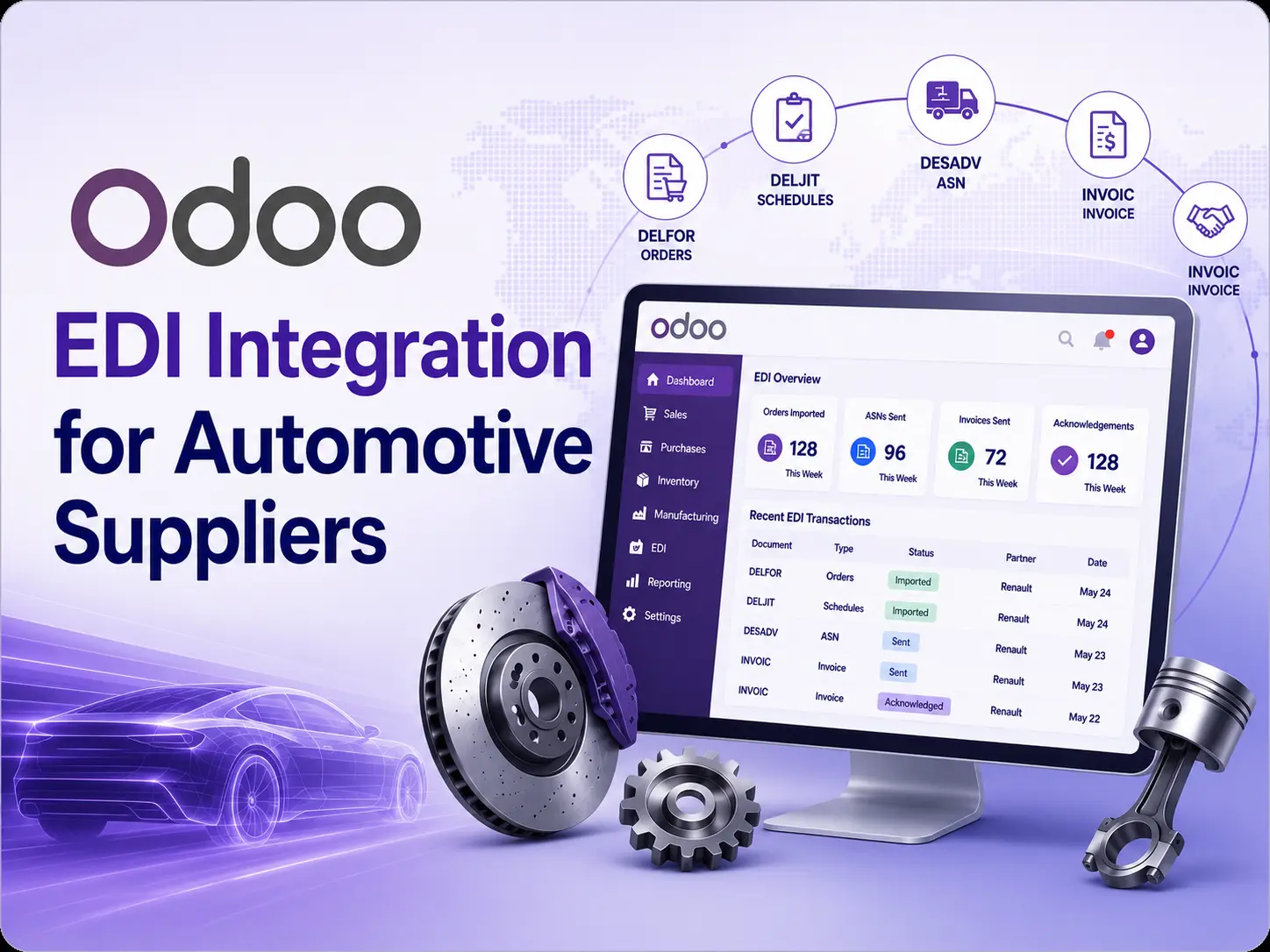
Odoo EDI Integration for Automotive Suppliers
Automotive suppliers operate in one of the most time-sensitive and highly coordinated supply chains in the world.
Vehicle manufacturers and Tier 1 companies regularly send production forecasts, delivery schedules, just-in-time call-offs, shipping instructions, and other business documents to their suppliers through Electronic Data Interchange, commonly known as EDI.
Processing these documents manually can create serious operational risks. A delayed delivery schedule, incorrect quantity, missing shipment notification, or invoice mismatch can interrupt the production line and result in penalties, rejected deliveries, or damaged customer relationships.
An Odoo EDI integration for automotive suppliers connects the customer’s EDI system directly with Odoo. It allows forecast schedules, delivery call-offs, shipment notifications, invoices, and acknowledgements to move automatically between the automotive customer and the supplier’s Odoo ERP environment.
This guide explains how automotive EDI works, which EDI messages are commonly used, how the complete process can be managed in Odoo, and what suppliers should consider before implementing an automotive EDI solution.
What Is Automotive EDI?
Automotive EDI is the electronic exchange of structured supply chain documents between vehicle manufacturers, Tier 1 suppliers, Tier 2 suppliers, component manufacturers, logistics providers, and other trading partners.
Instead of sending purchase schedules, delivery requirements, shipment details, and invoices through email, PDF documents, spreadsheets, or external portals, the information is exchanged in a standardized machine-readable format.
Common automotive EDI standards include UN/EDIFACT, VDA, ANSI X12, Odette, XML, and customer-specific structured formats. In European automotive operations, EDIFACT messages such as DELFOR, DELJIT, DESADV, INVOIC, ORDERS, ORDRSP, RECADV, and CONTRL are frequently used.
The exact message type and format depend on the automotive manufacturer, country, EDI provider, plant, and trading-partner agreement. Two customers may use the same EDIFACT message version but apply different qualifiers, mandatory fields, code values, packaging rules, and reference structures.
For this reason, an automotive EDI integration must support customer-specific mapping rather than relying on one fixed format for every trading partner.
Why Automotive Suppliers Need EDI Integration with Odoo
Automotive suppliers often work with multiple customers, factories, delivery locations, and EDI providers. Each customer may use different product codes, packaging instructions, delivery frequencies, document versions, and communication protocols.
Without an integrated system, employees may need to:
1. Log in to an external EDI portal.
2. Download incoming EDI files.
3. Review the forecast or delivery schedule.
4. Find the corresponding customer and product in Odoo.
5. Manually create or update a sales order.
6. Check available inventory.
7. prepare the delivery.
8. Enter packaging and shipment details.
9. Upload the shipment notification to the EDI portal.
10. Generate and upload the electronic invoice.
This process is time-consuming and vulnerable to human errors.
A properly configured **Odoo automotive EDI integration** automates these activities. Incoming EDI documents are downloaded, validated, mapped, and processed in Odoo. Outgoing messages are generated from Odoo transactions and transferred to the customer automatically.
This helps automotive suppliers reduce manual work, improve data accuracy, speed up order processing, strengthen production planning, increase inventory visibility, improve shipment traceability, and comply with customer-specific EDI requirements.
Common EDI Messages Used by Automotive Suppliers
The following EDI messages are commonly involved in automotive supply chain processes.
| EDI Message | Purpose | Odoo Process |
|---|---|---|
| DELFOR | Delivery forecast and long-term demand planning | Forecast schedule, planned demand, and production and purchasing preparation |
| DELJIT | Just-in-time or short-term delivery call-off | Confirmed delivery demand, sales order, release order, or delivery schedule |
| ORDERS | Purchase order | Sales order creation |
| ORDCHG | Purchase order change | Sales order update |
| ORDRSP | Order response or order acknowledgement | Sales order acceptance, rejection, or change confirmation |
| DESADV | Dispatch advice or advance shipping notice | Delivery order, package, pallet, transport, and shipment information |
| INVOIC | Electronic invoice | Customer invoice creation |
| RECADV | Receiving advice | Delivery confirmation, quantity difference, or receipt status |
| CONTRL | Syntax and interchange acknowledgement | Technical validation and EDI processing status |
| REMADV | Remittance advice | Payment and invoice reconciliation |
| SLSRPT | Sales report | Consignment sales and replenishment processes |
Not every automotive customer uses every message. The required message set must be confirmed during the EDI onboarding process.
Complete Automotive EDI Workflow in Odoo
A typical automotive EDI workflow begins with the customer’s production forecast and continues until the shipment is delivered and invoiced.
The Customer Sends a DELFOR Forecast
DELFOR stands for Delivery Forecast.
DELFOR stands for Delivery Forecast. It is normally used by an automotive manufacturer to communicate expected demand over the coming days, weeks, or months.
The message may contain the customer identification, supplier identification, customer plant, delivery location, customer part number, supplier part number, forecast period, requested quantities, delivery dates, cumulative quantity, previous quantity received, packaging information, release number, and the related contract or scheduling agreement reference.
When DELFOR is integrated with Odoo, the system can automatically identify the correct customer and delivery address, match the customer part number with the supplier’s product, validate the unit of measure, import the requested quantities and dates, and update the relevant forecast schedule.
The integration can also compare the new DELFOR release with the previous release. This helps the supplier identify increased demand, reduced demand, cancelled quantities, new delivery dates, or changes in cumulative requirements.
Because DELFOR usually represents forecast demand rather than final delivery instructions, it should not always create confirmed sales orders or immediately reserve stock. A better approach is often to store the forecast in a dedicated scheduling or demand-planning model in Odoo.
This forecast data can then be used by purchasing, manufacturing, inventory, and production-planning teams.
2. Odoo Uses the Forecast for Planning
After the DELFOR forecast is imported, Odoo can use the demand information to plan raw materials, components, production capacity, warehouse space, and supplier purchases.
For a manufacturing supplier, the integration may calculate future component requirements based on bills of materials, available stock, open manufacturing orders, supplier lead times, safety stock, and expected delivery dates.
Odoo can then support the creation of planned manufacturing orders, purchase orders, internal transfers, or replenishment recommendations.
For example, if a customer forecasts demand for 10,000 automotive components over the next eight weeks, Odoo can compare that forecast with available finished products, raw-material stock, incoming purchase orders, and planned production.
The system can identify shortages early and help the supplier prepare before receiving the final DELJIT call-off.
This is one of the main advantages of DELFOR integration with Odoo. It connects customer forecasts directly with operational planning instead of keeping forecast information inside a separate EDI portal or spreadsheet.
3. The Customer Sends a DELJIT Call-Off
DELJIT stands for Delivery Just in Time. It is used for short-term and more precise delivery instructions.
While DELFOR generally supports future planning, DELJIT communicates what the customer needs in the near term. Depending on the automotive manufacturer, the message may include daily delivery requirements, hourly delivery slots, sequence numbers, production-line references, dock numbers, unloading points, Kanban numbers, transport instructions, or emergency call-offs.
A DELJIT message may contain the customer part number, requested quantity, delivery date, delivery time, customer plant, unloading location, production line, release number, call-off reference, Kanban number, packaging requirement, sequence information, and cumulative quantities.
The DELJIT integration with Odoo validates the message and converts it into an operational requirement. Depending on the supplier’s business process, the integration may create a new sales order, update an existing scheduling agreement, create a sales release, generate a delivery order, or update a customized automotive call-off record.
For suppliers that receive many call-offs against the same long-term agreement, creating a separate sales order for every file may result in unnecessary data. In such cases, a scheduling agreement with linked release orders or delivery schedules can provide a cleaner and more scalable solution.
4. Product and Customer Mapping Is Applied
Automotive customers often use their own product codes, plant codes, delivery-location codes, packaging references, units of measure, and EDI identifiers.
The customer part number may be completely different from the supplier’s internal Odoo product code. The customer’s plant may also use a different code from the supplier’s warehouse or delivery address.
The EDI integration must translate the external values into the correct Odoo records.
For example, the customer GLN can be mapped to the correct Odoo customer, the delivery GLN can be mapped to the correct shipping address, the customer part number can be mapped to the supplier product, the customer plant code can be mapped to the Odoo warehouse, and the external packaging code can be mapped to the correct Odoo package type.
The same mapping process may be needed for units of measure, currencies, taxes, Incoterms, payment terms, transport methods, and EDI document versions.
If the system cannot find the correct mapping, it should not create an incorrect sales order or delivery. Instead, it should place the message in an exception queue and display a clear error.
For example, Odoo may show that the customer was not found, the delivery address was not mapped, the customer part number was missing, the unit of measure was invalid, or the release number had already been processed.
After the user corrects the mapping, the same EDI file should be available for reprocessing.
5. Odoo Checks Inventory and Production Availability
After receiving a confirmed DELJIT call-off or delivery requirement, Odoo checks whether the required products are available.
The system can review on-hand stock, reserved stock, incoming purchase orders, open manufacturing orders, expected production dates, internal transfers, customer-specific inventory, and available-to-promise quantities.
When sufficient stock is available, Odoo can reserve it against the delivery requirement.
When stock is unavailable, the system can generate a shortage warning, create a manufacturing requirement, trigger a purchase order, suggest an internal transfer, or notify the sales and production teams.
For example, if the customer requires 1,000 parts tomorrow but only 600 are available, Odoo can immediately identify the shortage of 400 parts.
The production planner can then check whether the remaining quantity can be manufactured before the required delivery time. If not, the EDI or sales team can communicate with the customer before the production line is affected.
6. The Warehouse Prepares the Delivery
Once the products are available, the warehouse team processes the delivery order in Odoo.
Automotive deliveries often require detailed packaging and handling-unit information. The warehouse may need to record the package type, pallet number, quantity per package, SSCC number, lot number, serial number, gross weight, net weight, number of packages, customer packaging code, and transport label information.
Odoo Barcode can be used to scan products, lots, packages, pallets, and delivery orders during picking and packing.
For advanced automotive warehouse operations, the customization may also support Odette labels, VDA labels, SSCC pallet labels, master labels, mixed-load labels, customer-specific transport labels, packing lists, and delivery notes.
The physical packaging structure recorded in Odoo must match the packaging hierarchy included in the DESADV message.
For example, if one pallet contains ten boxes and each box contains fifty products, the same parent-child package structure should be represented in Odoo and communicated in the outgoing shipment notification.
7. Odoo Generates the DESADV Message
DESADV stands for Dispatch Advice and is commonly known as an Advance Shipping Notice or ASN.
The DESADV informs the customer that the goods have been prepared or shipped. It allows the customer to receive the shipment information before the truck reaches the production plant.
The DESADV message may include the shipment number, delivery note number, dispatch date, expected arrival date, customer plant, delivery location, carrier, transport reference, vehicle number, trailer number, customer order reference, DELFOR or DELJIT reference, product quantities, lot numbers, serial numbers, packages, pallets, SSCC numbers, gross weight, and net weight.
The DESADV Odoo integration can generate this information directly from the validated Odoo delivery order.
The message can be created automatically when the delivery is validated, when the warehouse completes packaging, when the carrier shipment is confirmed, or after approval by an authorized user.
The outgoing DESADV should be connected with the original customer forecast or call-off and the related Odoo sales order and delivery order.
Odoo should display a clear EDI status on the delivery, such as Draft, Ready to Send, Sent, Acknowledged, Rejected, or Resubmission Required.
8. The Customer May Send a Receiving Advice
Some automotive customers send a RECADV message after receiving the shipment.
The message may confirm the actual received quantity, receipt date, customer goods-receipt number, damaged quantity, rejected quantity, shortage, or over-delivery.
Odoo can link the receiving advice with the original delivery order and compare the shipped quantity with the received quantity.
If Odoo shows that 1,000 units were shipped but the customer confirms only 980 units, the system can create an exception for the logistics or customer-service team.
This makes it easier to investigate quantity differences, transport damage, receiving errors, and customer claims.
9. Odoo Generates the INVOIC Message
INVOIC is the electronic invoice message used to send invoice information to the automotive customer.
Once the customer invoice is created and approved in Odoo, the system can generate an INVOIC file containing the invoice number, invoice date, supplier identification, customer identification, customer order reference, delivery note reference, product numbers, quantities, unit prices, discounts, taxes, currency, payment terms, bank information, and total amount.
The INVOIC integration with Odoo can validate the invoice according to customer-specific requirements before sending it through SFTP, FTP, AS2, VAN, or API.
The generated EDI file should remain attached to the Odoo invoice. The integration should also store the transmission date, acknowledgement status, error message, rejection reason, and resubmission history.
This creates a complete audit trail and helps the accounting team resolve rejected invoices quickly.
Recommended Odoo Architecture for Automotive EDI
The EDI message format and the communication protocol are two separate parts of the integration.
A customer may use EDIFACT as the message format and SFTP or AS2 as the communication protocol.
Common communication methods include:
SFTP
SFTP is frequently used for exchanging EDI files through secure folders.
The Odoo integration can:
- Connect to the SFTP server.
- Download incoming files.
- Upload outgoing files.
- Move processed files to an archive directory.
- Move failed files to an error directory.
- Run the process through scheduled actions.
FTP or FTPS
Some trading partners continue to use FTP or FTPS. The integration process is similar to SFTP, but the connection and security configuration differ.
AS2
AS2 Integration
AS2 is used when secure transmission, encryption, digital signatures, and delivery acknowledgement are required.
An AS2 integration can include certificate management, message encryption, digital signatures, partner-specific AS2 identifiers, synchronous or asynchronous MDN processing, and message integrity validation.
API
Some modern EDI providers and automotive platforms support REST or SOAP APIs. Odoo can exchange EDI documents through the provider’s API when appropriate documentation and access credentials are available.
Automotive EDI Communication Methods Supported by Odoo
A reliable automotive EDI integration requires more than a basic file import script.
Each trading partner should have a separate configuration containing the communication method, server details, authentication, incoming directory, outgoing directory, archive directory, file naming convention, EDI identifiers, message versions, processing frequency, and customer-specific rules.
The system should also maintain customer, delivery-location, product, unit-of-measure, warehouse, packaging, tax, currency, and Incoterm mappings.
A dynamic mapping engine is particularly useful because different automotive customers may use different fields or qualifiers even when they use the same EDIFACT version.
The solution should include an EDI transaction dashboard where users can review the customer, message type, document reference, processing date, status, related Odoo record, error details, acknowledgement, and retry history.
Failed messages should remain available in an exception queue. The original file, validation result, error description, and processing log should be stored so the user can correct the configuration and reprocess the document.
Key Challenges in Automotive EDI Integration
Different Requirements for Every Customer
Automotive customers may use the same EDIFACT message version but interpret certain fields differently.
A flexible mapping configuration is therefore more reliable than hardcoding all customer rules into a single parser.
Forecast Revisions
A new DELFOR file may replace, extend, or partially revise a previous forecast.
The integration must compare release numbers, dates, quantities, and cumulative values before updating the forecast.
Cumulative Quantity Management
Automotive EDI frequently uses cumulative quantities to track the total quantity shipped or received during a defined period.
Incorrect cumulative quantity calculations can result in over-delivery or under-delivery. Odoo should maintain cumulative shipped and received quantities for the relevant customer, product, plant, and period.
Product Mapping
The customer’s part number may be different from the supplier’s internal product code.
A customer-product cross-reference should be maintained in Odoo. The mapping may also depend on the customer plant or delivery location.
Packaging and Label Compliance
Automotive shipments often require strict package hierarchies and labels.
The Odoo implementation must ensure that the physical package structure matches the DESADV message and printed labels.
Time-Sensitive Deliveries
A DELJIT call-off may require delivery within a narrow time window.
The system should provide clear alerts for urgent requests, shortages, late deliveries, and production risks.
Benefits of Odoo EDI Integration for Automotive Suppliers
An Odoo EDI integration for automotive suppliers reduces manual data entry by automatically converting EDI messages into Odoo transactions.
It improves order accuracy by mapping customer references, product codes, quantities, delivery dates, and shipping locations directly from the original EDI file.
DELFOR integration provides better visibility into future demand, allowing the supplier to prepare raw materials, production capacity, warehouse space, and supplier purchases.
DELJIT integration allows the company to respond quickly to confirmed just-in-time call-offs and urgent delivery requirements.
Odoo inventory, manufacturing, sales, purchase, warehouse, and accounting teams can work with the same information in one system.
DESADV messages can be generated directly from actual package and delivery data, reducing shipment-notification errors.
INVOIC messages can be created from approved Odoo invoices, helping suppliers reduce billing delays and customer invoice rejections.
The complete audit trail also makes it easier to answer customer questions, investigate discrepancies, monitor acknowledgements, and comply with trading-partner requirements.
Example: Automotive Supplier EDI Workflow in Odoo
Consider an automotive component manufacturer supplying parts to several production plants.
The customer sends a DELFOR message every week containing demand for the next three months. Odoo imports the forecast and helps the supplier plan raw-material purchases and manufacturing.
The customer then sends daily DELJIT messages for specific quantities and delivery times. Odoo creates confirmed delivery requirements and reserves the available inventory.
The warehouse scans the products, creates pallets, assigns SSCC numbers, and validates the delivery.
Odoo automatically generates a DESADV file containing the package hierarchy, delivery note, quantities, weights, and shipment references. The message is uploaded to the customer’s SFTP server.
After shipment confirmation, Odoo creates the customer invoice and generates the INVOIC message.
The complete process is managed inside Odoo without manually downloading, entering, and uploading every document.
Steps for Implementing Automotive EDI in Odoo
Steps to Implement Automotive EDI in Odoo
The first step is to understand the current business process. The implementation team should review how EDI files are received, which EDI provider is used, which documents are exchanged, how forecasts are managed, how sales orders and deliveries are created, how labels are printed, and how invoices are submitted.
The next step is to collect sample EDI files for every required message and business scenario. This may include normal DELFOR and DELJIT files, emergency call-offs, changes, cancellations, DESADV, INVOIC, RECADV, and acknowledgement messages.
The customer’s official EDI guideline must also be reviewed. It normally explains mandatory segments, qualifiers, code lists, file naming, message versions, testing cases, and acknowledgement requirements.
After that, the Odoo workflow must be defined. The implementation team should decide whether DELFOR updates a forecast schedule, whether DELJIT creates a sales order or release, when inventory should be reserved, when the DESADV should be transmitted, and when the invoice should be generated.
All master-data mappings should then be configured, including customers, plants, delivery locations, products, units of measure, warehouses, taxes, currencies, packaging codes, and EDI identifiers.
The development and testing process should cover valid files, missing mappings, duplicate messages, forecast revisions, quantity changes, partial deliveries, mixed pallets, invoice corrections, and communication failures.
Many automotive customers also require formal EDI certification. This may involve connectivity testing, format validation, business-scenario testing, DESADV verification, label approval, and invoice validation.
After go-live, the supplier should continuously monitor failed EDI files, missing acknowledgements, delayed transmissions, duplicate documents, quantity differences, rejected shipments, and rejected invoices.
Why Choose Vraja Technologies for Odoo Automotive EDI Integration?
Vraja Technologies provides customized Odoo EDI integration services for automotive suppliers, manufacturers, wholesalers, and logistics companies.
We can help automate the complete EDI process, including:
- DELFOR forecast import
- DELJIT delivery call-off processing
- ORDERS and ORDCHG processing
- ORDRSP order acknowledgement
- DESADV shipment notification
- INVOIC electronic invoicing
- RECADV receiving advice
- CONTRL message processing
- Customer and product mapping
- Cumulative quantity management
- SFTP, FTP, AS2, VAN, and API connectivity
- Package, pallet, and SSCC management
- EDI dashboard and error handling
- Customer-specific EDIFACT mapping
- Odoo sales, inventory, purchase, manufacturing, and accounting integration
Our approach focuses on the complete business process rather than simply importing and exporting files.
We first review the automotive supplier’s current workflow, customer guidelines, sample messages, product mapping, packaging process, and delivery requirements. Based on this analysis, we configure or customize an Odoo EDI solution that supports the actual operational process.
Frequently Asked Questions
Can Odoo process DELFOR and DELJIT messages?
Yes. Odoo can be customized to import DELFOR forecasts and DELJIT delivery call-offs. The messages can create or update forecast schedules, sales releases, sales orders, manufacturing requirements, and delivery orders.
What is the difference between DELFOR and DELJIT?
DELFOR is mainly used for medium-term or long-term delivery forecasting. DELJIT is used for shorter-term, just-in-time, or sequence-specific delivery requirements.
DELFOR supports planning, while DELJIT generally represents a more immediate delivery instruction.
Can Odoo generate DESADV automatically?
Yes. Odoo can generate the DESADV message using information from the delivery order, packages, pallets, lots, serial numbers, weights, transport details, and customer references.
Can Odoo send automotive EDI invoices?
Yes. Customer invoices created in Odoo can be converted into an INVOIC message and transmitted through SFTP, FTP, AS2, VAN, or API.
Does Odoo support Renault EDI integration?
Odoo can be integrated with Renault’s supplier EDI workflow based on the message guidelines and communication method provided to the supplier.
The implementation may include DELFOR, DELJIT, DESADV, INVOIC, acknowledgements, customer-specific mappings, and additional message scenarios.
Can the same Odoo system manage multiple automotive customers?
Yes. A multi-trading-partner configuration can be developed so that each customer has separate message versions, identifiers, mappings, communication settings, directories, and business rules.
Can EDI errors be corrected and reprocessed?
Yes. Failed messages can be stored in an EDI exception queue. After the user corrects the missing mapping or data issue, the same message can be reprocessed without manually recreating the transaction.
Is automotive EDI possible with Odoo Community?
Yes, but the integration architecture and required custom modules depend on the business process. Both Odoo Community and Odoo Enterprise can be integrated with external EDI systems.
Which Odoo modules are commonly involved?
Automotive EDI integration commonly connects with:
* Sales
* Inventory
* Purchase
* Manufacturing
* Accounting
* Barcode
* Contacts
* Delivery
* Quality
Additional custom modules may be needed for forecast schedules, cumulative quantities, packaging, SSCC labels, call-offs, and EDI monitoring.
Conclusion
Automotive EDI is not simply a file import and export process. It connects customer demand, production planning, inventory availability, warehouse operations, packaging, transportation, and invoicing.
A reliable **Odoo EDI integration for automotive suppliers** can automate the complete workflow from DELFOR forecasting and DELJIT call-offs to DESADV shipment notifications and INVOIC electronic invoices.
By managing EDI transactions directly inside Odoo, automotive suppliers can reduce manual work, improve data accuracy, respond faster to customer requirements, prevent delivery errors, and gain complete visibility across their supply chain.
Vraja Technologies can help automotive suppliers build a customer-specific Odoo EDI solution that supports EDIFACT, VDA, XML, ANSI X12, SFTP, FTP, AS2, VAN, and API-based integrations.
Contact Vraja Technologies to discuss your automotive EDI requirements, sample files, trading-partner guidelines, and current Odoo workflow.