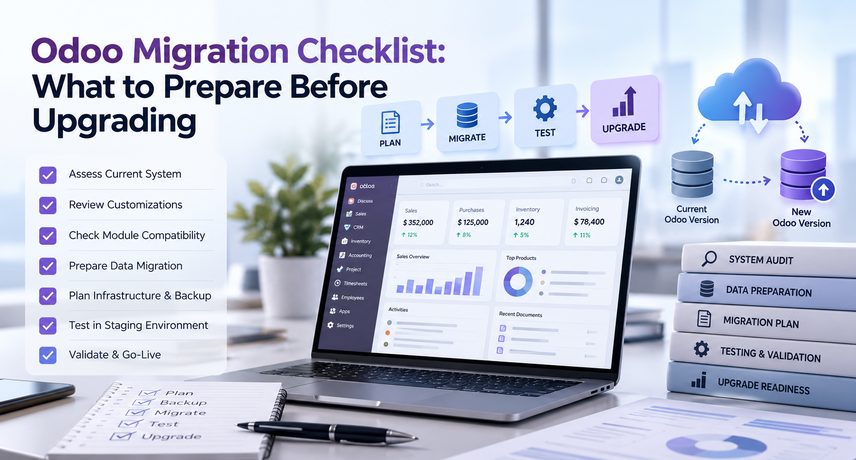
Odoo Migration Checklist: What to Prepare Before Upgrading
An Odoo migration checklist is a step-by-step list of everything you finish before moving your Odoo database to a newer version. Before you upgrade, back up your data and files, clean your records, review custom modules and integrations, test on a copy, train your users, and write a rollback plan.
Skipping these steps is the most common reason an Odoo version upgrade runs late or breaks a daily workflow. This Odoo migration checklist explains each step in plain language, so your finance, sales, and warehouse teams know what to expect.
What Is the Odoo Migration Checklist at a Glance?
The Odoo migration checklist has ten steps, from the first backup to the rollback plan. Use this Odoo migration checklist as your project outline, then read the details for each step below.
- Back up your database and filestore, and test the restore.
- Document your current Odoo version, edition, and hosting setup.
- Clean your data before the Odoo database migration.
- Audit every custom module and Studio change.
- List every integration, including EDI, payment, tax, and shipping.
- Check the technical requirements of the target version.
- Build a staging copy and run a test Odoo version upgrade.
- Test real business workflows with real users.
- Train your team before go-live.
- Plan the cutover date and a rollback path.
If you only have time for three, do steps 1, 7, and 8: back up, test the upgrade, and test real workflows. Each step applies to a version upgrade and to a standalone Odoo database migration.
What Is an Odoo Migration?
An Odoo migration is the process of moving your Odoo data, settings, and customizations from one version, server, or edition to another. Most of the time it means an Odoo version upgrade, such as moving from Odoo 16 to the latest release.
People use several terms for this work, so here are simple definitions:
- Odoo version upgrade: Moving to a newer major version of Odoo. Your business data stays, while the software and database structure change.
- Odoo database migration: Moving the database to a new place, such as from an on-premise server to Odoo.sh or a new cloud server. The version may or may not change.
- Edition migration: Changing editions, for example from Odoo Community to Odoo Enterprise.
This Odoo migration checklist covers the first two, because they are the most common for U.S. companies that already run Odoo. A good Odoo migration protects your data first and your schedule second.
AI agents are used to complete multi-step tasks across systems, such as processing documents, updating records, and routing requests. If you are asking what are AI agents good for, the answer is rule-bound workflows with measurable outcomes.
What Is an Odoo Migration?
An Odoo migration is the process of moving your Odoo data, settings, and customizations from one version, server, or edition to another. Most of the time it means an Odoo version upgrade, such as moving from Odoo 16 to the latest release.
People use several terms for this work, so here are simple definitions:
- Odoo version upgrade: Moving to a newer major version of Odoo. Your business data stays, while the software and database structure change.
- Odoo database migration: Moving the database to a new place, such as from an on-premise server to Odoo.sh or a new cloud server. The version may or may not change.
- Edition migration: Changing editions, for example from Odoo Community to Odoo Enterprise.
This Odoo migration checklist covers the first two, because they are the most common for U.S. companies that already run Odoo. A good Odoo migration protects your data first and your schedule second.
Why Plan an Odoo Version Upgrade Now?
Plan your Odoo version upgrade when your current version is close to the end of support, when you need features that only exist in a newer release, or when your team is working around old limits. Waiting rarely makes it cheaper.
Odoo releases a new major version about once a year, and its published support policy covers only the most recent major versions (check Odoo’s website for the current list). Running an unsupported version means no official security fixes and fewer compatible apps. Every year you wait, the gap grows, and a bigger gap means more changes to test. Starting your Odoo migration checklist early keeps the jump small and the risk low.
These AI agent use cases share a pattern: structured inputs, a verifiable output, and a system of record such as Odoo. Odoo AI Automation fits these AI agent use cases well because the data already lives in one ERP.
What Is the Odoo Migration Process, Step by Step?
The Odoo migration process has six phases: assess, prepare, test upgrade, fix and retest, cutover, and support.
- Assess: Record your version, edition, hosting, apps, and customizations.
- Prepare: Back up, clean data, and check technical requirements.
- Test upgrade: Run the upgrade on a copy of your database.
- Fix and retest: Repair custom code, integrations, and reports, then test again.
- Cutover: Freeze changes, run the final upgrade, and go live.
- Support: Watch the system closely for the first 30 days.
Most of the work happens before the final upgrade. Teams that finish phases one to four properly usually have a short, quiet cutover. For a mid-sized company with a moderate number of custom modules, the full Odoo migration process often takes about 6 to 12 weeks. Heavy customization or many integrations can stretch that. Treat this as a planning range, not a promise, and use your Odoo migration checklist to set the real dates. Review the Odoo migration process with every team lead before kickoff.
Which Upgrade Route Fits Your Odoo Setup?
Your upgrade route depends on your edition and where Odoo is hosted. Table 1 shows the usual route for each setup. Confirm the current steps in Odoo’s documentation before you start, because Odoo updates its upgrade tools over time.
Odoo Migration Checklist: 10 Things to Prepare Before Upgrading
Work through these ten items in order. Each item maps to a phase of the Odoo migration process, and each one starts with the short answer, followed by the details. Print this Odoo migration checklist and share it with every team.
1. Have You Backed Up Your Database and Filestore?
Make a full backup of the PostgreSQL database and the filestore, then restore it on a separate server to prove it works.
Odoo keeps records in PostgreSQL and keeps attachments, images, and PDFs in a filestore on disk. A database backup without the filestore leaves you with missing files. Use pg_dump or Odoo’s database manager, label every backup with the date and version, and store a copy outside your main server. A backup you have never restored is only a guess. Before any Odoo database migration, this is the one step you cannot skip. Back up again before every Odoo version upgrade run, including each test. Mark this first on your Odoo migration checklist.
2. What Version, Edition, and Hosting Do You Run Today?
Write down your exact Odoo version, your edition (Community or Enterprise), and your hosting type (Odoo Online, Odoo.sh, or on-premise).
Write these facts at the top of your Odoo migration checklist. Your Odoo migration route depends on them, as Table 1 shows, and the route changes the Odoo migration process, including how long testing takes. Also list every installed app, including third-party apps from the Odoo Apps store, and confirm each one has a version for your target release.
3. How Do You Clean Data Before an Odoo Database Migration?
Archive what you do not need, merge duplicates, and fix errors before the Odoo database migration starts.
An upgrade moves bad data just as faithfully as good data, and a cleaner database also upgrades faster and is easier to test. Less data means a faster Odoo version upgrade, and clean data shortens every later stage of the Odoo migration process. Put data cleanup near the top of your Odoo migration checklist, and start with this list:
- Merge duplicate customers, vendors, and products.
- Archive inactive contacts, products, and users.
- Close or cancel old draft quotes, stale purchase orders, and open transfers.
- Reconcile bank statements and clear old unreconciled entries.
- Check tax IDs, fiscal positions, and tax-exempt certificates on customer records.
- Confirm 1099 vendor flags and payment details are correct.
- Compare system stock to a physical count.
Do not delete accounting records you must keep for legal reasons. Ask your accountant before you remove anything from the ledger.
4. Which Custom Modules and Studio Changes Will Break?
Review every custom module, Studio customization, and custom report, because Odoo’s standard upgrade scripts only cover standard apps.
Odoo’s framework, views, and field names change between versions, so custom code often needs rewriting. Make a simple inventory: module name, what it does, who uses it, and which apps it depends on. Then pick one action for each: keep and update, rewrite, replace with a standard feature, or retire.
Testing is where an Odoo migration succeeds or fails. It is also the longest part of the Odoo migration process, so write short test scripts for the workflows that earn and spend money:
- Quote to sales order to delivery to invoice to payment
- Purchase order to receipt to vendor bill to payment
- Manufacturing order from raw materials to finished goods
- Month-end close and tax reports
- Invoice, packing slip, and quote PDF layouts
- Email templates, automated actions and scheduled actions
- User roles, access rights and record rules
How to Set Up an AI Agent: 8 Steps
How to set up an AI agent: define one workflow, connect the data, write the instructions, limit permissions, test on real cases, add approvals, launch to a small group, and monitor results. The same steps for how to set up an AI agent apply whether you use Odoo’s native AI app or an AI agent with MCP.
- Pick one workflow and a success metric. Choose something like “triage new helpdesk tickets” and track handling time and accuracy.
- Map the data and systems. List the Odoo models, documents, and inboxes the agent needs.
- Choose the build path. Use native agents for in-app tasks, or an MCP server plus a model provider for cross-system work.
- Create a dedicated Odoo user and API key. Grant the minimum access rights, and set an expiry date on the key.
- Write clear instructions. State the role, the tools allowed, what to do when unsure, and when to hand off to a person.
- Test on historical cases. Run 50 to 100 past tickets, invoices, or orders and compare results with what your team actually did.
- Add human approval for risky actions. Require sign-off before sending external emails, posting journal entries, or deleting records.
- Launch narrowly, then monitor. Release to one team, review logs weekly, and expand only after accuracy holds.
That is the full process for how to set up an AI agent without taking on unnecessary risk. If you are also planning ERP implementation services, build the agent after core data, roles, and workflows are stable, because AI agents inherit every data-quality problem in the system. A narrow pilot can be live in weeks, but timing and cost depend on data quality, model usage, API access, and testing.
How Do You Keep AI Agents Secure and Compliant?
Treat every AI agent like a new employee with a badge: give it only the access it needs, log what it does, and require approval for high-impact actions. IBM recommends activity logs, the ability to interrupt an agent, unique agent identifiers, and human approval for actions such as mass emails or financial trading.
Security matters because how AI agents work involves real tool calls on live data. Build these controls in before you finalize how to set up an AI agent. Use this checklist for AI automation agents connected to your ERP:
- Use a separate service user for each of your AI agents, never an administrator account.
- Prefer read-only tools first, then add write tools one at a time.
- Store API keys in a secrets manager and rotate them on a schedule.
- Set step limits so AI agents cannot loop forever.
- Log every tool call that AI agents make, with user, time, input, and output.
- Review prompts and tools against the NIST AI Risk Management Framework.
- Test for prompt injection by feeding the agent hostile text in emails and documents.
Review any connector like other software that touches production data: check the code, pin versions, and restrict network access.
How Can Vraja Technologies Help With AI Automation Agents in Odoo?
Vraja Technologies designs and integrates AI automation agents for Odoo, from scoping the first workflow to building the connector and monitoring results. Our first workshop explains how AI agents work and answers what are AI agents in the context of your processes. Our team works with mid-sized and enterprise businesses that want measurable automation rather than demos, and we explain how to set up an AI agent, which AI agent use cases to pick, and how AI agents work, in plain terms.
A typical engagement with Vraja Technologies covers four phases: a workflow and data audit, a pilot agent with limited permissions, a tested rollout with human approvals, and ongoing tuning. If your Odoo environment is still being configured, Vraja Technologies can align agent design with your broader ERP implementation services so the data model, roles, and workflows are ready before automation begins.
Vraja Technologies designs and integrates AI automation agents for Odoo, from scoping the first workflow to building the connector and monitoring results. Our first workshop explains how AI agents work and answers what are AI agents in the context of your processes. Our team works with mid-sized and enterprise businesses that want measurable automation rather than demos, and we explain how to set up an AI agent, which AI agent use cases to pick, and how AI agents work, in plain terms.
A typical engagement with Vraja Technologies covers four phases: a workflow and data audit, a pilot agent with limited permissions, a tested rollout with human approvals, and ongoing tuning. If your Odoo environment is still being configured, Vraja Technologies can align agent design with your broader ERP implementation services so the data model, roles, and workflows are ready before automation begins.
AI Agents Glossary: Key Terms in One Table
This glossary gives a one-line definition of each term in this guide.
| Term | Short Definition |
|---|---|
| What Are AI Agents? | Goal-driven software that plans tasks, uses tools, and checks its results. |
| How AI Agents Work | A cycle of understanding, planning, acting, and checking, guided by defined rules and safeguards. |
| AI Agent Use Cases | Repeatable workflows such as invoice matching, ticket triage, and business reporting. |
| How to Set Up an AI Agent | Choose one workflow, restrict access, test with historical cases, add approval steps, and launch gradually. |
| AI Agents for Business | AI agents applied to finance, sales, inventory, customer support, HR, and operations. |
| AI Automation Agents | Agents that execute business workflows and update records across connected systems. |
| MCP Server | A connector that exposes tools and data to AI applications through the Model Context Protocol. |
| AI Agent with MCP | An AI agent that accesses tools through an MCP server rather than relying solely on custom integrations. |
| Odoo AI Automation | Odoo’s native AI capabilities combined with connected external agents that work with ERP data. |
Your First 30 Days With AI Agents: Action Checklist
In 30 days you can move from curiosity to a supervised pilot by following one task per week.
- Week 1, learn: make sure stakeholders can explain what are AI agents and how AI agents work.
- Week 1, choose: rank three AI agent use cases by volume, risk, and ease of verification.
- Week 2, prepare: clean the Odoo data your first agent needs, because Odoo AI Automation is only as good as the records behind it.
- Week 2, scope: write down how to set up an AI agent for the winning workflow, including tools, limits, and approvers.
- Week 3, build: configure a native agent, or install a connector for an AI agent with MCP.
- Week 3, test: run past cases through your AI agents and compare results with your team’s work.
- Week 4, launch: release AI automation agents to one team with human approval switched on.
- Week 4, review: report accuracy, time saved, and exceptions to the owner of your AI agents for business results.
Conclusion: Where to Start With AI Agents
Start with one workflow, one agent, and one metric. AI agents work best when they have clear goals, narrow permissions, and human oversight, and an MCP server gives you a standard, auditable way to connect them to Odoo and other systems. Once you know what are AI agents, how AI agents work, and how to set up an AI agent safely, choose among AI agent use cases and start small with AI agents for business.
Frequently Asked Questions About AI Agents
What are AI agents in simple terms?
AI agents are software programs that plan and complete multi-step tasks using AI and connected tools. Unlike a chatbot, an agent decides which actions to take, performs them in your systems, and checks the outcome. In short, what are AI agents? Digital workers that act through your tools.
How do AI agents work?
How do AI agents work? They run a loop of understanding the goal, planning steps, calling tools, and reviewing results. Memory keeps context, and guardrails limit what the agent may do. That is how AI agents work in every platform, whether native to Odoo or connected externally.
What are some AI agent use cases for daily business work?
Common AI agent use cases include invoice matching, ticket triage, lead follow-up, reorder suggestions, HR policy answers, and daily KPI summaries. Pick workflows that repeat often and are easy to verify. Odoo AI Automation supports most of these AI agent use cases.
How do you set up an AI agent?
To set up an AI agent, choose one workflow, connect the data, write instructions, restrict permissions, test on past cases, add approvals, and launch to a small team. Treat how to set up an AI agent as a pilot with a measurable goal, not a one-time install. Vraja Technologies can guide how to set up an AI agent inside Odoo.
Are AI agents for business safe to use with an ERP?
AI agents for business are safe when they use least-privilege access, logging, and human approval for high-impact actions. Odoo’s JSON-2 API applies its normal access rights, so AI agents reach only what their user can reach. Safe AI agents for business also need logging and approvals.
What are AI automation agents?
Yes. Odoo can exchange X12 or EDIFACT documents through marketplace connectors, API-based EDI platforms, or custom modules. Transports such as AS2, SFTP, and VANs carry the files. Your ERP consultant selects the approach based on partner requirements, and ERP implementation consulting should confirm it before the build begins.
What is an MCP server, and do I need one?
U.S. trading partners most often require the 850 purchase order, 855 acknowledgment, 856 advance ship notice, 810 invoice, and 997 functional acknowledgment. Companies working with 3PLs often add the 940 and 945, and inventory feeds use the 846.
How does an AI agent with MCP work with Odoo?
Yes, if you are adding trading partners, upgrading versions, expanding to new warehouses or entities, or seeing errors and manual work. A focused ERP consulting assessment can fix design problems without a full re-implementation.
What is Odoo AI Automation?
An ERP consulting company focuses on strategy, process design, and implementation governance. An Odoo development company focuses on building code, modules, and integrations. Many firms, including Vraja Technologies, provide both so design and build stay aligned.