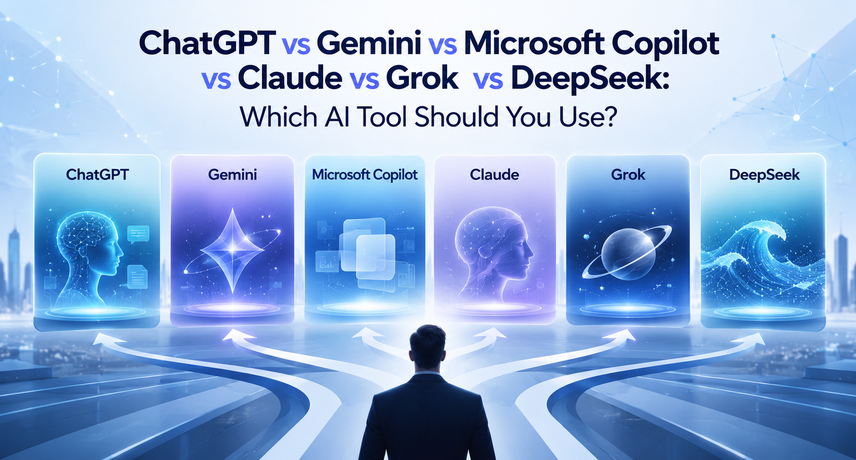
ChatGPT vs Gemini vs Microsoft Copilot vs Claude vs Grok vs DeepSeek: Which AI Tool Should You Use?
The best AI tools for most U.S. businesses are the ones that fit the software your team already uses. Choose Microsoft Copilot if you work in Microsoft 365, Gemini if you work in Google Workspace, ChatGPT for all-round flexibility, Claude for long documents and careful writing, Grok for real-time social trends, and DeepSeek only for low-cost tasks with no sensitive data.
No single tool wins every task. This AI tools comparison shows where each of the best AI tools is strong, where it falls short, and how to choose in about two weeks.
What Are the Best AI Tools for Business?
The best AI tools for business are AI assistants that can write, summarize, research, analyze data, and write code from plain-English instructions.
These assistants are called generative AI. Generative AI is software that creates new content, such as text, images, or code, after learning patterns from huge amounts of data. The best generative AI tools in this guide run on large language models (LLMs), which predict the next word so well that they can draft emails, explain contracts, and debug scripts.
For example, a manager can paste a 30-page report into an assistant and ask for five bullet points. A developer can ask for a function and a test. A marketer can ask for ten ad variations. These everyday wins are why the best AI tools are now standard in many offices.
AI Tools Comparison: Six Leading Assistants at a Glance
| Tool | Maker | Best for | Main strength | Main watch-out |
|---|---|---|---|---|
| ChatGPT | OpenAI | All-round work, custom GPTs, research | Broad features and a large ecosystem | Review outputs; features vary by plan |
| Gemini | Google Workspace teams, multimedia | Works with Gmail, Docs, Sheets, Drive | Best value needs Workspace | |
| Microsoft Copilot | Microsoft | Microsoft 365 teams | Works inside Word, Excel, Outlook, Teams | Depends on your licensing and data setup |
| Claude | Anthropic | Long documents, writing, coding | Very long inputs, natural tone | Fewer built-in media features than some rivals |
| Grok | xAI | Real-time trends on X | Live social context | Less enterprise tooling; review content settings |
| DeepSeek | DeepSeek (China) | Low-cost reasoning and coding | Low price, open-weight models | Data privacy and compliance concerns |
Features, plans, and prices change often. Confirm details on each vendor’s official site before you buy.
Quick Verdicts for Each Matchup
- ChatGPT vs Gemini: ChatGPT for flexibility, Gemini for Google Workspace.
- ChatGPT vs Claude: Claude for long documents, ChatGPT for built-in features.
- Gemini vs Claude: Gemini for Google files and media, Claude for detailed reading.
- Microsoft Copilot vs ChatGPT: Copilot for Microsoft 365, ChatGPT for any tool.
- Grok vs ChatGPT: Grok for live X data, ChatGPT for general business work.
- DeepSeek vs ChatGPT: DeepSeek for low cost, ChatGPT for safer business use.
ChatGPT vs Gemini: Which Is Better for Business?
In ChatGPT vs Gemini, choose ChatGPT for flexibility and custom workflows, and choose Gemini if your company runs on Google Workspace.
ChatGPT, made by OpenAI, offers chat, image creation, data analysis, voice, and custom GPTs (mini-assistants you build for one job). Gemini, made by Google, connects with Gmail, Docs, Sheets, Drive, and Google Search. Both rank among the best AI tools for business. A marketing team that lives in Google Sheets will save clicks with Gemini. A team that wants one assistant for research, writing, and analysis will usually start faster with ChatGPT. Before you decide, run a small test of ChatGPT vs Gemini on your own documents.
ChatGPT vs Claude: Which Is Better for Writing and Coding?
In ChatGPT vs Claude, Claude is often preferred for long documents, careful writing, and coding help, while ChatGPT offers a wider set of built-in features.
Claude, made by Anthropic, is one of the best AI tools for handling very long inputs, such as contracts or research papers, and it is known for a calm, natural writing tone. ChatGPT has a larger feature set, including image generation and a big library of custom GPTs. If your team mostly reads and writes, test ChatGPT vs Claude with the same prompt and compare the answers side by side.
Gemini vs Claude: Which Handles Large Documents Better?
In Gemini vs Claude, both handle long documents well. Gemini is stronger when files live in Google Drive or include images, audio, or video. Claude is stronger for detailed, careful reading and writing.
Gemini vs Claude often comes down to workflow. Gemini fits Google-based teams and multimedia work. Claude suits analysts, lawyers, and writers who want thorough, well-organized answers. Either one can land among the best AI tools for your team, depending on where your files live.
Microsoft Copilot vs ChatGPT: Which Fits Your Team?
In Microsoft Copilot vs ChatGPT, pick Microsoft Copilot if your team works in Word, Excel, Outlook, and Teams every day, and pick ChatGPT if you want a standalone assistant that works across any tool.
Microsoft Copilot sits inside Microsoft 365. It can summarize a Teams meeting, draft an Outlook reply, or build an Excel formula using your work files, within your company’s permission settings. That makes it one of the best AI tools for Microsoft-heavy offices. ChatGPT is not tied to one software suite. Microsoft Copilot vs ChatGPT is less about which model is smarter and more about where your data and daily work already live.
Grok vs ChatGPT: Is Real-Time Data Worth It?
In Grok vs ChatGPT, Grok is better for tracking live trends on X (formerly Twitter), while ChatGPT is better for general business work and a broader set of tools.
Grok, made by xAI, can draw on public posts on X, which makes it one of the best AI tools for social listening and breaking news. ChatGPT offers more business-focused features and integrations. Grok vs ChatGPT is a fair test for PR and social media teams, but most other departments will likely prefer ChatGPT.
DeepSeek vs ChatGPT: Is the Cheaper Option Safe for Business?
In DeepSeek vs ChatGPT, DeepSeek wins on price and open-weight flexibility, but ChatGPT is the safer choice for sensitive data because it offers clearer business controls.
DeepSeek is a Chinese AI lab that released strong reasoning models with open weights, meaning developers can download and run them on their own servers. That gives you low cost and more control. However, the DeepSeek app stores user data on servers in China, and several U.S. government agencies and states have restricted it on official devices. In DeepSeek vs ChatGPT, use DeepSeek for public, non-sensitive tasks, or self-host the open models only with your IT team’s approval.
Best AI Tools by Use Case: Which Tool Fits Which Job?
The best AI tools by use case are Copilot or Gemini for office work, ChatGPT for general tasks, Claude for long writing and coding, Grok for social trends, and DeepSeek for low-cost technical tasks.
- Meetings and email: Microsoft Copilot (Microsoft 365) or Gemini (Google Workspace)
- Research and analysis: ChatGPT or Claude
- Coding help: Claude or ChatGPT, with DeepSeek for non-sensitive code
- Content writing: Claude or ChatGPT
- Social media monitoring: Grok
- Customer support workflows: ChatGPT or Claude through an API
Remember, the best AI tools for your company are the ones your team will actually use every week.
How Do You Choose the Best AI Tools for Your Company?
Choose the best AI tools by matching them to your current software, data rules, top three tasks, and budget, then run a two-week pilot.
- List your top three tasks. Examples: drafting emails, summarizing reports, writing code.
- Check where your team works. Microsoft 365 users should test Microsoft Copilot vs ChatGPT. Google Workspace users should test ChatGPT vs Gemini.
- Set data rules. Decide what staff can and cannot paste, such as customer data or trade secrets.
- Run a two-week pilot. Give 5 to 10 people the same prompts in two or three tools. Heavy writers can compare ChatGPT vs Claude and Gemini vs Claude. PR teams can add Grok vs ChatGPT. Technical teams can test DeepSeek vs ChatGPT in a sandbox with no sensitive data.
- Measure results. Track time saved, answer quality, and user satisfaction.
- Roll out with training. Publish a one-page AI-use policy and share good prompts.
A simple pilot beats months of debate. Many teams find that a pair of the best AI tools covers almost every need.
Are These AI Tools Safe for Business Data?
Business plans from major vendors usually offer stronger privacy controls than free consumer apps, but you must read each vendor’s data policy and set your own rules before rollout.
Before comparing the best AI tools on features, compare them on security. Ask five questions. Is our data used to train the model? Where is it stored? Can admins manage users with single sign-on? Are audit logs available? Does the vendor meet standards such as SOC 2 and support privacy laws such as CCPA?
The NIST AI Risk Management Framework is a free U.S. guide for managing AI risk, and it makes a good starting checklist. A security column belongs in every AI tools comparison you build. Never paste customer personal data or trade secrets into free consumer versions of any tool.
How Do AI Agents and Automation Go Beyond Chat?
AI automation solutions connect AI models to your business tools so routine tasks run with little manual work.
Chat tools answer questions. Automation takes action. For example, an AI agent can read an incoming support email, look up the order, draft a reply, and update your CRM. An AI agent is software that uses a language model to plan steps and use tools on its own.
New to the idea? Read AI agents explained. To see how AI connects safely to your apps and data, read MCP server explained. If you run an ERP, see how to scale faster with Odoo 19’s automation for startups.
Why Work With Vraja Technologies on AI Adoption?
Vraja Technologies helps businesses choose the right AI tool, test it on real work, and connect it to daily systems.
Picking from the best AI tools is only step one. Teams also need training, clear data rules, and clean integrations. Vraja Technologies supports each stage: tool selection, pilot design, workflow setup, and team onboarding. If you are unsure which tool fits your company, start with a short pilot and let real results decide.
Conclusion: Which AI Tool Should You Use?
Start with the tool that matches your software: Microsoft Copilot for Microsoft 365, Gemini for Google Workspace. Add ChatGPT or Claude for open-ended work, and treat Grok and DeepSeek as specialist options.
Whether you are weighing ChatGPT vs Gemini, ChatGPT vs Claude, or Microsoft Copilot vs ChatGPT, the right answer comes from your own pilot, not a headline. This AI tools comparison gives you a starting point. Choose from the best AI tools with security in mind, measure results, and expand slowly. Vraja Technologies can help build AI automation solutions that sit on top of the tools above, so your team gets the speed of ChatGPT, Claude, Gemini, or Copilot inside the systems you already run.
Frequently Asked Questions About the Best AI Tools
What are the best AI tools for business in 2027?
ChatGPT, Gemini, Microsoft Copilot, Claude, Grok, and DeepSeek are the most widely compared options. Copilot and Gemini lead for office suites. ChatGPT and Claude lead for writing, research, and coding. Grok leads for live social data, and DeepSeek leads on low cost.
ChatGPT vs Gemini: which is better for a small business?
Gemini is better if you use Google Workspace. ChatGPT is better if you want one flexible assistant across many tools. Try both free tiers first.
ChatGPT vs Claude: which is better for coding?
Both are strong. Claude is popular for working through large codebases and long instructions, while ChatGPT offers a wide set of tools. Test both on a real task from your backlog.
Gemini vs Claude: which is better for research?
Gemini is better when your sources live in Google products or include video and audio. Claude is better for deep reading of long text. Verify important facts in either tool.
Microsoft Copilot vs ChatGPT: do we need both?
Not always. Microsoft 365 companies often start with Copilot for daily office work, then add ChatGPT for open-ended research and creative tasks.
Grok vs ChatGPT: is Grok good for business?
Grok is useful for social listening and trend tracking on X. For most business tasks, ChatGPT offers broader tools and integrations.
DeepSeek vs ChatGPT: is DeepSeek safe to use at work?
Only for non-sensitive tasks, unless your IT team approves a self-hosted setup. The hosted app stores data in China, and some U.S. agencies restrict it.
What are the best generative AI tools besides these six?
Perplexity is popular for sourced research, Midjourney for images, and GitHub Copilot for code inside developer tools. Some of these overlap with the six above.
How much do the best AI tools cost?
Most offer a free tier plus paid individual or per-user business plans. Prices change often, so check each vendor’s pricing page.
Which of the best AI tools is easiest for beginners?
ChatGPT and Gemini are usually the easiest starting points. Copilot is the easiest if your team already works in Microsoft 365.
Can we use more than one AI tool?
Yes. Many companies use one main tool for office work and a second for writing or coding. Keep the same data rules across all tools.