
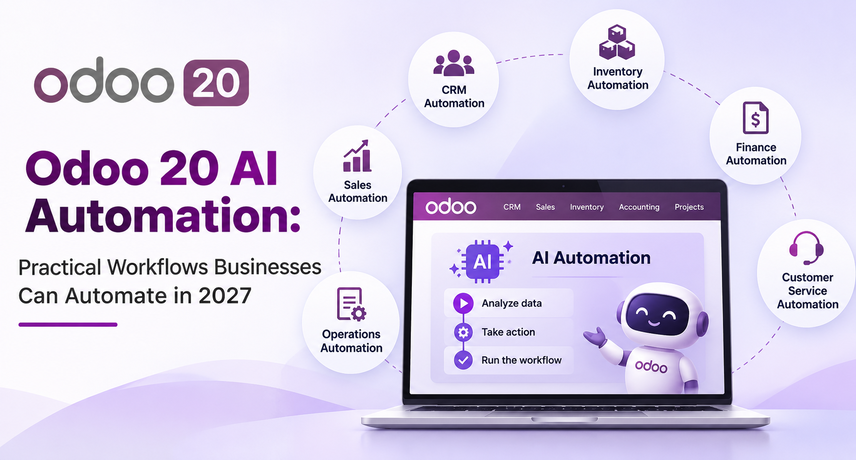
Odoo 20 AI Automation: Practical Workflows Businesses Can Automate in 2027
Odoo AI automation lets AI agents read, create, and update Odoo records within the permissions you set, so your team can hand off repetitive work such as lead intake, ticket triage, document handling, and finance questions. The safest plan is to start with one workflow, use rules wherever rules are enough, and add an agent only where judgment is needed.
This guide from Vrajatechnologies explains what Odoo 20 AI can do, which workflows to automate first, how to build your first agent, and what to watch for on cost and security. It is written for U.S. SMBs, mid-market teams, ERP managers, and operations leads.
What Is Odoo AI Automation, and How Is It Different From Rules?
Odoo AI automation is the use of AI agents inside Odoo to understand plain-language requests and act on your data. An agent has a role, a system prompt, assigned skills, and optional sources such as PDFs or Knowledge articles.
Rules follow fixed steps, while agents interpret context. A rule says, “when a lead arrives, assign it by region.” An agent can read the lead’s message, work out what the buyer wants, and then use an approved tool to act. Choose rules for predictable steps and agents for messy, text-heavy ones. Many teams combine both: a rule fires at the right moment, and an agent handles the text.
What Can Odoo AI Agents Do in Odoo 20?
Odoo AI agents can search records, create or update them, build views, and process uploaded files, depending on the skills you assign. Odoo’s documentation lists ready-made skills for looking up information, searching the web, and creating or updating records. Agents can also create leads when the CRM app is installed.
Odoo 20 uses the term “skills” for what earlier versions called “topics.” Agents can run through automated and scheduled actions. An agent without skills can provide information, while record changes require the relevant skills. Give each agent only the skills it needs. For example, you can ask it to open a filtered view of quotes over $10,000 that have been in the same stage for at least two weeks.
Which Workflows Should You Automate First With Odoo AI Agents?
Start with high-volume, low-risk tasks that involve reading, classifying, or summarizing information. These five workflows give teams a place to start.
Lead Intake and Qualification
Use an automated action to have an agent review new enquiries and create or update CRM leads. If a form submission says, “Need 40 pallets by Friday,” the agent can log the quantity and requested delivery date and flag the lead for urgent follow-up. Use your existing CRM assignment rules to route the lead.
Helpdesk Triage and Replies
Use AI to find similar tickets and draft replies based on the issue. Your helpdesk team can check the draft for accuracy, add any details specific to the customer, and send it.
Document and Invoice Handling
Use an agent to read an uploaded PDF and look up the corresponding record. Odoo’s documentation gives the example of matching a receipt to an expense. Have a team member verify the document and record details before posting the transaction.
Receivables and Finance Questions
Configure an agent to answer common receivables questions using the accounting records it can access. For example, ask it to summarize overdue customer invoices by due date or list unreconciled payments for the finance team to review.
Inventory Exceptions
Use Odoo’s reordering rules for routine replenishment. They can draft purchase orders when forecasted stock falls below the minimum, depending on the product’s configuration. An AI agent can summarize delayed inbound shipments or unusual changes in demand so buyers can decide which exceptions need attention.
When Should You Use Odoo Workflow Automation Instead of AI?
Use Odoo workflow automation when the steps are known and repeatable. Rules are cheaper, faster, and easier to audit than an agent, and they never improvise.
Our Odoo workflow automation case study shows the pattern. For a surgical clinic on Odoo 19, Vrajatechnologies built rules that create tasks, emails, documents, and follow-ups from the surgery date. That project is rule-based, not AI. An agent could later add value by reading incoming patient messages, which is our suggestion rather than part of that project.
How Do You Build Your First Odoo AI Agent?
Build it in the AI app in six steps, and test before anyone relies on it:
- Open the AI app, click New, and name the agent.
- Pick an LLM model and a response style: Analytical, Balanced, or Creative.
- Assign only the skills the job needs, such as Create Records or Create Leads.
- Write a short system prompt that states the agent’s role and limits.
- Add sources, wait until they show Indexed, then switch them on. Tick Restrict to Sources to keep answers grounded.
- Click Test and try real examples before you connect the agent to an automated action.
Menu names can change between versions, so confirm them in your own database. Reprocess a source whenever its content changes, or the agent may quote outdated policy. Write the system prompt like a job description: the task, the allowed actions, and when to stop and ask a person.
How Does Odoo AI Integration Work With Outside Tools?
Odoo AI integration works two ways: models inside Odoo, and outside assistants connected through the Model Context Protocol (MCP). Odoo’s documentation lists ChatGPT and Gemini options for in-app agents, while the MCP server lets tools such as Claude search Odoo and, if allowed, change data.
MCP access runs as a specific Odoo user, so it can only do what that user can do. Prefer OAuth, approve clients deliberately, and be careful with Dynamic Client Registration, because it lets any application register as a client (Odoo documentation). Example: a finance lead asks an outside assistant to list unpaid invoices older than 60 days, and the assistant searches Odoo using that lead’s own access.
How Do You Keep AI Automation in Odoo Safe?
Limit what each agent can access, require human approval for sensitive actions, and test workflows before they go live.
- Give each agent only the skills and permissions it needs.
- Require human approval for actions that move money or stock or create customer commitments.
- Use access permissions to prevent writes. The Readonly Tool flag signals the tool’s intended behavior to the client. Write access is controlled separately.
- Test each workflow on a copy of your database before enabling it in production.
- Review agent chats for errors and save any records you need to keep before the applicable conversation retention period ends.
- Assign an owner to each agent to review chats weekly, update its knowledge sources, and approve any additional skills.
What Does AI Automation in Odoo Cost?
Budget for your Odoo subscription and any in-app purchase (IAP) credits your chosen AI workflows consume. Check which features your edition includes, whether they require credits, and the current credit rates. Then estimate monthly costs based on how often each workflow will run.
Run a 30-day pilot on one workflow and compare hours saved with credits used. Good measures are minutes saved per record, error rate, and the share of agent drafts accepted without edits. For wider budgeting, see our guide to Odoo implementation cost.
Do You Need to Upgrade to Odoo 20 to Use AI Agents?
Not always, but the newest features need the newest version. Odoo’s documentation already describes AI agents for version 19, yet skills, MCP details, and menus differ by version and edition, so read the docs that match your database.
If you plan to upgrade, clean your data first and confirm your custom modules support the target version. Our Odoo migration checklist walks through that work.
How Can Vrajatechnologies Help With AI Automation in Odoo?
Vrajatechnologies helps U.S. businesses plan, build, and test automation in Odoo, from rule-based workflows to AI agents. Our focus is Odoo AI automation that your team can trust and audit.
We can choose the first workflow, set up agents and permissions, connect outside tools through Odoo AI integration, and train your staff. Vrajatechnologies recommends starting with a small pilot, so you see results before you scale.
Frequently Asked Questions
What is Odoo AI automation?
Odoo AI automation uses AI agents to read, create, and update Odoo records from plain-language instructions. It works best next to rule-based automation, not instead of it.
Can Odoo AI agents run without a human?
They can run from automated or scheduled actions, but keep human approval for anything that changes money or stock. Odoo 20 agents also ask for confirmation when they reach their tool-call limit.
Does Odoo AI integration work with ChatGPT or Claude?
Yes, in two ways. In-app agents can use ChatGPT and Gemini models, and the MCP server lets outside assistants such as Claude connect. Each connection follows the rights of the Odoo user it runs as.
Is Odoo workflow automation the same as AI?
No. Rules follow fixed steps, while AI agents interpret text and choose among tools. Use rules first, then add AI where the input is messy.
How do I start AI automation in Odoo?
Pick one low-risk workflow, build one agent with minimal skills, and test it on real examples. Then compare hours saved with the IAP credits used.
Can Vrajatechnologies set up Odoo AI automation for my team?
Yes. Vrajatechnologies configures agents, permissions, and automated actions in Odoo, trains your team, and reviews the results after a pilot.
Do I need Enterprise for Odoo 20 AI?
Probably. One code review found the AI agent and MCP modules in Enterprise but not in Community, so confirm your edition with Odoo or your partner.