
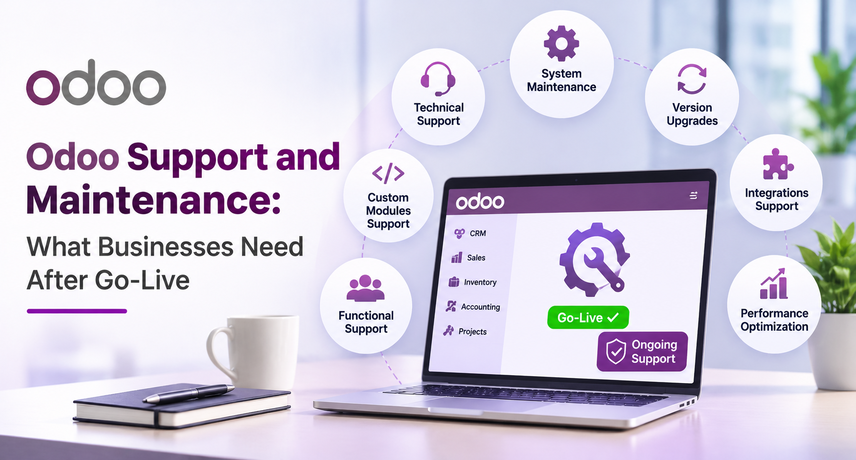
Odoo Support and Maintenance: What Businesses Need After Go-Live
Odoo support and maintenance keeps your ERP stable after go-live by fixing issues, monitoring integrations, maintaining custom modules, reviewing performance, preparing upgrades, and helping teams use the system correctly. For most businesses, the work after launch should combine reactive support with proactive checks so small problems do not become operational disruptions.
Go-live is the start of the operating phase, not the end of the ERP lifecycle. As users, workflows, integrations, data volumes, and business rules change, the Odoo environment also changes. A practical support plan should therefore cover technical issues, functional questions, system health, backups, security, integrations, version planning, and continuous improvement.
What Does Odoo Support and Maintenance Include?
Odoo support and maintenance keeps your ERP stable after go-live by fixing issues, monitoring integrations, maintaining custom modules, reviewing performance, preparing upgrades, and helping teams use the system correctly. For most businesses, the work after launch should combine reactive support with proactive checks so small problems do not become operational disruptions.
Go-live is the start of the operating phase, not the end of the ERP lifecycle. As users, workflows, integrations, data volumes, and business rules change, the Odoo environment also changes. A practical support plan should therefore cover technical issues, functional questions, system health, backups, security, integrations, version planning, and continuous improvement.
Why Does Odoo Support Matter After Go-Live?
Post-go-live support matters because real business volume exposes problems that testing may not reveal. A scheduled job may stop, a carrier API may change, a custom module may conflict with another change, or a report may no longer match the underlying transactions. Without clear ownership, teams often create manual workarounds that hide the root cause.
Odoo post implementation support should focus on business impact, not just ticket closure. A recurring stock-sync error, for example, may affect sales, warehouse operations, customer service, and accounting at the same time. Fixing the visible error is useful; finding why it keeps happening is more valuable.
What Should Businesses Monitor After Odoo Goes Live?
| Area | What to check | Warning signs |
|---|---|---|
| Integrations | Order, payment, shipping, EDI, and marketplace sync | Missing, delayed, or duplicate records |
| Automated actions | Scheduled jobs, reminders, approvals, replenishment | Tasks not running or running twice |
| Custom modules | Errors, dependencies, version compatibility | Repeated crashes or broken workflows |
| Backups | Completion, retention, restore readiness | Backups never tested through restoration |
| Access | Active users, permissions, admin rights | Former users or excessive access |
| Performance | Slow screens, reports, jobs, database growth | Increasing response times |
| Business reports | Inventory, sales, accounting, operational totals | Numbers that do not match source records |
How Often Should Odoo Maintenance Be Performed?
| Frequency | Recommended review |
|---|---|
| Daily or continuous | Critical integrations, failed jobs, system alerts, order-flow exceptions |
| Weekly | Recurring errors, scheduled actions, synchronization issues, performance changes |
| Monthly | Access rights, backup evidence, storage growth, key reports, unresolved support trends |
| Quarterly | Custom-module inventory, technical debt, documentation, upgrade readiness |
| Before releases or upgrades | Critical workflows, integrations, permissions, recovery plan, regression testing |
What Is the Difference Between Support, Maintenance, and a Change Request?
Support restores something that should already work, maintenance reduces the chance of future problems, and a change request adds or changes business behavior. Keeping these categories separate helps teams set priorities and avoid treating every new requirement as an urgent defect.
For example, repairing a failed shipping connector is support. Reviewing connector logs every week is maintenance. Adding a new carrier workflow is a change request. If a business repeatedly requests structural changes, ERP consulting services may be more appropriate than continuing to solve each request as an isolated ticket.
How Should Custom Modules and Integrations Be Supported?
Custom modules and integrations need documented ownership because they create dependencies outside standard Odoo behavior. Odoo technical support should identify what is standard, what is custom, who maintains the code, which APIs are involved, and what business process depends on each component.
Changes should be tested in a staging or copied environment before production whenever possible. For integrations, teams should capture failed requests, retry logic, mapping errors, API changes, and missed transactions. A support process should not stop at restoring the connection; it should also reconcile any records that failed while the connection was unavailable.
How Do Odoo Upgrades Affect Support and Maintenance?
Upgrade readiness should be part of ongoing maintenance, not a last-minute project. Odoo’s official documentation states that each major version is supported for three years and strongly recommends using a supported version because newer releases include features, fixes, and security patches.
Before an upgrade, review custom modules, third-party apps, integrations, automated actions, reports, exports, and critical workflows. The Odoo migration checklist can help teams prepare the data, integrations, testing, and ownership needed before moving versions. Odoo post implementation support should therefore include a version roadmap long before the current environment becomes difficult to maintain.
Can AI Improve Odoo Support?
AI can improve support by helping teams summarize incidents, classify tickets, search documentation, identify repeated patterns, and prepare troubleshooting context. It should assist support teams rather than make uncontrolled changes to production systems.
The most practical use is to combine AI with clear permissions and human approval. For example, an AI assistant can summarize an error history or suggest likely causes, while a qualified consultant or developer validates the fix before deployment. Businesses exploring broader agent-based workflows can also review how AI agents work before deciding which support tasks are safe to automate.
What Does Poor Odoo Support Cost a Business?
Poor support costs more than the hours spent fixing an incident. The larger cost can come from delayed orders, inaccurate stock, incorrect reports, missed invoices, repeated manual corrections, slow employees, customer complaints, and technical debt that makes future upgrades harder.
Track recurring incidents by business impact, frequency, root cause, and time to permanent resolution. If the same issue keeps returning, the support plan should move from symptom fixing to root-cause correction. This is one of the clearest measures of whether Odoo ERP support is improving the system or only keeping it running from ticket to ticket.
How Should You Choose an Odoo Support Partner?
Choose a partner that can handle both functional and technical issues and can explain how changes are tested, documented, and deployed. The partner should understand standard Odoo, custom modules, integrations, hosting constraints, business workflows, and version upgrades.
Vraja Technologies supports businesses across the ERP lifecycle and publishes response targets of 2-4 hours for critical issues and one business day for standard issues on its support page. When comparing providers, ask who owns each ticket, whether fixes are tested before production, how recurring issues are tracked, and when a support request becomes a larger optimization or customization project.
Post-Go-Live Odoo Support Checklist
Use a simple operating checklist to keep support proactive. Assign owners for critical integrations, review failed automations, confirm backups can be restored, remove unnecessary access, monitor performance, reconcile important reports, document custom changes, review recurring issues, and maintain an upgrade roadmap.
The objective is not to eliminate every support request. It is to make the system more predictable over time. Strong Odoo support and maintenance should reduce repeated incidents, improve recovery, keep business data trustworthy, and make future changes easier to plan.
Frequently Asked Questions About Odoo Support and Maintenance
What does Odoo support and maintenance include?
It can include functional help, troubleshooting, bug fixes, integration support, performance checks, backups, custom-module maintenance, access reviews, documentation, upgrade planning, and ongoing optimization. The exact scope depends on the hosting model, customizations, integrations, and business requirements.
How often should Odoo be maintained?
Critical workflows should be monitored continuously or daily where appropriate, while broader reviews can happen weekly, monthly, or quarterly. The maintenance schedule should reflect how much operational risk the company carries if a process fails.
What is the difference between Odoo support and customization?
Support restores or explains existing functionality, while customization changes how Odoo behaves or adds new functionality. Small configuration changes may fit within support, but larger workflow changes should be scoped as a separate project.
Does Odoo support include version upgrades?
Upgrade planning can be part of support, but the upgrade itself is usually a separate project because it requires compatibility review, test migration, regression testing, cutover planning, and validation of custom modules and integrations.
Can a new Odoo partner support a system built by someone else?
Yes. The safest approach is to begin with an assessment of the database, hosting, custom modules, integrations, documentation, backups, and known issues. This gives the new partner enough context to support the environment without making assumptions about earlier work.