






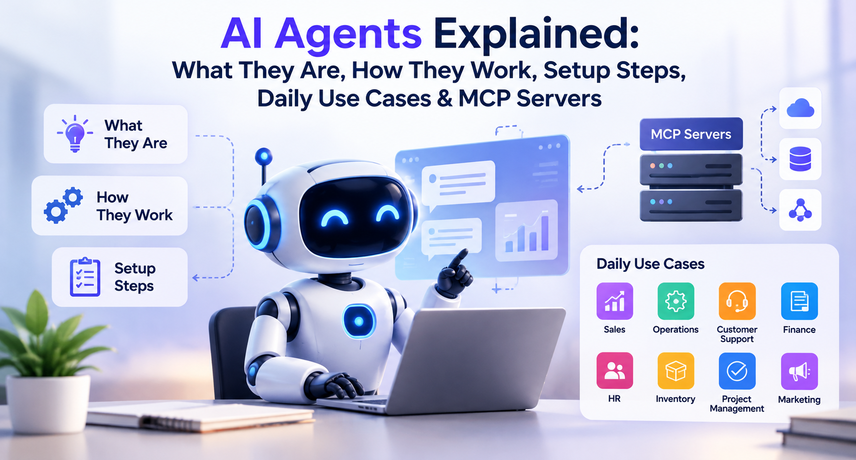
AI Agents Explained: What They Are, How They Work, Setup Steps, Daily Use Cases & MCP Servers
AI agents are software systems that work toward a goal on their own: they read a request, plan the steps, use connected tools such as your ERP, and check their own results. For a U.S. company running Odoo, that means an agent can look up an order, draft a quote, flag an overdue invoice, or update a record without a person clicking through five screens.
This guide answers what are AI agents in plain terms, shows how AI agents work, lists AI agent use cases for daily operations, explains how to set up an AI agent in eight steps, and describes how an MCP server lets an AI agent connect with MCP reach Odoo tools safely. It is written by Vraja Technologies for mid-sized and enterprise teams that want AI agents for business, and AI automation agents inside Odoo, without losing control of their data.
What Are AI Agents?
AI agents are autonomous programs that use a large language model (LLM) to understand a goal, decide what to do next, and take actions through tools. IBM describes an AI agent as a system that autonomously performs tasks by designing workflows with the tools available to it. So when someone asks what are AI agents, the short answer is goal-driven software that acts through your tools.
Three traits separate AI agents from other AI software. It has a goal rather than a single prompt. It can call tools such as APIs, databases, and business applications. It evaluates what happened and adjusts before continuing. A support agent, for example, reads a ticket, looks up the order in your ERP, checks the shipping status, and drafts a reply for approval.
How Are AI Agents Different From Chatbots, RPA, and AI Assistants?
A chatbot answers questions, robotic process automation (RPA) repeats fixed scripts, and AI agents decide which steps to take. An AI assistant sits between them: it helps a person but usually waits for each instruction.
| Technology | What It Does | Decides Its Own Steps? | Typical Example |
|---|---|---|---|
| Chatbot | Responds to prompts or predefined questions | No | Answering FAQs through a website widget |
| RPA Bot | Repeats tasks using a fixed script or predefined rules | No | Copying invoice data into a form |
| AI Assistant | Helps users complete tasks on request | Limited | Summarizing an email thread |
| AI Agent | Plans tasks, uses tools, and checks results | Yes, within defined permissions | Reconciling invoices and flagging exceptions |
What Are AI Agents Used For in Business?
AI agents are used to complete multi-step tasks across systems, such as processing documents, updating records, and routing requests. If you are asking what are AI agents good for, the answer is rule-bound workflows with measurable outcomes.
How Do AI Agents Work?
How AI agents work comes down to a loop: understand, plan, act, and check. AI agents receive a goal, break it into steps, use a tool for each step, read the result, and repeat until the goal is met or a human decision is needed. IBM calls one common version of this loop ReAct (reasoning and action): think, act, observe, repeat.
Understanding how AI agents work makes it easier to control what they can do. At each step, you can track their actions, set limits, or require approval before they continue.
How Do AI Agents Work Step by Step?
Here is how AI agents work in a real example: a request arrives, the agent plans, calls tools and reports back.
- Goal: “Find overdue invoices over $5,000 and draft reminder emails.”
- Plan: the agent decides to search invoices, group them by customer, and draft messages.
- Act: it calls a search tool in your ERP and reads the results.
- Check: it verifies amounts and due dates against the records.
- Hand off: it presents drafts for approval instead of sending them automatically.
What Are the Core Components of an AI Agent?
Every AI agent combines five parts: a model, instructions, tools, memory, and guardrails.
- Model: the LLM that reasons about the task, such as GPT, Gemini, or Claude.
- Instructions: the role, goal, and rules written by your team.
- Tools: APIs, databases, search, and business apps the agent may call.
- Memory: short-term context for the current task and, optionally, long-term knowledge.
- Guardrails: permissions, spending limits, and approval steps that cap what the agent can do.
What Are the Best AI Agent Use Cases for Daily Operations?
The best AI agent use cases are repetitive, rule-bound tasks that touch several systems and have a clear definition of done. The table maps common AI agent use cases to the Odoo data they rely on.
| Department | Daily Tasks for AI Automation Agents | Odoo Data Used |
|---|---|---|
| Finance | Match vendor bills with purchase orders and flag mismatches | Accounting, Purchase |
| Sales | Draft follow-up messages and update opportunity stages | CRM, Sales |
| Inventory | Predict stockouts and recommend reorder quantities | Inventory, Purchase |
| Customer Support | Prioritize support tickets and draft replies using the knowledge base | Helpdesk, Live Chat |
| HR | Answer policy questions and route leave requests | Employees, Time Off |
| Operations | Summarize daily KPIs and highlight exceptions for managers | Reporting, Manufacturing |
These AI agent use cases share a pattern: structured inputs, a verifiable output, and a system of record such as Odoo. Odoo AI Automation fits these AI agent use cases well because the data already lives in one ERP.
Which AI Agent Use Cases Should You Start With?
Start with one low-risk, high-volume workflow where errors are cheap to catch. Good first AI agent use cases are ticket triage, lead enrichment, and invoice matching. Avoid autonomous payments or price changes until the agent has a documented accuracy record.
An illustrative example: an operations team receives 200 vendor bills a week. An agent matches them to purchase orders and routes only the mismatches to an accountant, so the team reviews exceptions instead of every bill.
AI Agents for Business: Where Do They Deliver Value?
AI agents for business deliver the most value when the workflow is structured, the data is clean, and the outcome can be measured. Gartner predicts that by 2028, 33% of enterprise software applications will include agentic AI and at least 15% of day-to-day work decisions will be made autonomously, up from less than 1% of applications and 0% of decisions in 2024.
The same research urges caution. Gartner also estimates that only about 130 of the thousands of agentic AI vendors are genuine, and recommends pursuing agents only where they deliver clear value or return on investment. For AI agents for business, that translates into three screening questions, and AI agents for business that skip them tend to stall:
- Is the workflow repeated at least weekly with consistent inputs?
- Can a person verify the result quickly?
- Does the agent need access to systems you can permission tightly?
If the answer to all three is yes, the workflow is a strong candidate for AI automation agents. Understanding how AI agents work also exposes where they fail.
How Do You Measure ROI From AI Agents for Business?
Measure ROI from AI agents for business by comparing a pre-launch baseline with the same metrics after launch: handling time, error rate, cost per task, and rework. Record the baseline for two to four weeks before the pilot. Define these metrics before you decide how to set up an AI agent pilot. Vraja Technologies recommends reporting accuracy alongside time saved, because speed without accuracy only moves work downstream.
What Mistakes Should You Avoid With AI Agents for Business?
The most common mistakes are starting too big, skipping access controls, and choosing workflows that are hard to verify.
- Skipping the basics. Teams that cannot explain what are AI agents or how AI agents work approve the wrong projects.
- Starting too big. A broad rollout ignores how to set up an AI agent as a measured pilot.
- Picking weak AI agent use cases. Choose repeatable, verifiable workflows, not open-ended judgment calls.
- Buying hype. Judge AI agents for business on logged results, not demos.
- Over-permissioning. AI automation agents need scoped access, not administrator rights.
- Unreviewed connectors. An AI agent with MCP is only as safe as the connector you install.
- Messy data. Odoo AI Automation inherits every duplicate, missing field, and stale record.
- No owner. Every one of your AI agents needs a named person accountable for its output.
What Is an MCP Server?
An MCP server is a small service that exposes a system’s data and actions to AI applications through the Model Context Protocol (MCP), an open standard for connecting AI to external tools. Anthropic introduced MCP in November 2024. In December 2025, Anthropic donated it to the Agentic AI Foundation, a directed fund under the Linux Foundation co-founded by Anthropic, Block, and OpenAI, with support from Google, Microsoft, AWS, Cloudflare, and Bloomberg.
Once you understand what are AI agents, MCP is the next piece to learn. Before MCP, every AI tool needed a custom connector to every business system. Now one connector works with any compatible client, including Claude, ChatGPT, and IDE-based agents. It can expose three things: tools (actions), resources (readable data), and prompts (reusable instructions).
How Does an AI Agent With MCP Connect to Your Systems?
An AI agent with MCP connects through three roles: the host app, the MCP client inside it, and the server in front of your system. The host app runs the model. The client discovers the tools the server publishes. When the model decides to act, the client sends the request to the server, which calls your system and returns the result.
In practice, an AI agent with MCP on top of Odoo can answer “Which customers have invoices more than 30 days overdue?” by calling a search tool, reading the records, and summarizing them. This is how AI agents work when connected through a standard protocol. Because the server decides which tools exist, you control what the agent can see and do, and you get one place to audit every tool call.
MCP Server vs. Direct API Integration
A direct API integration is custom code for one app, while an MCP server is a reusable, standardized layer for many agents. Your choice shapes how to set up an AI agent for the long term. Choose a direct API when one fixed workflow is enough, and choose an MCP server when several agents or apps need the same tools.
Odoo AI Automation: How Do AI Agents Work Inside Odoo?
Odoo AI Automation combines Odoo’s built-in AI features with external AI agents that read and update your ERP data. If you already know what are AI agents, Odoo’s version is an agent configured in its AI app. There are two routes, and many companies use both. Either way, how AI agents work in Odoo follows the same loop described above, with Odoo records as the data source. Odoo AI Automation also pairs well with an AI agent with MCP when other systems are involved.
Native AI Agents in Odoo 19
Odoo 19, released in September 2025, added a native AI app where administrators configure AI agents, connect an AI provider, and give AI agents company knowledge. Reported features include agents deployed in Live Chat, Helpdesk, and CRM, an “Ask AI” entry point, and retrieval-augmented generation (RAG) so answers come from your own documents. Native agents are the fastest path to Odoo AI Automation for support, sales assistance, and knowledge search. Native setup is the shortest answer to how to set up an AI agent in Odoo: open the AI app, add a provider, and create an agent.
Odoo AI Automation Examples to Start With
Practical Odoo AI Automation starts with three workflows: helpdesk triage, quote drafting, and bill matching. In each, AI agents read Odoo records, propose an action, and wait for approval:
- Helpdesk triage: classify tickets, suggest answers from your knowledge base, and route edge cases.
- Quote drafting: assemble a draft from the CRM opportunity and price list for a salesperson to review.
- Bill matching: compare vendor bills with purchase orders and flag differences.
External AI Agents Through an MCP Server and the JSON-2 API
External agents reach Odoo through its External JSON-2 API, usually wrapped by an MCP server. According to Odoo’s documentation, the JSON-2 API accepts requests at the /json/2 endpoint and authenticates with a bearer API key, and it follows Odoo’s standard security model, so access rights and record rules still apply. On Odoo Online, external API access requires a Custom plan.
Several open-source connectors for Odoo already exist for versions 17 through 19. Whichever you choose, review the code, run it with a least-privilege Odoo user, and test on a copy of your database first. Our guides on Odoo AI agent integration and AI automation in Odoo with real examples go deeper on architecture and workflows. Both routes can run side by side: native agents for in-app help and AI automation agents for cross-system work.
Native Odoo AI vs. AI Agent With MCP: Which Should You Choose?
Choose native agents for in-app tasks, and choose an AI agent with MCP when AI automation agents must act across several systems.
| Question | Native Odoo AI Agents | AI Agent with MCP |
|---|---|---|
| Where It Works | Inside Odoo apps | Across Odoo and other connected systems |
| Best AI Agent Use Cases | Customer support, CRM, and knowledge search | Cross-system reporting and document workflows |
| Effort to Set Up an AI Agent | Configure within the Odoo AI app | Install or build an MCP connector |
| Control and Permissions | Odoo access rights and permissions | MCP connector tool permissions plus Odoo access rights |
How to Set Up an AI Agent: 8 Steps
How to set up an AI agent: define one workflow, connect the data, write the instructions, limit permissions, test on real cases, add approvals, launch to a small group, and monitor results. The same steps for how to set up an AI agent apply whether you use Odoo’s native AI app or an AI agent with MCP.
- Pick one workflow and a success metric. Choose something like “triage new helpdesk tickets” and track handling time and accuracy.
- Map the data and systems. List the Odoo models, documents, and inboxes the agent needs.
- Choose the build path. Use native agents for in-app tasks, or an MCP server plus a model provider for cross-system work.
- Create a dedicated Odoo user and API key. Grant the minimum access rights, and set an expiry date on the key.
- Write clear instructions. State the role, the tools allowed, what to do when unsure, and when to hand off to a person.
- Test on historical cases. Run 50 to 100 past tickets, invoices, or orders and compare results with what your team actually did.
- Add human approval for risky actions. Require sign-off before sending external emails, posting journal entries, or deleting records.
- Launch narrowly, then monitor. Release to one team, review logs weekly, and expand only after accuracy holds.
That is the full process for how to set up an AI agent without taking on unnecessary risk. If you are also planning ERP implementation services, build the agent after core data, roles, and workflows are stable, because AI agents inherit every data-quality problem in the system. A narrow pilot can be live in weeks, but timing and cost depend on data quality, model usage, API access, and testing.
How Do You Keep AI Agents Secure and Compliant?
Treat every AI agent like a new employee with a badge: give it only the access it needs, log what it does, and require approval for high-impact actions. IBM recommends activity logs, the ability to interrupt an agent, unique agent identifiers, and human approval for actions such as mass emails or financial trading.
Security matters because how AI agents work involves real tool calls on live data. Build these controls in before you finalize how to set up an AI agent. Use this checklist for AI automation agents connected to your ERP:
- Use a separate service user for each of your AI agents, never an administrator account.
- Prefer read-only tools first, then add write tools one at a time.
- Store API keys in a secrets manager and rotate them on a schedule.
- Set step limits so AI agents cannot loop forever.
- Log every tool call that AI agents make, with user, time, input, and output.
- Review prompts and tools against the NIST AI Risk Management Framework.
- Test for prompt injection by feeding the agent hostile text in emails and documents.
Review any connector like other software that touches production data: check the code, pin versions, and restrict network access.
How Can Vraja Technologies Help With AI Automation Agents in Odoo?
Vraja Technologies designs and integrates AI automation agents for Odoo, from scoping the first workflow to building the connector and monitoring results. Our first workshop explains how AI agents work and answers what are AI agents in the context of your processes. Our team works with mid-sized and enterprise businesses that want measurable automation rather than demos, and we explain how to set up an AI agent, which AI agent use cases to pick, and how AI agents work, in plain terms.
A typical engagement with Vraja Technologies covers four phases: a workflow and data audit, a pilot agent with limited permissions, a tested rollout with human approvals, and ongoing tuning. If your Odoo environment is still being configured, Vraja Technologies can align agent design with your broader ERP implementation services so the data model, roles, and workflows are ready before automation begins.
Vraja Technologies designs and integrates AI automation agents for Odoo, from scoping the first workflow to building the connector and monitoring results. Our first workshop explains how AI agents work and answers what are AI agents in the context of your processes. Our team works with mid-sized and enterprise businesses that want measurable automation rather than demos, and we explain how to set up an AI agent, which AI agent use cases to pick, and how AI agents work, in plain terms.
A typical engagement with Vraja Technologies covers four phases: a workflow and data audit, a pilot agent with limited permissions, a tested rollout with human approvals, and ongoing tuning. If your Odoo environment is still being configured, Vraja Technologies can align agent design with your broader ERP implementation services so the data model, roles, and workflows are ready before automation begins.
AI Agents Glossary: Key Terms in One Table
This glossary gives a one-line definition of each term in this guide.
| Term | Short Definition |
|---|---|
| What Are AI Agents? | Goal-driven software that plans tasks, uses tools, and checks its results. |
| How AI Agents Work | A cycle of understanding, planning, acting, and checking, guided by defined rules and safeguards. |
| AI Agent Use Cases | Repeatable workflows such as invoice matching, ticket triage, and business reporting. |
| How to Set Up an AI Agent | Choose one workflow, restrict access, test with historical cases, add approval steps, and launch gradually. |
| AI Agents for Business | AI agents applied to finance, sales, inventory, customer support, HR, and operations. |
| AI Automation Agents | Agents that execute business workflows and update records across connected systems. |
| MCP Server | A connector that exposes tools and data to AI applications through the Model Context Protocol. |
| AI Agent with MCP | An AI agent that accesses tools through an MCP server rather than relying solely on custom integrations. |
| Odoo AI Automation | Odoo’s native AI capabilities combined with connected external agents that work with ERP data. |
Your First 30 Days With AI Agents: Action Checklist
In 30 days you can move from curiosity to a supervised pilot by following one task per week.
- Week 1, learn: make sure stakeholders can explain what are AI agents and how AI agents work.
- Week 1, choose: rank three AI agent use cases by volume, risk, and ease of verification.
- Week 2, prepare: clean the Odoo data your first agent needs, because Odoo AI Automation is only as good as the records behind it.
- Week 2, scope: write down how to set up an AI agent for the winning workflow, including tools, limits, and approvers.
- Week 3, build: configure a native agent, or install a connector for an AI agent with MCP.
- Week 3, test: run past cases through your AI agents and compare results with your team’s work.
- Week 4, launch: release AI automation agents to one team with human approval switched on.
- Week 4, review: report accuracy, time saved, and exceptions to the owner of your AI agents for business results.
Conclusion: Where to Start With AI Agents
Start with one workflow, one agent, and one metric. AI agents work best when they have clear goals, narrow permissions, and human oversight, and an MCP server gives you a standard, auditable way to connect them to Odoo and other systems. Once you know what are AI agents, how AI agents work, and how to set up an AI agent safely, choose among AI agent use cases and start small with AI agents for business.
Frequently Asked Questions About AI Agents
What are AI agents in simple terms?
AI agents are software programs that plan and complete multi-step tasks using AI and connected tools. Unlike a chatbot, an agent decides which actions to take, performs them in your systems, and checks the outcome. In short, what are AI agents? Digital workers that act through your tools.
How do AI agents work?
How do AI agents work? They run a loop of understanding the goal, planning steps, calling tools, and reviewing results. Memory keeps context, and guardrails limit what the agent may do. That is how AI agents work in every platform, whether native to Odoo or connected externally.
What are some AI agent use cases for daily business work?
Common AI agent use cases include invoice matching, ticket triage, lead follow-up, reorder suggestions, HR policy answers, and daily KPI summaries. Pick workflows that repeat often and are easy to verify. Odoo AI Automation supports most of these AI agent use cases.
How do you set up an AI agent?
To set up an AI agent, choose one workflow, connect the data, write instructions, restrict permissions, test on past cases, add approvals, and launch to a small team. Treat how to set up an AI agent as a pilot with a measurable goal, not a one-time install. Vraja Technologies can guide how to set up an AI agent inside Odoo.
Are AI agents for business safe to use with an ERP?
AI agents for business are safe when they use least-privilege access, logging, and human approval for high-impact actions. Odoo’s JSON-2 API applies its normal access rights, so AI agents reach only what their user can reach. Safe AI agents for business also need logging and approvals.
What are AI automation agents?
Yes. Odoo can exchange X12 or EDIFACT documents through marketplace connectors, API-based EDI platforms, or custom modules. Transports such as AS2, SFTP, and VANs carry the files. Your ERP consultant selects the approach based on partner requirements, and ERP implementation consulting should confirm it before the build begins.
What is an MCP server, and do I need one?
U.S. trading partners most often require the 850 purchase order, 855 acknowledgment, 856 advance ship notice, 810 invoice, and 997 functional acknowledgment. Companies working with 3PLs often add the 940 and 945, and inventory feeds use the 846.
How does an AI agent with MCP work with Odoo?
Yes, if you are adding trading partners, upgrading versions, expanding to new warehouses or entities, or seeing errors and manual work. A focused ERP consulting assessment can fix design problems without a full re-implementation.
What is Odoo AI Automation?
An ERP consulting company focuses on strategy, process design, and implementation governance. An Odoo development company focuses on building code, modules, and integrations. Many firms, including Vraja Technologies, provide both so design and build stay aligned.



01 Comment
MCP Server Explained: What It Is, How It Works & Setup Guide
26/10/2026[…] reduces that to one server per system. If you are new to autonomous agents, start with our guide to AI agents, then return here. An MCP server for AI agents also gives you one place to enforce permissions and […]