






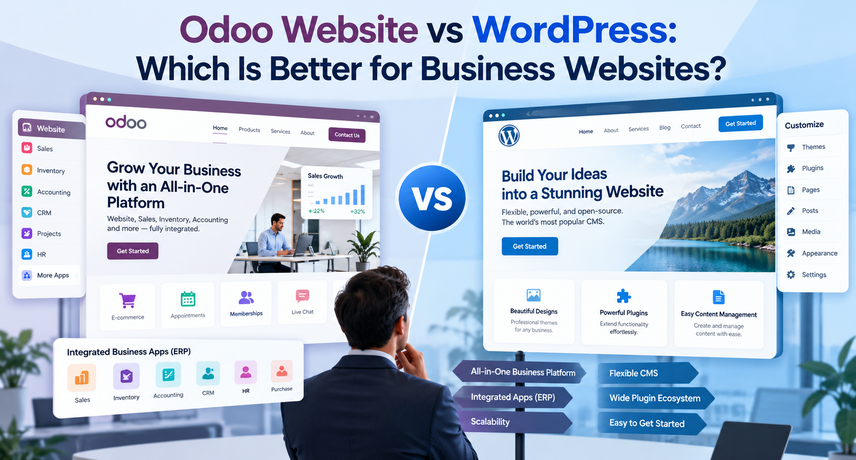
Odoo Website vs WordPress: Which Is Better for Business Websites?
WordPress is better for content-heavy websites, and Odoo is better for websites that must run on live CRM, sales, inventory, and eCommerce data. When choosing between the two platforms, what your website needs to do matters more than which platform is more popular.
WordPress is a content management system (CMS) built for publishing and design freedom. Odoo is a business software suite, and its Website app is one module inside it.
Odoo vs WordPress: The Quick Verdict
Choose WordPress for content and marketing sites, choose Odoo for operations-driven sites, and choose both when you need each strength. Use this short list to see which platform better fits your needs.
- Choose WordPress if blogging, SEO content, custom design, or a large plugin library matters most and you do not manage inventory online.
- Choose Odoo if your store must show real stock, your forms must create CRM leads, or your customers need a login portal for orders and invoices.
- Choose a hybrid if you want a WordPress blog and brand site plus an Odoo shop or portal on a subdomain.
What Is the Difference Between Odoo and WordPress?
Odoo is an all-in-one business platform with a built-in website builder, while WordPress is a standalone website platform that connects to business tools through plugins and APIs.
Odoo S.A., a Belgian company, makes Odoo. Its apps for CRM, sales, inventory, accounting, and eCommerce share one database. WordPress began in 2003 as a blogging tool. According to W3Techs, it now runs about 41% of all websites and about 59% of sites with a known CMS (August 2026). For WordPress, that large community of themes and plugins is a major strength.
What Is the Odoo Website Builder?
The Odoo website builder is a drag-and-drop editor inside the Odoo Website app, and it lets your team build pages, a blog, and an online store with ready-made blocks.
With Odoo Website, pages, forms, and products live in the same system as your customers and orders. For example, a contact form can create a CRM lead and assign it to a salesperson with no extra tool.
What Is WordPress?
WordPress is a free, open-source CMS that lets you build almost any website using themes, the Gutenberg block editor, and plugins.
You add features with plugins such as Yoast SEO, Rank Math, Elementor, and WooCommerce. This flexibility is useful, but every plugin also needs updates and testing
Odoo vs WordPress Comparison Table
| Factor | Odoo Website | WordPress |
|---|---|---|
| Best for | Operations-driven sites, B2B portals, stock-based stores | Content marketing, brand sites, flexible design |
| Blogging | Good basic blog | Excellent, mature editor |
| SEO tools | Built-in basics: meta tags, URLs, redirects, sitemap | Deep control with Yoast SEO or Rank Math |
| Design freedom | Clean themes, smaller choice | Thousands of themes and page builders |
| eCommerce | Native, tied to inventory and invoicing | WooCommerce, plus ERP connectors |
| CRM link | Native, forms create leads | Plugins, API, or middleware |
| Customer portal | Built in | Custom build or plugins |
| Developers | Smaller talent pool | Large talent pool |
| Maintenance | One platform to update | Core, theme, and plugin updates |
| Cost model | Per internal user, plus setup | Hosting, plugins, and developer time |
WordPress vs Odoo for SEO: Which Ranks Better?
WordPress gives you deeper SEO control for content sites, while Odoo covers the technical basics well enough for service and product sites. From an SEO perspective, both platforms can rank well.
Odoo Website includes editable meta titles and descriptions, clean URLs, 301 redirects, automatic sitemaps, image alt text, and multi-language support. It lacks real-time content scoring and a large library of SEO add-ons. WordPress fills that gap with Yoast SEO and Rank Math, which add schema options, content analysis, and detailed sitemap control.
Google’s Core Web Vitals targets are Largest Contentful Paint under 2.5 seconds, Interaction to Next Paint under 200 milliseconds, and Cumulative Layout Shift under 0.1. In Odoo vs WordPress speed tests, either platform can pass when hosting, images, and scripts are managed well.
Odoo vs WordPress for eCommerce: Is Odoo or WooCommerce Better?
Odoo is better when your store depends on live inventory, and WooCommerce is better when you want more design and plugin choice with a simple back office.
Consider a U.S. distributor that ships from three warehouses. A U.S. distributor ships from three warehouses. In Odoo, an online order creates a sales order, reserves stock, starts warehouse picking, and creates an invoice automatically. With WordPress and WooCommerce, you add a connector to sync stock, orders, and invoices with your ERP. That connector is one more cost and one more thing that can fail.
Odoo eCommerce supports payment providers such as Stripe, PayPal, and Authorize.Net, and carriers such as UPS, FedEx, and USPS. U.S. sellers should also plan for sales tax, because the 2018 Wayfair ruling lets states require tax collection from out-of-state sellers. Odoo offers an Avalara AvaTax integration, so confirm it fits your edition and version.
How Do Odoo and WordPress Connect?
Odoo connects with CRM, sales, and inventory natively, while WordPress connects through plugins, APIs, or middleware.
In Odoo Website, a quote request or support form saves directly into the right app, so you see leads, quotes, and orders for one customer in a single record. The main difference is how the connection is created. WordPress can send form data to Odoo or other CRMs, but you must build and monitor each connection. Odoo has an external API, so a WordPress form can push leads into Odoo CRM.
Odoo vs WordPress Cost: How Much Does Each Platform Cost?
WordPress is usually cheaper to launch, while Odoo can cost less to run when you already use Odoo for operations. For cost comparisons, look at the total cost over three years, not by the first invoice.
For WordPress, typical costs include hosting, a premium theme, paid plugins, developer time, security, and updates. Add integration fees if the site must talk to your ERP. Odoo charges per employee user, and customers who place website orders are not paid users. Odoo’s pricing page also lists a One App Free plan that allows one app, such as Website, for unlimited users. Plans change, so check current pricing for both platforms before budgeting. For a full breakdown, read the Vraja Technologies guide to Odoo implementation cost.
What Are the Limits of Odoo and WordPress?
In WordPress vs Odoo, Odoo’s main limits are design flexibility and developer availability, and WordPress’s main limits are maintenance work and integration risk. Knowing the limitations of each platform prevents expensive surprises.
- Odoo website builder: a smaller theme library, simpler blog tools, custom work in QWeb templates, and fewer developers who know the website module. Some blocks and tools depend on your edition, Community or Enterprise.
- WordPress: plugin conflicts, security risk when updates are delayed, and extra connectors to reach CRM, inventory, and accounting data.
What Security, Accessibility, and Compliance Rules Apply to U.S. Websites?
Whether you use Odoo or WordPress, your website will not automatically meet every security, accessibility, or privacy requirement. You still need to configure these areas properly based on how your website works and what data it collects.
If your website accepts card payments, use secure payment providers and follow PCI DSS requirements. For accessibility, many U.S. businesses aim to meet WCAG 2.1 Level AA so their websites are easier to use for people with disabilities. You should also provide clear privacy notices and cookie consent where required, especially if your business is subject to laws such as the CCPA in California. Maintenance also matters. WordPress websites need regular updates for the core system, themes, and plugins. With Odoo Online, Odoo manages the hosting and much of the technical maintenance. Odoo.sh and self-hosted setups require more hands-on management from your internal team or implementation partner.
Odoo Website Builder vs WordPress: Which Is Easier for Non-Technical Teams?
WordPress is easier for marketers who publish often, and Odoo Website is easier for teams who want to manage pages and business data in one place.
For day-to-day editing, the WordPress block editor and page builders are familiar to most marketers. Odoo blocks are simpler, which keeps pages consistent. If operations staff already use Odoo daily, they learn the editor faster because the menus and logic match.
WordPress vs Odoo for B2B Companies: Which Fits Better?
Odoo fits B2B companies better when customers need to log in and see quotes, orders, invoices, and deliveries.
For B2B websites, Odoo includes a customer portal for those tasks. On WordPress, you need custom development or several plugins to build the same experience. If your B2B site mainly publishes guides, case studies, and landing pages, WordPress is still the stronger choice.
Can You Use Both Together?
Yes, many businesses run WordPress for marketing and Odoo for the shop, portal, and CRM, linked by an API or connector.
In a hybrid setup, a common setup places WordPress on yourdomain.com and Odoo on shop.yourdomain.com. Match the design and send WordPress form leads to Odoo CRM. A hybrid costs more to build than one platform, but it stops you from forcing either tool to do what it does poorly. The key question then becomes which tool owns which page.
How Do You Choose in 6 Steps?
In Odoo vs WordPress, choose by listing what your website must do, mapping where its data must go, and testing one critical workflow before you commit.
- List your website jobs: publish content, sell products, capture leads, or serve logged-in customers.
- Map the data flow. Write where each form, order, and customer record must end up, such as CRM, inventory, or accounting.
- Name the daily editor, marketing or operations, and test how comfortable they are with each platform’s editor.
- Score the Odoo website builder and WordPress from 1 to 5 on content, design, integration, cost, and support.
- Estimate three-year cost, including hosting, plugins, integrations, licenses, and maintenance.
- Run a small pilot, such as one product page and one lead form, then compare effort and results.
If WordPress vs Odoo scoring splits, with WordPress ahead on content and Odoo ahead on operations, use the hybrid setup.
How Do You Migrate From WordPress to Odoo Without Losing Rankings?
Keep important URLs the same where possible, add 301 redirects for every changed URL, and test everything on a staging site before launch. Choosing the platform is only half the work; the move itself must protect your rankings.
- Crawl your current site and export URLs, titles, descriptions, and traffic data from Google Search Console.
- Map every old URL to a new URL.
- Move content, images, and alt text.
- Rebuild metadata, headings, and structured data.
- Add 301 redirects and test each one.
- Launch, submit the new sitemap, and watch Search Console for 90 days.
Small ranking swings in the first weeks are normal in any WordPress vs Odoo move. Large drops usually point to missing redirects or changed content.
How Can Vraja Technologies Help With Your Website?
Vraja Technologies is an Odoo implementation and development company that builds, connects, and migrates business websites on Odoo. Our Odoo website development team builds sites with Odoo Website, eCommerce stores and customer portals, and connects them to CRM, sales, and inventory.
We help businesses compare the two platforms and build hybrid setups that link a WordPress site to Odoo. Not sure you need a new ERP first? Read why businesses need ERP consulting services before you decide. Talk to Vraja Technologies for an honest recommendation, even when the answer is WordPress.
Final Verdict
Pick WordPress when your website sells through content, pick Odoo when your website runs business processes, and combine them when you need both. Most U.S. small and mid-sized businesses should decide with the data-flow map from step 2, not with market share. The better platform is simply the tool that matches your data flow. If you want expert help with Odoo website development or a WordPress hybrid, Vraja Technologies can scope it with you.
FAQ
In Odoo vs WordPress, which is better for a business website?
Odoo is better when your website must connect to CRM, inventory, and invoicing. WordPress is better for content marketing and design freedom. Neither wins in every case.
Can Odoo replace WordPress?
Yes, for sites that are mostly pages, forms, and a store. Blog-heavy sites may miss WordPress editor features and SEO plugins, so test your content needs first.
Is the Odoo website builder good for SEO?
Yes for core technical SEO, such as meta tags, URLs, redirects, and sitemaps. It does not offer WordPress-style content scoring plugins.
Can I use WordPress with Odoo?
Yes. Connect WordPress forms to Odoo CRM through the Odoo API or a connector, and keep orders or customer portals in Odoo.
Is the Odoo website free?
Yes. Odoo offers a One App Free plan that allows unlimited users for one application, such as Website, along with its required dependencies. Odoo Online hosting is included, but professional setup, custom design, additional applications, and custom development may involve extra costs.
Which is cheaper?
WordPress is usually cheaper to launch. Odoo may cost less over time if it replaces connectors, plugins, and manual data entry.
Which is better for ecommerce?
Odoo is better for stock-based stores that need live inventory and invoicing. WooCommerce is better for flexible design and simple catalogs.
What is the main difference between the Odoo website builder vs WordPress?
The Odoo website builder is part of a business suite and ties pages to CRM, sales, and inventory. WordPress is a publishing platform with more content and design tools.
WordPress vs Odoo: Which is better for B2B?
Odoo is better when buyers need a login portal for orders and invoices. WordPress is better for content-led lead generation.