ShipStation vs Direct Carrier Integration in Odoo: Which Should You Choose?
If you ship from Odoo, you can connect carriers in two ways. You can go through ShipStation, or you can connect Odoo straight to a carrier’s API. Both can bring rates, labels, and tracking into Odoo. Neither is cheaper or better by default.
This guide compares ShipStation vs direct carrier integration in Odoo in plain terms. It covers how each one works, where they differ, what each costs you in effort and money, and what to test before you buy a connector.
The short answer
- Choose ShipStation if you already use it, or if its carriers and features cover the way you ship.
- Choose direct integration if you ship mostly with one or two carriers, or you need a carrier feature the ShipStation connector doesn’t offer.
- Use both if you ship parcels and pallets, as long as only one system creates each shipment.
Vraja Technologies is a Certified Odoo Partner and builds both kinds of shipping connector, so this guide isn’t a push toward either. The honest way to decide is to test your own shipments. The rest of this post shows you what to test. If you want to see our connectors first, start with our Odoo shipping integration page.
The deciding question is not “How many connectors do we have?” It is “What does each connector need from the hosting environment?” A business can run many shipping and store connectors on Odoo.sh. One partner that demands a fixed IP address may be enough to tip the balance.
What each setup means
Odoo ShipStation integration
Odoo sends the request to ShipStation. ShipStation passes it to the carrier, and the answer comes back the same way. ShipStation gives you one shared interface, but what you can do from inside Odoo depends on the connector you install.
Depending on the connector, that can include importing orders, pulling carrier services, getting rates, creating shipments, printing labels and updating tracking. Decide which system owns each step before you turn on any automation.
Direct carrier API integration
Odoo talks to the carrier’s API through a connector. Your carrier account and the module decide which services you get.
You don’t have to build this yourself. Odoo documents its own shipping connectors, and third-party vendors sell modules for many carriers. Look at those before you pay for custom development.
An easy way to picture it
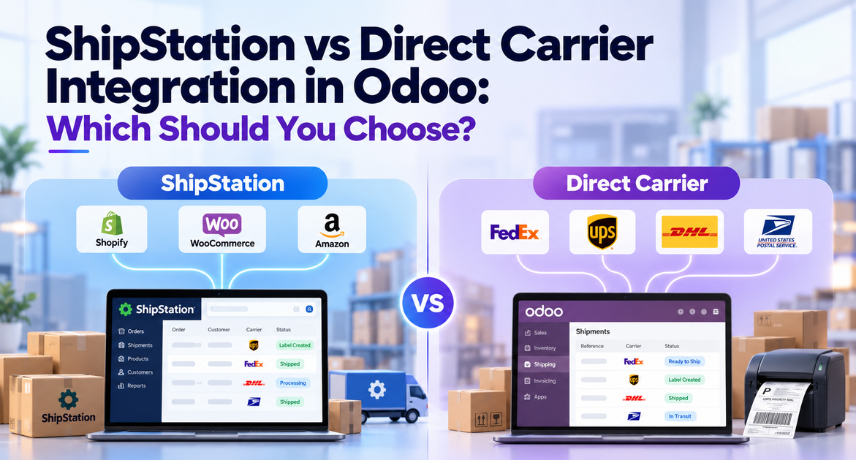
ShipStation is a shared shipping desk that works with several delivery companies. Direct integration is a private line to one company’s booking desk. Either works from Odoo if the connector supports your process. The shared desk is handy when you want everything in one place. The private line helps when one carrier needs something specific.
ShipStation vs direct carrier integration at a glance
| What You’re Comparing | ShipStation Integration | Direct Carrier Integration |
|---|---|---|
| Connection | Odoo connects through ShipStation | Odoo connects to the carrier API |
| Carrier Access | Accounts and services the platform supports | Accounts and services each connector exposes |
| Existing ShipStation Setup | Can be connected to Odoo | Not carried over automatically |
| Rates | Come through the platform and connector | Come through the carrier and connector |
| Negotiated Rates | Supported for eligible connected accounts | Uses the carrier account you configure |
| Special Features | Need support in both the platform and the connector | Need support in both the carrier API and the connector |
| Upkeep | Platform changes plus connector updates | Connector updates for each carrier |
| Cost | Connector, setup, platform fees, postage | Connector, setup, upkeep, postage |
| Main Risk | Platform outage or missing carrier access | Carrier API outage or account access |
| Best Starting Point | You already use ShipStation, or its carriers fit your needs | One or two carriers, or a carrier-specific feature |
One question matters more than any row in this table: does this exact connector support your whole shipping process? A long carrier list or a passing connection test won’t tell you that.
Rates, negotiated accounts and real shipping cost
Many people believe you need direct integration to use negotiated carrier rates. That’s only half true. ShipStation’s API documentation says you can connect supported carrier accounts and use your own negotiated rates. Whether yours qualifies depends on the carrier, the service and your origin country, so check those first.
Don’t assume either route gives you lower rates. Run the same shipment through both and compare. “Same” means the same carrier account, service, origin, destination, ship date, package type, weight, dimensions and extras. Even a different package code or a residential flag can change the quote.
The quote at label time also isn’t always the final bill. Carriers can adjust charges after a parcel ships, and ShipStation documents how it handles those adjustments. Read those rules before you compare costs.
A practical test: send a sample of your normal shipments through both options. Include a light domestic parcel, a bulky box, a remote address and, if you export, an international order. Compare rates, which services come back, how final billing works and how long your warehouse needs per order.
Odoo multi-carrier shipping: comparing carriers vs comparing services
A rate request can return several services from one carrier, or services from several carriers. They look alike on screen, but they aren’t the same thing.
Say you set up an Odoo delivery method for one carrier inside ShipStation. It will probably return that carrier’s services only. It won’t compare every carrier you’ve connected. Check what the Get Rate action covers in your connector.
ShipStation’s API does document rate shopping, but that doesn’t mean the Odoo module uses it. Ask the vendor: does it compare carriers, can it pick one automatically, or does it just list services for one account?
Direct connectors work the same way. Three carrier modules don’t give you one comparison screen. For that you’d need another module or a custom workflow.
Labels, packages and warehouse work
Your packing process matters as much as the connection. Test how Odoo records packages, sends weight and size, stores labels and assigns tracking numbers.
For multi-package orders, find out whether you get one shipment with several packages or several separate shipments. Check labels and references for each package, and test a partial delivery. “Multi-package support” should match how your team actually packs. Vraja’s ShipStation connector listings mention generating multiple labels from Odoo on some versions, so confirm that for yours.
Be careful while testing. Creating a label on a live account can buy that label, so use a test account or environment.
Printing is a separate question. A connector that produces a PDF doesn’t automatically send it to your warehouse printer at the right size. Check the label format and the print flow. Odoo has its own documentation on printing carrier labels.
Order import and ecommerce workflow
These two setups solve different problems. A direct carrier connector usually handles shipping only. It won’t bring in your web store orders.
A ShipStation connector can import orders that ShipStation has already collected. Vraja’s ShipStation connector listing describes importing stores, carrier services, and packages from ShipStation; importing orders store by store (by hand or on a schedule), exporting delivery orders when you validate them in Odoo; and pulling tracking numbers and costs back in. Features differ by version, so read the listing for your Odoo version. Vraja has a V1 and a V2 ShipStation connector, so ask which one matches your ShipStation account.
Vraja also has a separate eCommerce ShipStation module for website checkout. It needs Odoo’s eCommerce app and does a different job from the back-office connector, so don’t treat the two as the same thing.
Watch for duplicates. If Shopify already sends orders into Odoo through a separate ecommerce connector, importing the same orders again through ShipStation creates a second path. Pick one main import route, or build reliable duplicate checks.
A simple ownership model:
- Odoo owns sales, inventory and delivery records.
- One agreed route creates each order in Odoo.
- One agreed system creates the shipment and buys the label.
- Tracking flows back to Odoo and to the sales channel through set updates.
Other models work too. Just give every step a single owner, and don’t switch on three automations because each looks useful on its own.
Tracking, returns and cancellations
A tracking number isn’t the same as current shipment status. A connector might store the first number, show a tracking link, fetch status on request, or update on a schedule. Find out which, and how long the delay is.
Returns need their own check: label creation, return addresses, authorization references, stock receipt and refunds. A return label doesn’t finish the return in Odoo or the money side of it.
Cancelling a delivery in Odoo is not the same as voiding a label you already bought. Some versions of Vraja’s ShipStation connector cancel the shipment in ShipStation when you cancel the delivery order in Odoo, and show a notice in Odoo. Whether you get money back for the label depends on the carrier and ShipStation’s rules. Test it, and keep the response so your team can see what happened.
Direct access can help when a carrier has an operation you need, but only if the connector exposes it. FedEx, for example, documents domestic, international and return shipping in its Ship API. That doesn’t mean every FedEx module for Odoo supports all of it.
International shipping and special services
For cross-border orders, check customs descriptions, values, quantities, currencies, HS codes, country of origin and who pays duties. Find out which documents the service needs and how they’re created or uploaded.
Insurance, signature options, third-party billing and dangerous goods each need their own test. Availability changes by carrier, service, country, account and API operation.
The same carrier name doesn’t mean the same support in a direct connector and a platform connector. Compare your required fields against both. If something critical is missing, look at supported customization or a different setup before you commit.
Parcel shipping vs LTL freight
Parcel and freight work differently. Freight can need pallet details, weight, freight class, extra services, pickup instructions and a quote-then-book step. Several cartons on a parcel shipment are not an LTL booking.
Don’t assume ShipStation can’t do freight. Its API documentation includes freight functions. But don’t assume a parcel-focused Odoo ShipStation module uses them either.
If freight matters, ask for a demo of the exact quote, booking, documents and tracking flow. A direct freight connector or specialist middleware may fit better. Vraja’s shipping and LTL integration services cover mixed parcel-and-freight setups.
What it really costs
Buying a connector and getting platform API access are two separate things. ShipStation’s help documentation describes subscription requirements for V1 and V2 access, plus a separate Inventory API add-on. Check your plan, region and endpoint access before you buy an Odoo module, and don’t assume the inventory add-on unlocks every shipping endpoint.
Put these costs side by side:
| Cost | What to Ask |
|---|---|
| Odoo Module | Which version and dependencies are included? |
| Platform | Which subscription and add-ons do you need? |
| Carrier Billing | How are postage, adjustments and extras charged? |
| Setup | What mapping and warehouse settings need work? |
| Customization | Which of your required operations are missing? |
| Upkeep | Who updates the connector when an API changes? |
| Support | Who handles failed shipments and billing problems? |
| Upgrades | What happens when you move to a new Odoo version? |
Direct integration takes ShipStation out of the path, but it doesn’t make shipping or upkeep free. A platform can simplify multi-carrier work, but you still pay for setup and support. Use the same shipment mix and support scope for both, and compare total running cost, not just the module price.
When something fails: duplicate shipments and recovery
Both routes rely on outside services. ShipStation adds a platform on top of the carrier. Direct integration depends on each carrier API and your connector. Neither setup guarantees labels will always generate.
Here’s the failure that costs money. Odoo sends a shipment request, the label is created on the other side, and the reply times out before Odoo saves it. If someone clicks retry, you get a second shipment and a second charge. Where the connector supports it, use a unique reference, and always check for the existing shipment before creating another.
Store the external shipment ID, label ID and package references, not just the Odoo order number. Your support log should show what was attempted and what came back, without exposing credentials or extra customer data.
A hybrid setup is not automatic failover. If you switch carriers or platforms after an unclear result, you still have to check whether the first request created a shipment. Plan and test your recovery steps.
Hosting, security and compatibility
Before installing anything, check your Odoo version and edition, your hosting, module dependencies, and network rules. Odoo Online doesn’t let you install custom modules. Odoo.sh and self-hosted setups do. Confirm your hosting works with the module before you buy.
Protect your credentials and name someone responsible for rotating keys. ShipStation documents API key expiry and rotation, and carrier credentials have their own lifecycle. A connection that works today can break later if access expires.
Keep live label buying switched off while you test. A staging database copied from production may still hold working credentials, so confirm that real shipments can’t be created before you run warehouse tests.
Five examples: which setup fits?
These companies are made up. They show how to think through the choice, not real client results.
StyleNest: an online seller already on ShipStation
StyleNest gets store orders in ShipStation and wants Odoo to run stock and accounting. Connecting the platform it already uses is a sensible start, if order import and fulfillment mapping work for them. First they must decide which system creates orders and labels, and stop a second store connector from importing the same orders. ShipStation fits because it’s already in the workflow, not just because it supports many carriers.
PartsForge: a manufacturer with one contracted carrier
PartsForge ships mostly through one carrier account. A direct connector may be the simpler start if it covers their rates, labels, billing and tracking. They should compare their negotiated rates and any special services first. Direct works here because of their specific workflow, not because one carrier always makes ShipStation unnecessary.
BorderCart: an international retailer using several carriers
BorderCart needs carrier choice, customs documents and multi-package handling. They should test both setups with real destinations and accounts. ShipStation is a candidate if the platform and connector cover their services, and a direct connection may help with a carrier-specific need the platform doesn’t expose. A full test shipment settles it.
PalletWorks: a distributor shipping parcels and freight
PalletWorks sends small orders by parcel and bulk orders on pallets. They might use ShipStation for parcels and a separate freight connector for quoting and booking. Before relying on ShipStation for freight, they need to confirm the connector actually implements it. A mixed setup can work if the rules for picking a delivery method are clear.
FulfillHub: a warehouse serving several businesses
FulfillHub needs separate accounts, warehouses, references and billing for each client. They should test account separation, permissions and shipment ownership on either route. A shared platform can work if its account model and the module fit. Several direct connectors can work too, with careful setup. Multi-company and 3PL needs must be shown in a demo, not assumed from the words “multi-carrier.”
Checklist before you go live
- List your carriers, accounts, origin countries and required services.
- Pick one main order-import route and one owner for shipment creation.
- Confirm your Odoo version, edition, hosting and API access.
- Map packages, units, addresses and billing details.
- Compare rates using the same shipment data.
- Test labels, printer formats and multi-package shipments.
- Check customs, returns, cancellations and special services.
- Test tracking updates and agree the sync delay.
- Simulate expired credentials, timeouts and repeated requests.
- Name support owners and write down recovery steps.
A passing connection test only proves access. A passing business test proves your warehouse can finish the job.
These are starting points, not universal rules. A technical assessment of your actual connector set is more reliable than a generic hosting comparison.
How Vraja Technologies can help
We offer shipping integration, e-commerce integration, and custom Odoo implementation, including ShipStation and carrier-focused connectors, so you can compare real options against your workflow.
Send us your Odoo version, current shipping platform, carrier accounts, typical shipments, and the features you need. We’ll check the whole path, from order creation and packing to labels, tracking, and exceptions.
Not sure whether ShipStation or a direct connector fits?
Frequently asked questions
Is ShipStation better than direct carrier integration in Odoo?
Not always. ShipStation is better if you already use it or want one platform for many carriers. Direct integration is better if you ship with only one or two carriers, or need a feature the ShipStation connector doesn’t have.
Is ShipStation better than direct carrier integration in Odoo?
Not always. ShipStation is better if you already use it or want one platform for many carriers. Direct integration is better if you ship with only one or two carriers, or need a feature the ShipStation connector doesn’t have.
Can I use my negotiated carrier rates through ShipStation?
Yes, in many cases. ShipStation lets you connect your own carrier account and use your negotiated rates. Check that your carrier, country and Odoo connector support it.
Does one ShipStation connector support every carrier feature?
No. What you get depends on ShipStation, the carrier, your account and the Odoo module. Confirm the features you need, like returns, insurance or freight, before you buy.
Can direct carrier integration support multiple carriers?
Yes. You install one connector for each carrier. Comparing rates across carriers on one screen needs an extra module or custom work.
Can Odoo import orders from ShipStation?
Yes. Vraja’s ShipStation connector can import orders store by store, manually or on a schedule. Check the listing for your Odoo version.
Does Get Rate compare all my ShipStation carriers?
No, not by default. It usually returns services for the one carrier set on the delivery method. Comparing all carriers needs a module that supports rate shopping.
Does ShipStation support LTL freight in Odoo?
ShipStation’s API has freight functions, but the Odoo connector may not use them. Ask for a demo of freight quoting and booking before you rely on it.